Author: Kate Kozuch

  • Apple’s HomeView isn’t reinventing smart displays — it’s fixing what made me abandon my Amazon Echo Shows

    Apple’s HomeView isn’t reinventing smart displays — it’s fixing what made me abandon my Amazon Echo Shows

    Apple HomeView
    (Image credit: Future)

    Apple’s new $299 HomeView might be the first smart display in years that makes me want to put one back in my kitchen. Which is saying something, considering I once had multiple Amazon Echo Shows around my home before eventually giving up on them altogether.

    I was initially a big believer in the Echo Show. I loved the idea of having recipes, music, photos and smart home controls available without constantly reaching for my phone. But the longer I lived with them, the more I realized how much work I was doing to make these supposedly convenient devices useful.

    Want to follow a recipe? I found myself working around Amazon’s suggested options rather than easily opening one I’d already saved on my phone. Want to turn the screen into a digital photo frame? That meant managing another app just to display my favorite pictures.

    Add in the increasingly intrusive ads, and my Echo Shows eventually went from helpful household gadgets to screens I didn’t particularly want to look at. It wasn’t long before I sent them off to my storage unit.

    But after seeing Apple’s new HomeView in action on a bedroom nightstand, mounted on a wall and, most practically for me, on a kitchen counter, I started reconsidering whether I’d actually given up on smart displays altogether.

    Unlike my Echo Shows, HomeView seems designed to work with the things I’m already doing on my iPhone, rather than asking me to figure out another way to do them.

    HomeView works with my life, not the other way around
    Apple HomeView

    (Image credit: Future)

    Usually, when I’m following a recipe, I’ve already decided what I’m making. The instructions might be in a link I’ve texted to my partner, a screenshot or an increasingly chaotic collection of ingredients and instructions copied into Notes (surely I’m not the only one?).

    Get instant access to breaking news, the hottest reviews, great deals and helpful tips.

    With my Echo Shows, getting to that specific recipe was often more trouble than it was worth. Eventually, it became easier to prop up my iPhone or iPad on the counter. Not exactly the convenience I was looking for.

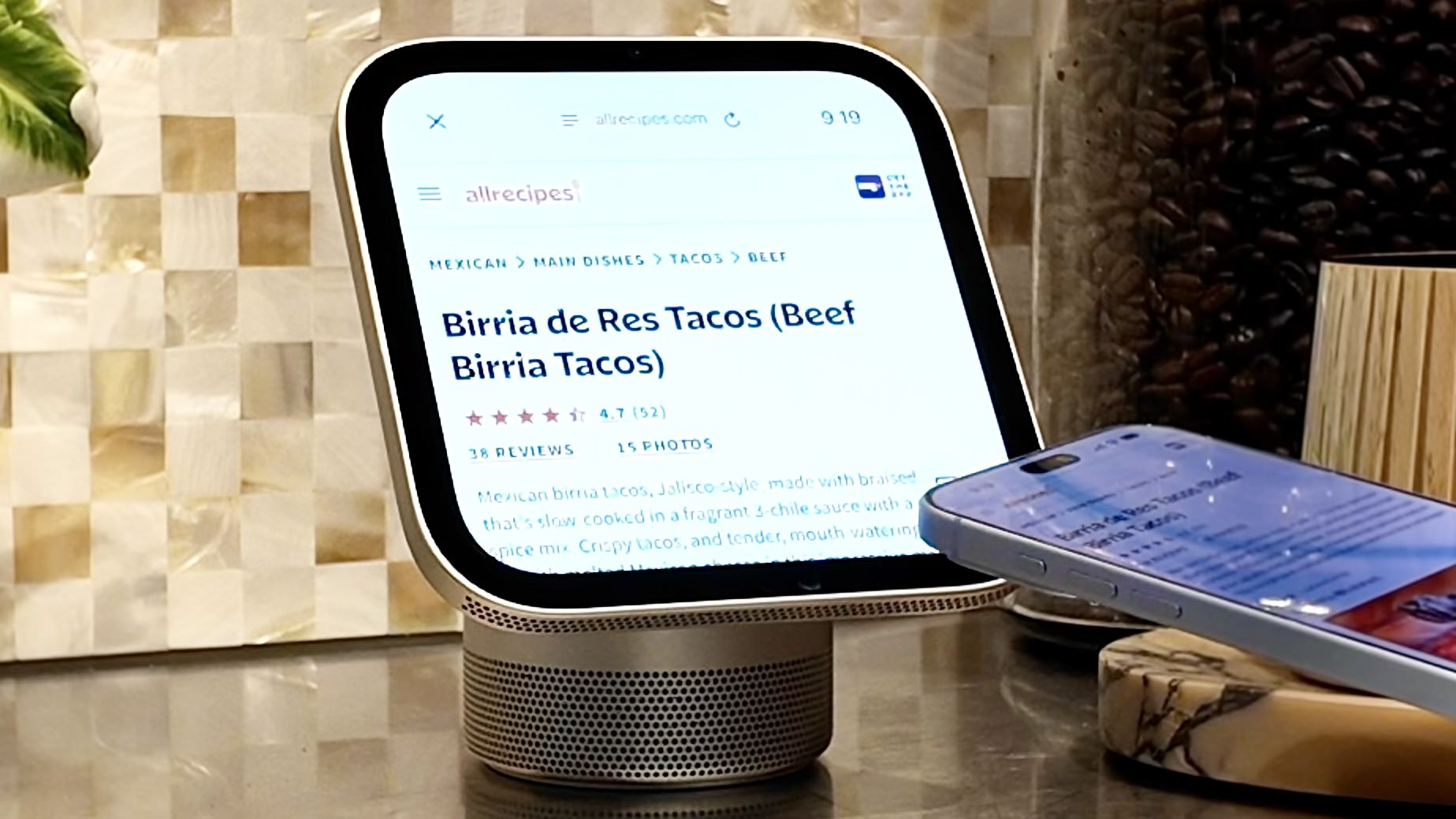
    HomeView takes a different approach. I watched Apple AirDrop a recipe from an iPhone to the display, where Safari transformed the webpage into step-by-step instructions, complete with automatically suggested timers. You can even use Siri to move through the steps hands-free.

    Siri AI can also retrieve a recipe someone sent through Messages, using personal context from a compatible iPhone.

    Other smart displays have offered guided recipes for years, but what appeals to me is that HomeView starts with content I’ve already found, rather than expecting me to find something within its own ecosystem. Whether it can handle my messier Notes recipes remains to be seen.

    In a similar vein, I like how HomeView can pull photos from existing Apple Photos albums, including shared albums, and display collections featuring specific people or places. I wouldn’t need to maintain a separate library through Amazon Photos, which is something I rarely bothered updating on my Echo Shows.

    Neither of these features is necessarily revolutionary. But together, they address the biggest reason I stopped using smart displays: I don’t want another gadget that requires homework.

    A screen that feels like it belongs in my home

    Apple HomeView

    (Image credit: Future)

    Then there’s the issue of what actually appears on the screen when I’m not interacting with it.

    One of my biggest frustrations with the Echo Show was the promotional content. When I’m making coffee, I want to see my calendar, the weather or a favorite photo — not a recommendation for an Amazon Prime TV show or something to buy.

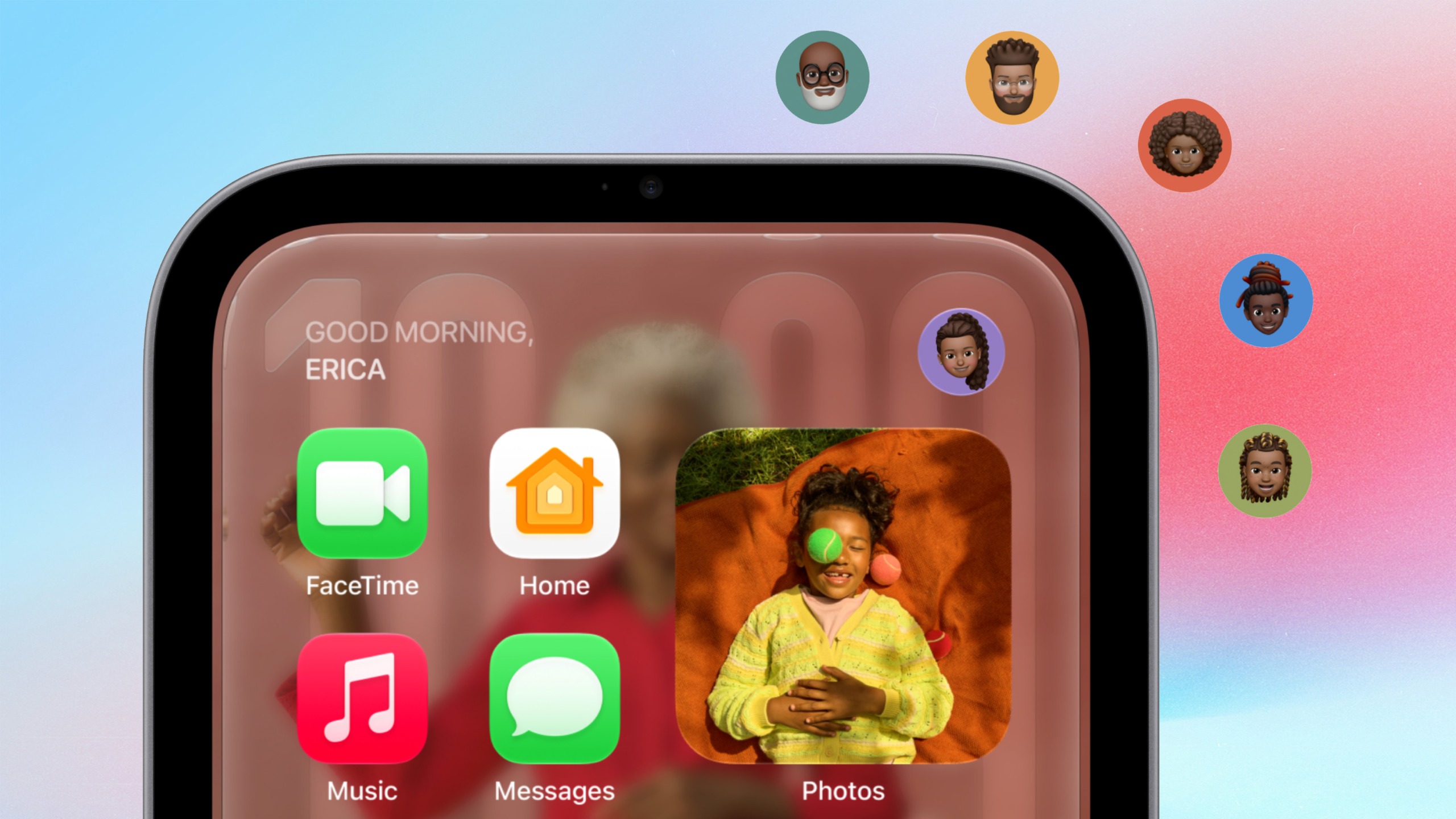
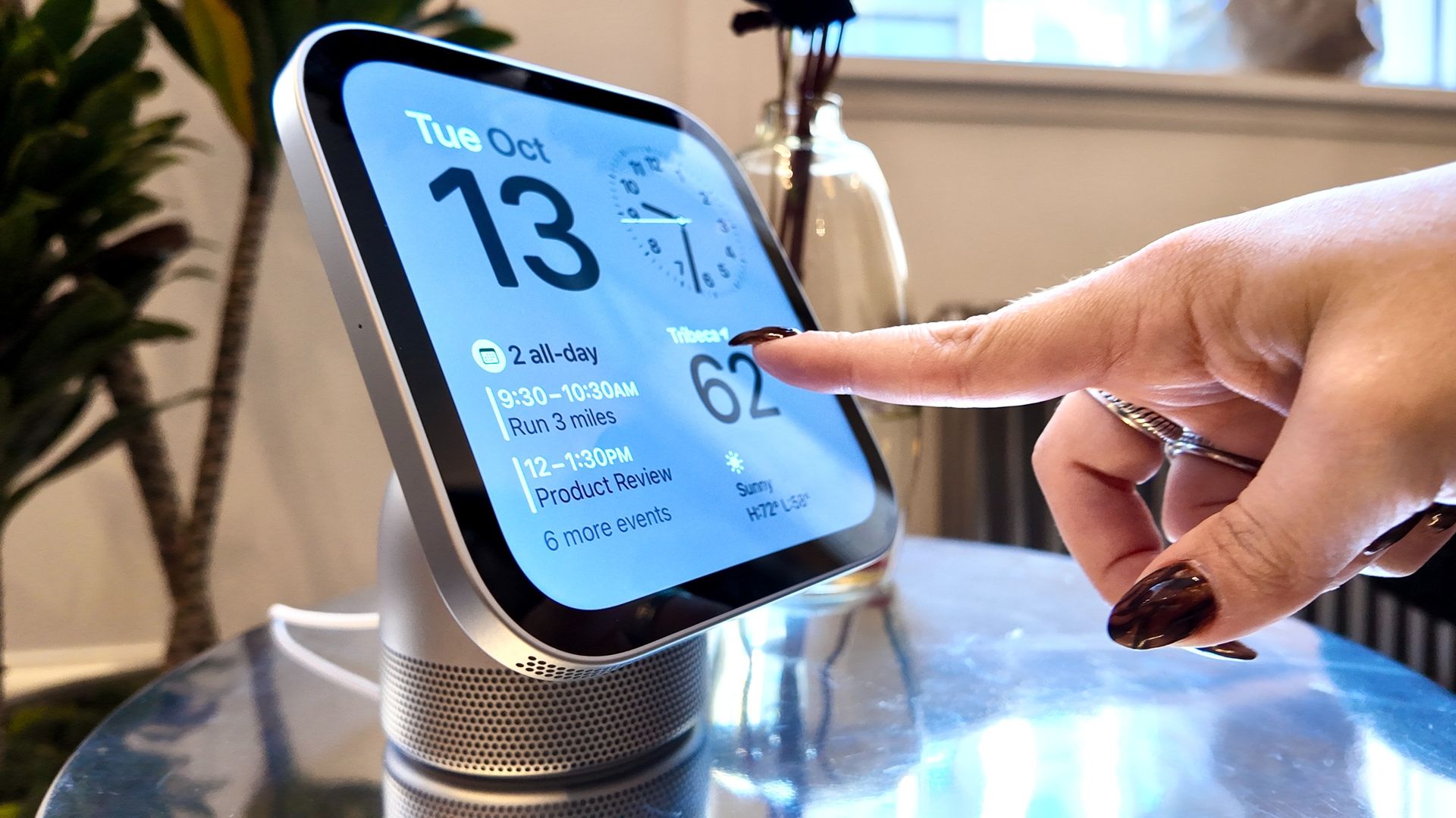
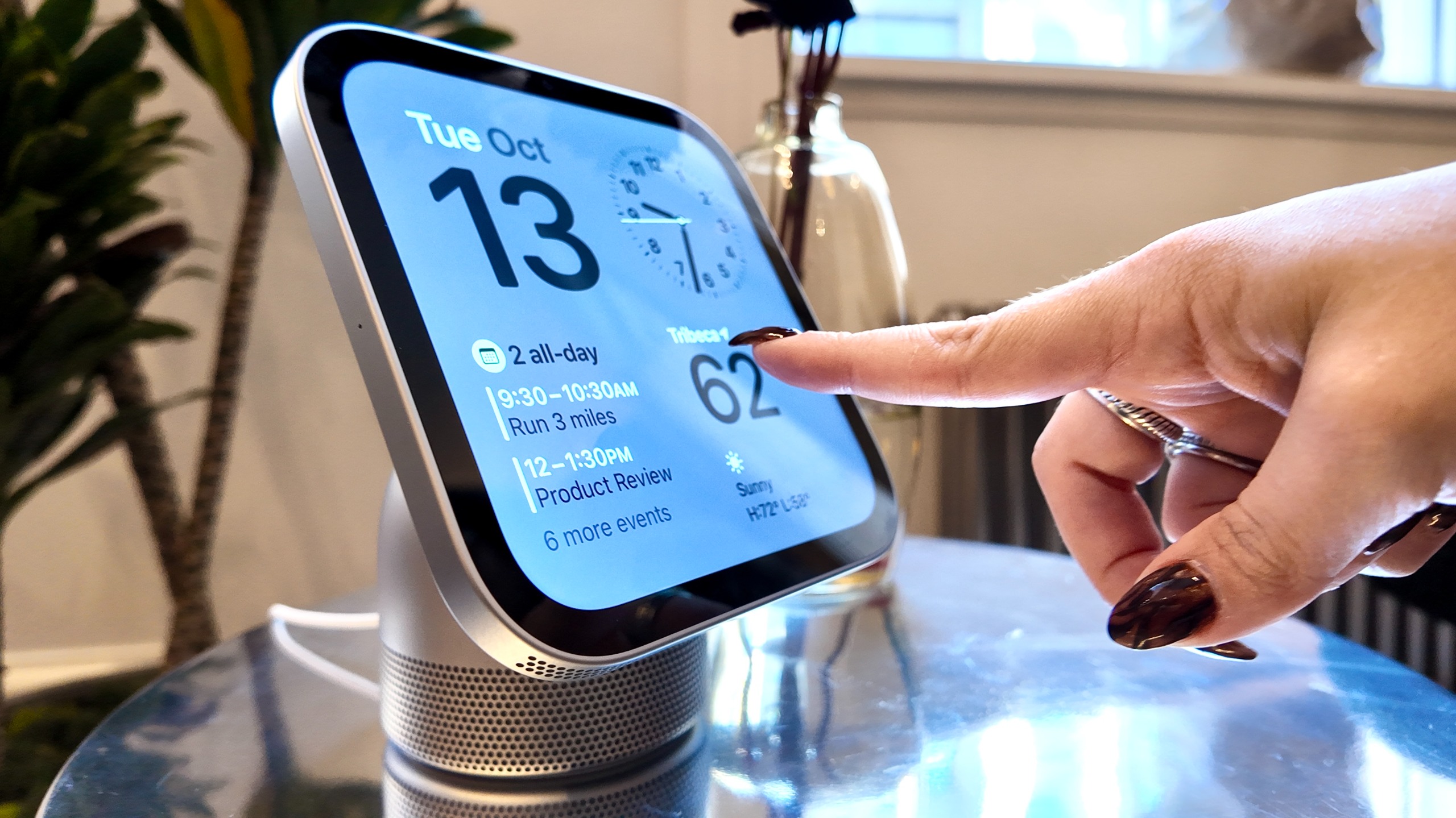
    Because HomeView recognizes up to six household members, the display changes depending on who’s standing in front of it. That means my partner and I could approach the same device and see our own schedules, reminders and widgets.

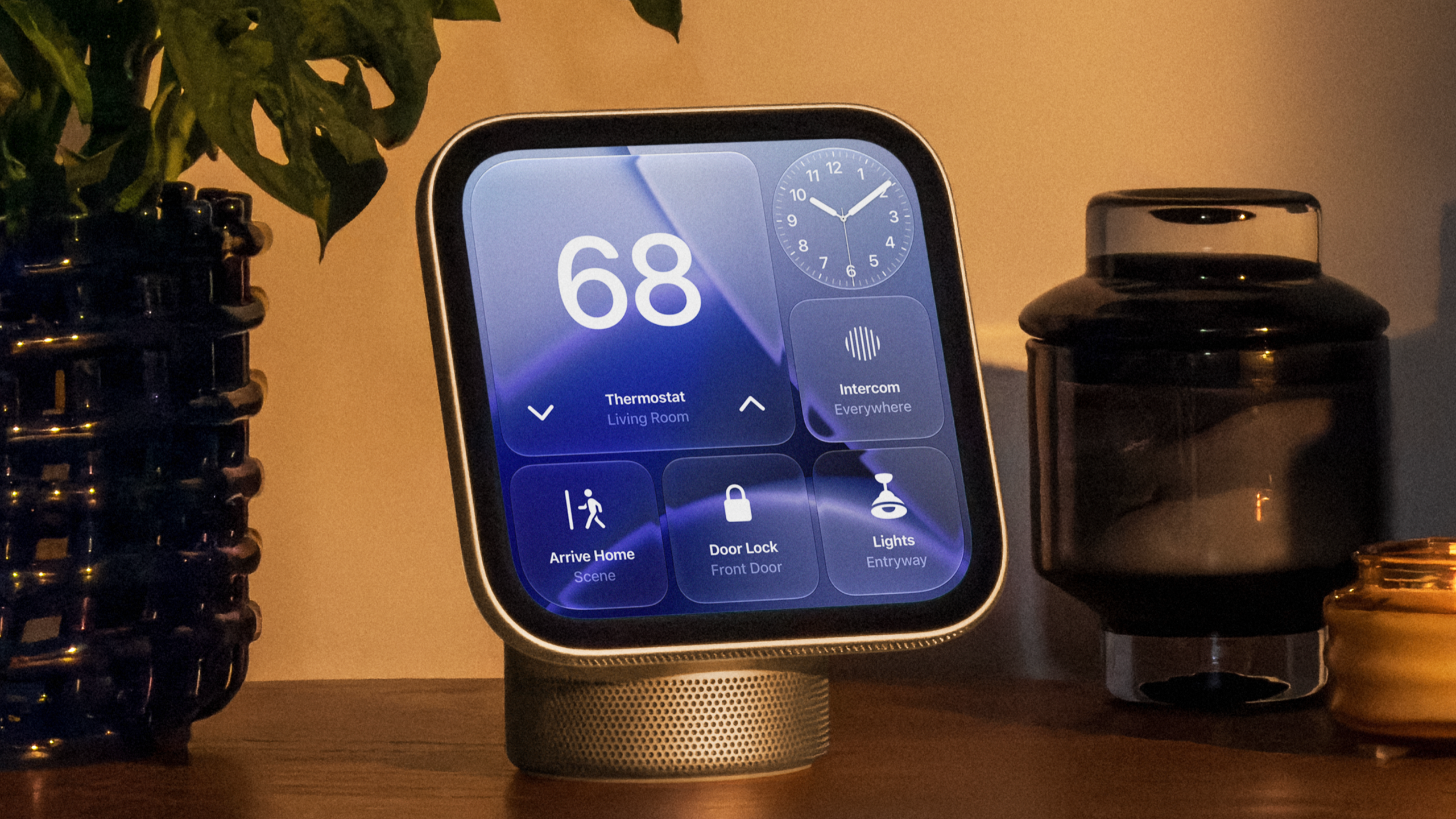
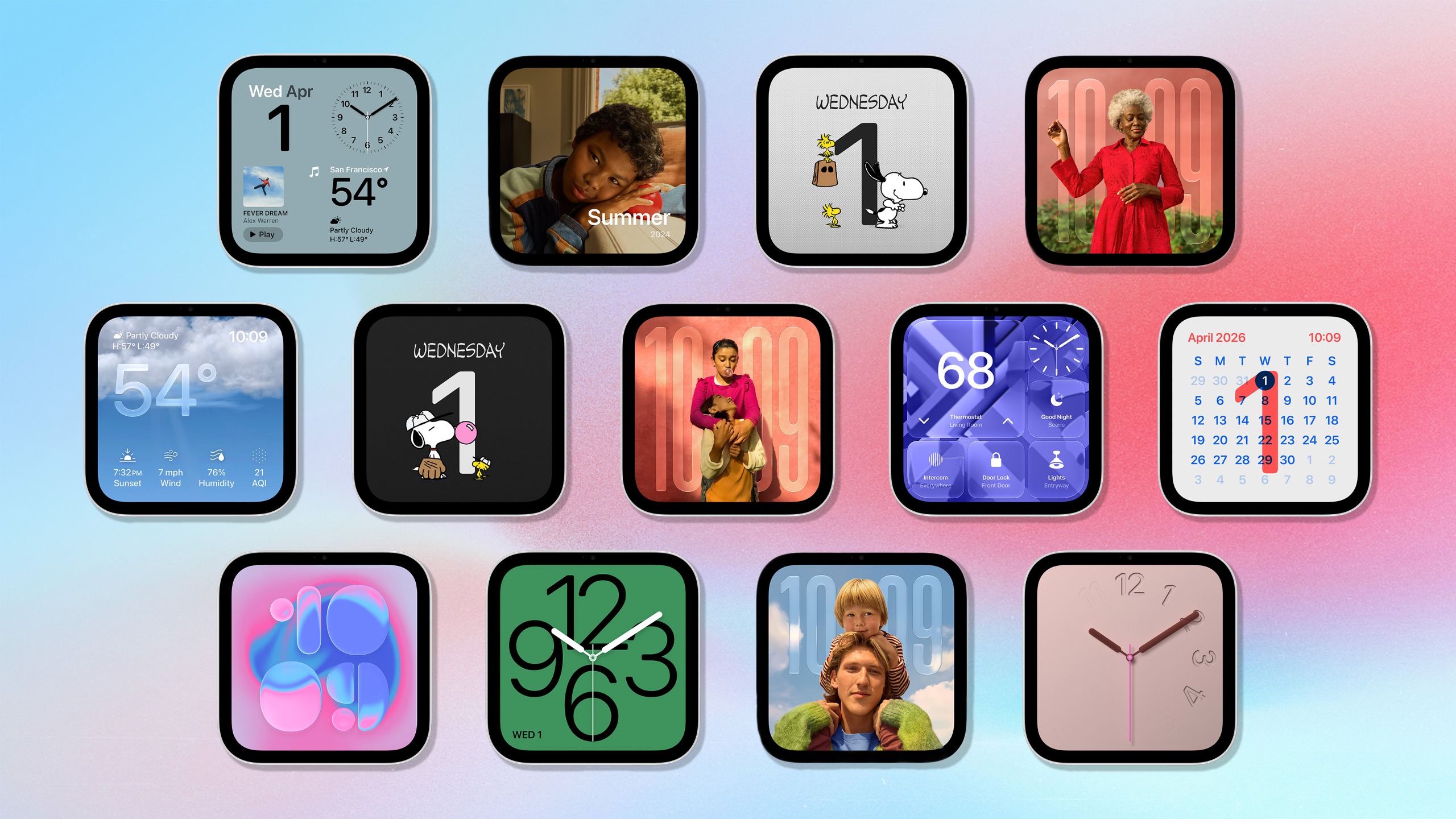
    HomeView is ad-free, and its customizable faces put much more emphasis on the information you choose to display. There’s a Modular face with widgets, a Photos face and even an animated Snoopy.

    Because HomeView recognizes up to six household members, information displayed changes depending on who’s standing in front of it. That means my partner and I could approach the same device and see our own schedules, reminders and widgets without manually switching profiles.

    There are requirements, of course. Personal context relies on a compatible iPhone with Apple Intelligence connected to the same Wi-Fi network, and the phone must have been recently unlocked. Still, I like the idea that HomeView is an extension of my existing devices instead of another screen demanding its own digital life.

    Apple doesn’t need to reinvent the smart display

    HomeView still has plenty to prove. There’s no traditional App Store; some of its smartest features depend on a compatible iPhone or iPad; and at $299, it’s considerably more expensive than many competing smart displays.

    But I’m not asking Apple to reinvent the smart display category. All I want is one that feels useful without requiring extra effort. Taking familiar features and connecting them to the way I already use technology is something I wish Amazon had been better positioned to implement.

    And while HomeView has yet to prove it’ll deliver on that promise in the long-term, it’s made me excited about owning a smart display again.


    Google News

    Follow Tom’s Guide on Google News and add us as a preferred source to get our up-to-date news, analysis, and reviews in your feeds.


    More from Tom’s Guide

    Kate Kozuch is the managing editor of social and video at Tom’s Guide. She writes about smartwatches, TVs, audio devices, and some cooking appliances, too. Kate appears on Fox News to talk tech trends and runs the Tom’s Guide TikTok account, which you should be following if you don’t already. When she’s not filming tech videos, you can find her taking up a new sport, mastering the NYT Crossword or channeling her inner celebrity chef.

  • Apple’s new Home Collection includes a smart lock that opens when you walk up — no tapping required

    Apple’s new Home Collection includes a smart lock that opens when you walk up — no tapping required

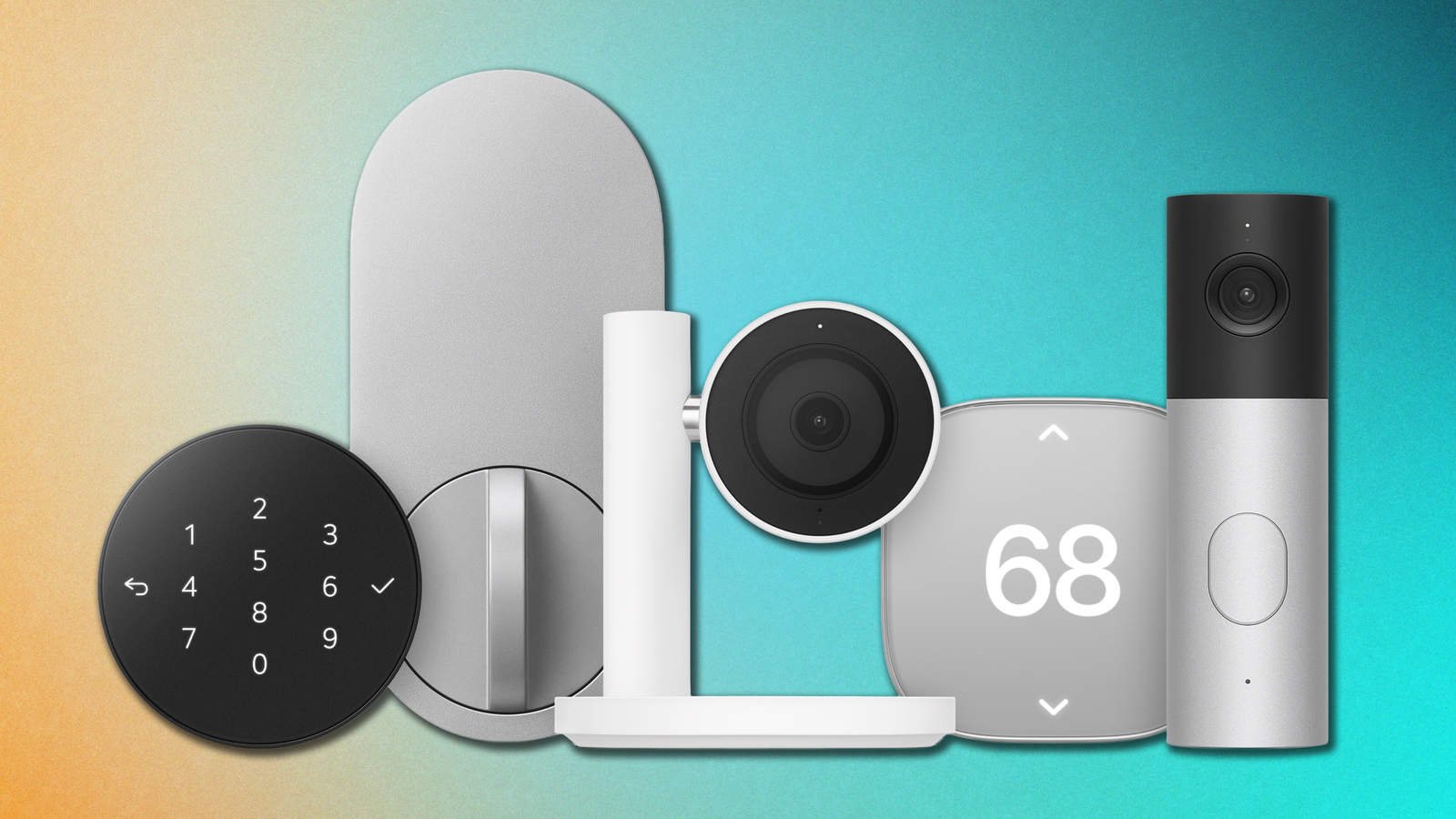
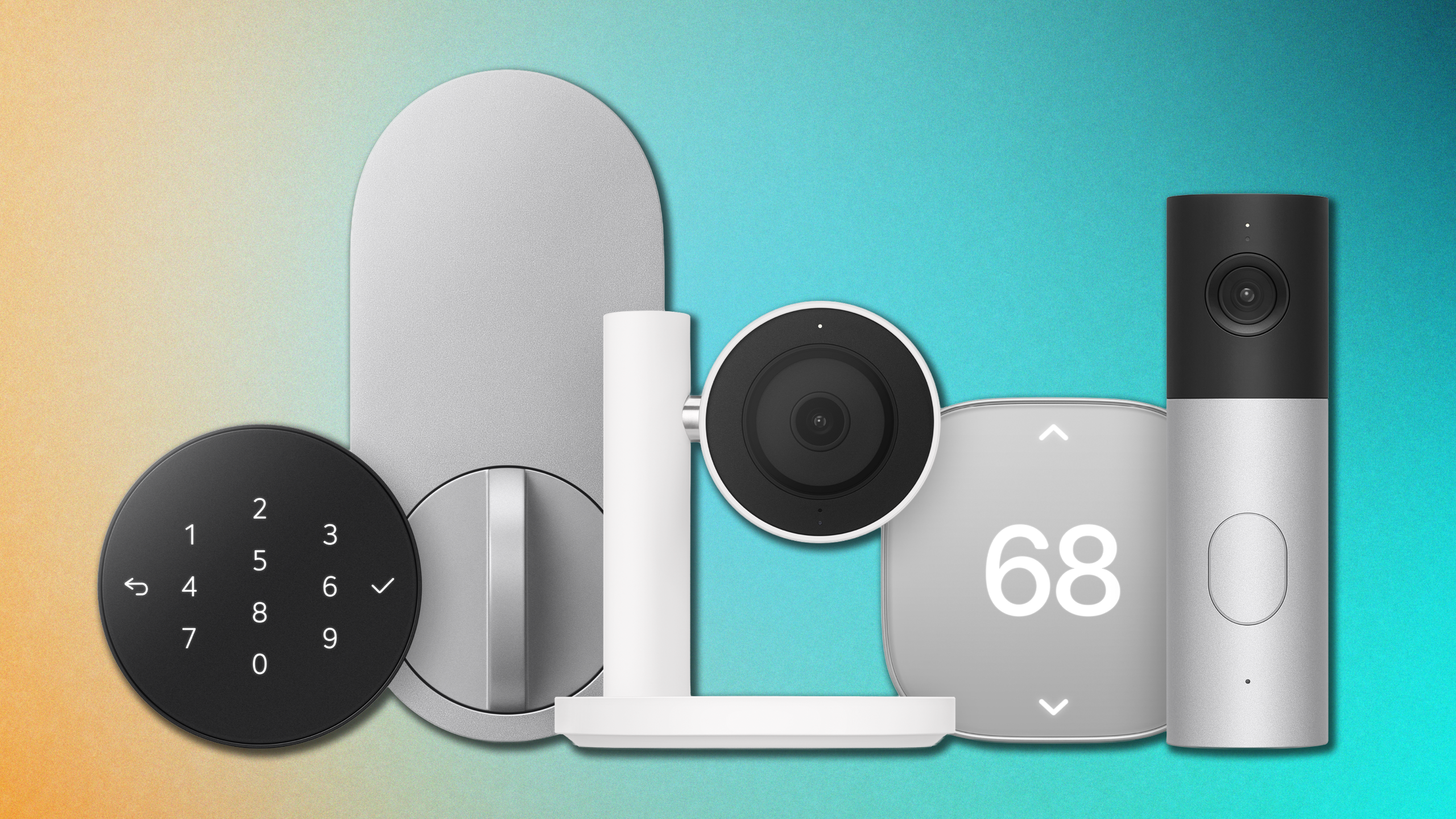
    Apple Home Collection including smart thermostat, smart lock, security camera and smart doorbell
    (Image credit: Apple)

    The irony of smart home gadgets is that they can require an awful lot of work (and app downloads) for devices that are supposed to make your life easier.

    Apple wants to simplify that process with the new Apple Home Collection, a lineup of smart home accessories developed by LG Electronics and Schneider Electric in collaboration with Apple.

    The collection includes a variety of standard smart home devices from security cameras and smart thermostats to a door lock that can recognize when you’re approaching with your iPhone or Apple Watch.

    But more importantly, rather than requiring a collection of separate apps and accounts, these accessories are designed to work directly with the new Apple HomeView smart home display and Apple Home app, with an emphasis on easy setup, privacy and integration with your existing Apple devices.

    Apple Home Collection: The full list of smart home devices

    Swipe to scroll horizontally

    Device

    Price

    Key Feature

    LG Smart Deadbolt Lock

    $349

    Ultra-wideband (UWB) unlock via iPhone or Apple Watch

    LG Indoor Cam

    $199

    Auto-rotates for privacy when people are home

    LG Outdoor Cam

    $299 ($399 with floodlight)

    Floodlight version gets brighter gradually when motion detected

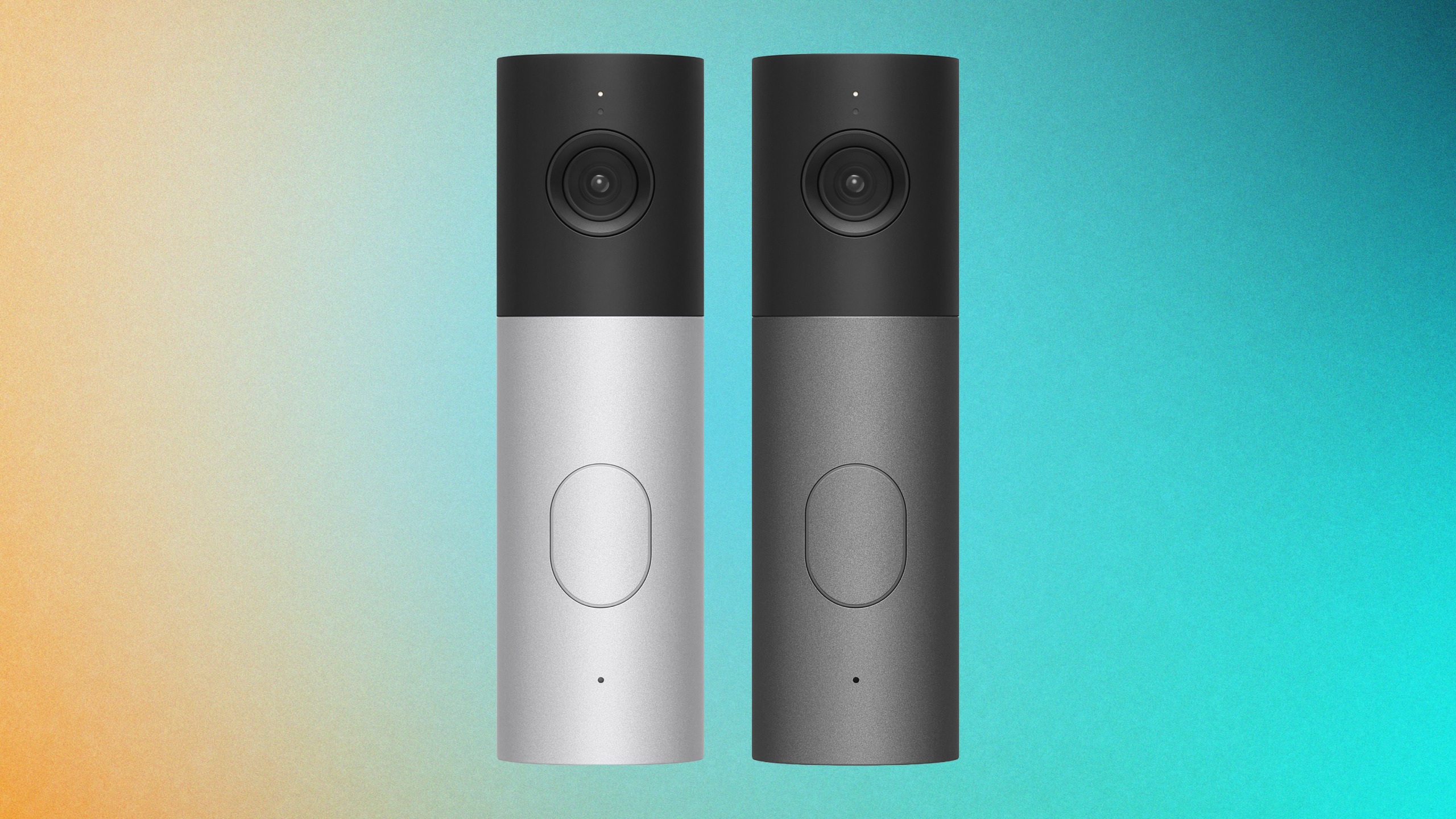
    LG Video Doorbell Wired

    $249

    Dual-camera angles for guests and package detection

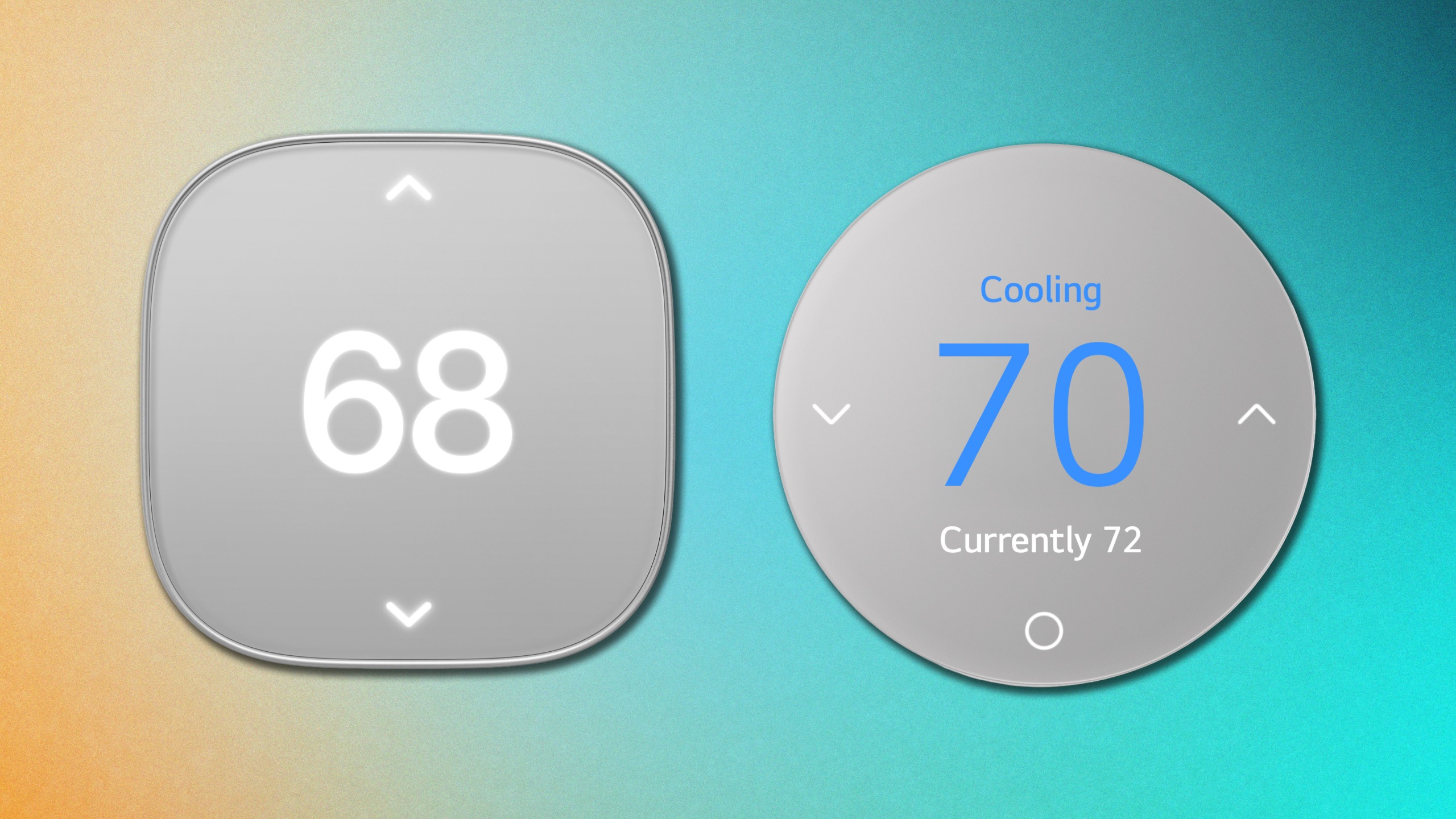
    LG Smart Thermostat

    $199

    Circular design, auto temperature adjustment

    Schneider Home Smart Thermostat

    $199

    Rounded square design, auto temperature adjustment

    A smart lock that knows when you’re coming home

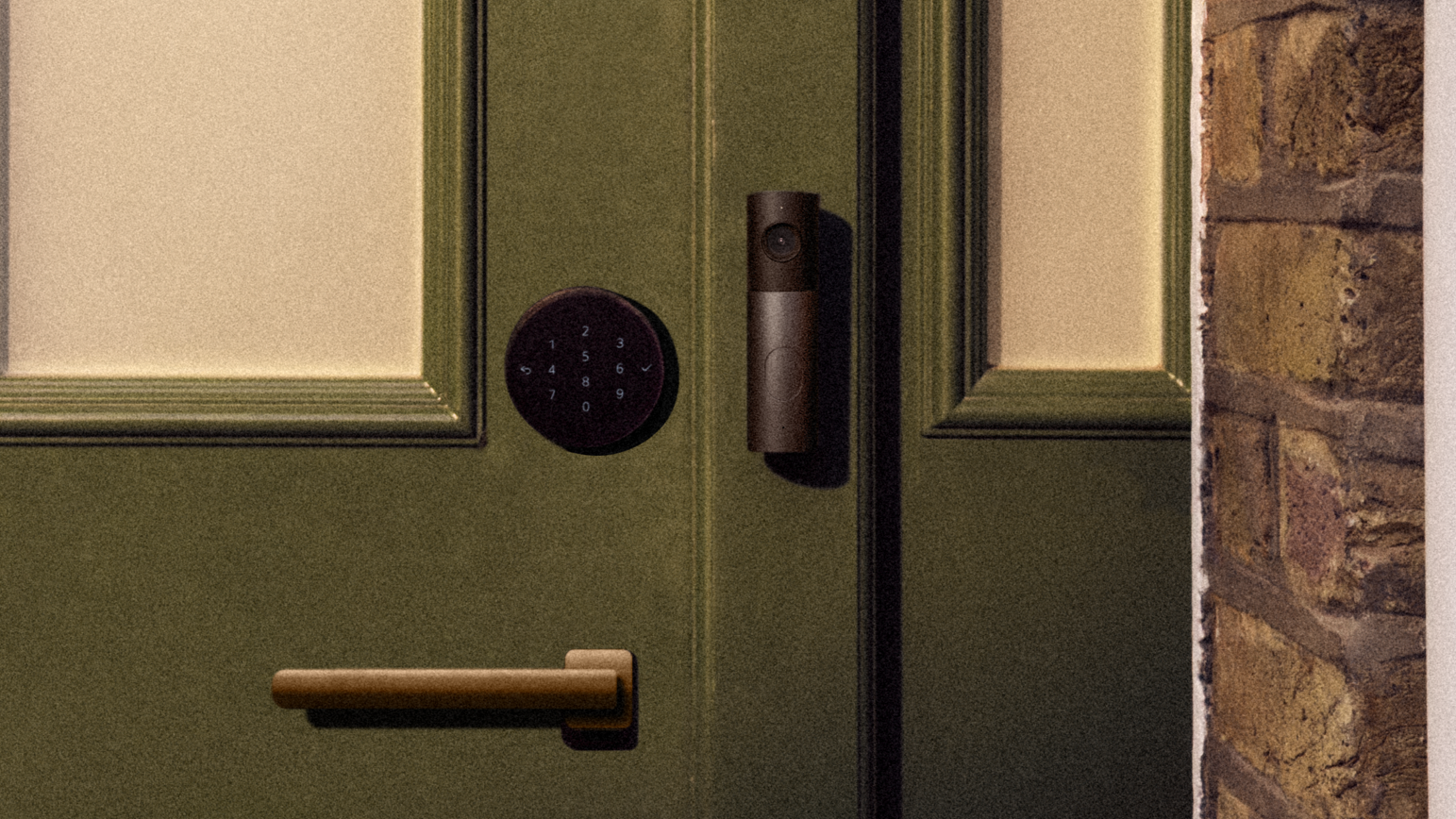
    LG Video Doorbell and LG Smart Deadbolt Lock from Apple Home Collection on Green Door

    (Image credit: Apple)

    Of everything in the collection, the LG Smart Deadbolt Lock might be the accessory I’m most interested in trying.

    Using Ultra Wideband (UWB) technology, the lock can detect when you’re approaching with a compatible iPhone or Apple Watch and automatically unlock the door. No need to pull out your phone, tap your watch against the lock or enter a passcode.

    That said, the lock does also include a keypad, plus a physical keyhole concealed behind a sliding cover. As much as I like the idea of a door that recognizes me, I wouldn’t want to find myself locked out because my phone battery died.

    Get instant access to breaking news, the hottest reviews, great deals and helpful tips.

    Security cameras that know when you’re home

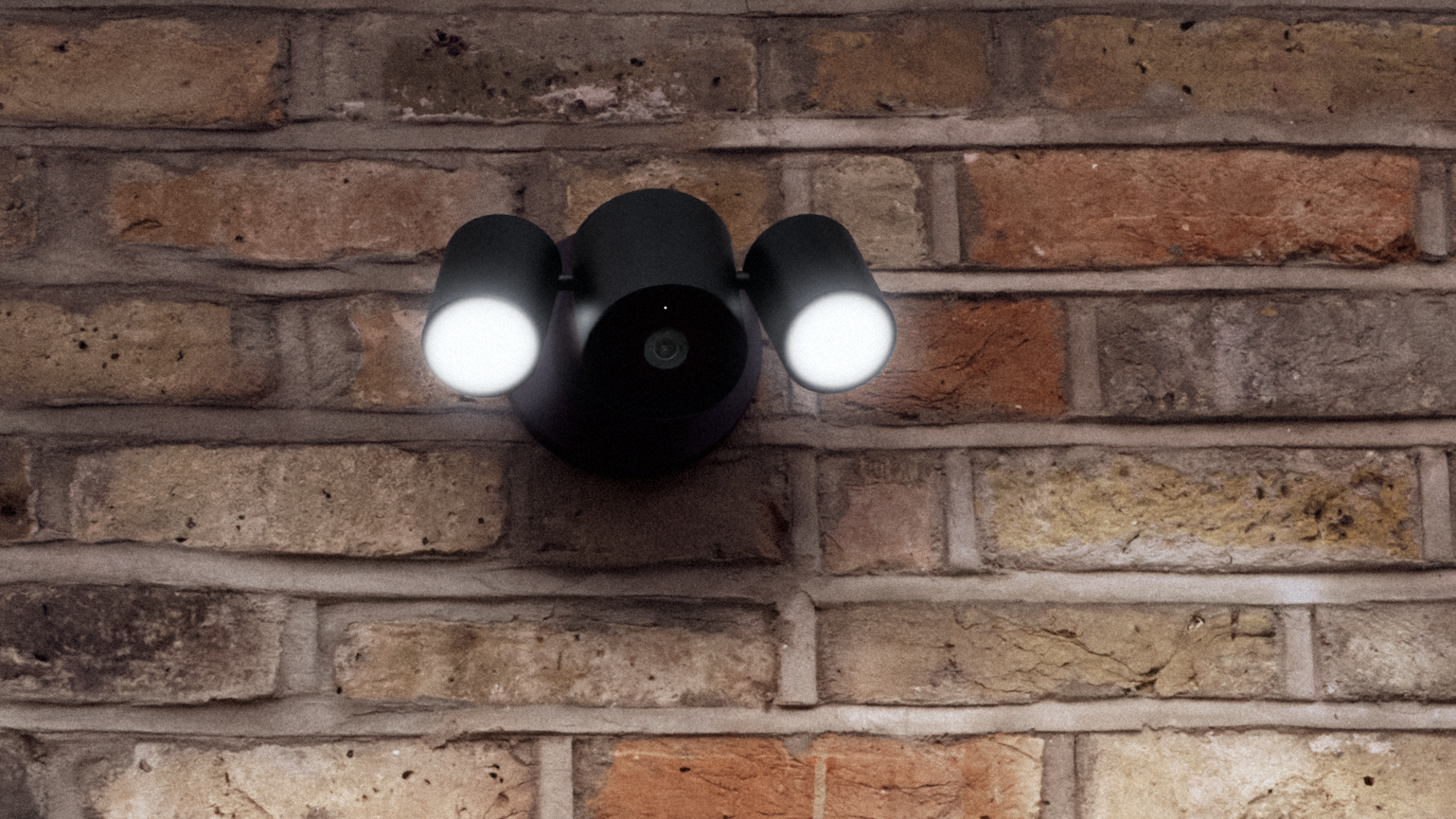
    Apple Home Colllection's LG Floodlight Cam on brick wall

    (Image credit: Apple)

    LG is also introducing indoor and outdoor security cameras designed to work directly with Apple Home.

    The $199 indoor camera has a particularly thoughtful privacy feature. In lieu of, say, a physical privacy shutter, it can automatically tilt downward when you arrive home. You can also configure schedules for this behavior.

    For outdoor security, LG is offering a camera designed to monitor the area around your house, including an option with a motion-activated floodlight.

    The cameras integrate with Apple’s existing HomeKit Secure Video features, including recognition of familiar faces, pets and package deliveries, with supported video history stored through iCloud+.

    A video doorbell with two different views

    LG Video Doorbell in silver and black

    (Image credit: Apple)

    The LG Video Doorbell features two cameras: one facing outward to capture visitors and another pointing down toward the ground.

    That second camera is designed to give you a better look at packages left near your doorstep, which is something traditional doorbell camera angles don’t always capture particularly well.

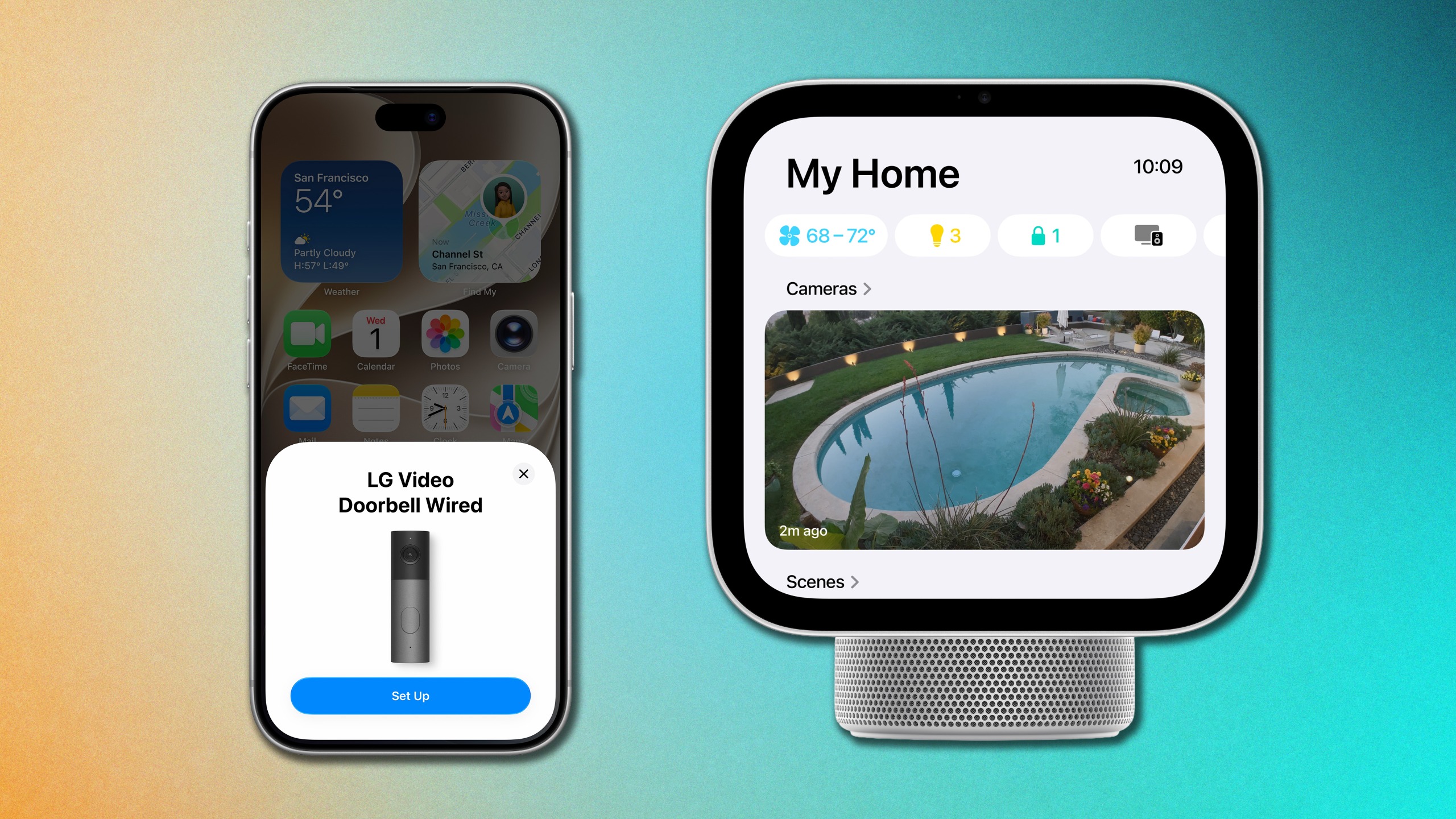
    And with Apple’s new HomeView smart display, you’ll be able to check up to five compatible camera feeds at once from a central screen instead of reaching for your phone. This camera, when set up with an iPhone with Apple Intelligence, also monitors familiar faces and pets for motion activity recaps.

    Smart thermostats from LG and Schneider Electric

    Apple Home Collection Thermostats

    (Image credit: Apple)

    The collection also includes $199 smart thermostats from both LG and Schneider Electric with slightly different designs, giving buyers some choice in how the thermostat looks on the wall.

    Like existing smart thermostats, these can make adjustments throughout the day to help maintain comfortable temperatures while reducing unnecessary energy use.

    The thermostats are designed for North American heating and cooling standards, so availability will be more limited than some of the other products in the collection.

    Apple Home Collection outlook

    Apple Home Collection set up on iPhone and camera view on Apple HomeView

    (Image credit: Apple)

    To me, the biggest selling point of the Apple Home Collection is how easily they’re designed to work together. Simply bring your iPhone near a device, follow a few prompts and add it directly to the Home app. There are no separate manufacturer apps or accounts required.

    The accessories will begin arriving in December. Security cameras will be available in the U.S., Canada and U.K., while the smart lock and thermostats are limited to the U.S. and Canada. Prices start at $199 for the indoor camera and thermostats, with the smart lock costing $439.

    Apple has supported third-party smart home accessories for years, but collaborating with LG and Schneider Electric to develop them is definitely a different approach. Combined with the new HomeView display, which gives Apple’s smart home ecosystem a more obvious centerpiece, there’s finally a clearer picture of what an Apple-powered home could look like.

    If Apple can truly make setting up and managing a connected home feel less like managing a dozen different gadgets, that might be the smartest feature of the entire Apple Home collection.


    Google News

    Follow Tom’s Guide on Google News and add us as a preferred source to get our up-to-date news, analysis, and reviews in your feeds.


    More from Tom’s Guide

    Kate Kozuch is the managing editor of social and video at Tom’s Guide. She writes about smartwatches, TVs, audio devices, and some cooking appliances, too. Kate appears on Fox News to talk tech trends and runs the Tom’s Guide TikTok account, which you should be following if you don’t already. When she’s not filming tech videos, you can find her taking up a new sport, mastering the NYT Crossword or channeling her inner celebrity chef.

  • Apple’s new TV 4K finally lets you find your lost remote — but that’s not the biggest upgrade

    Apple’s new TV 4K finally lets you find your lost remote — but that’s not the biggest upgrade

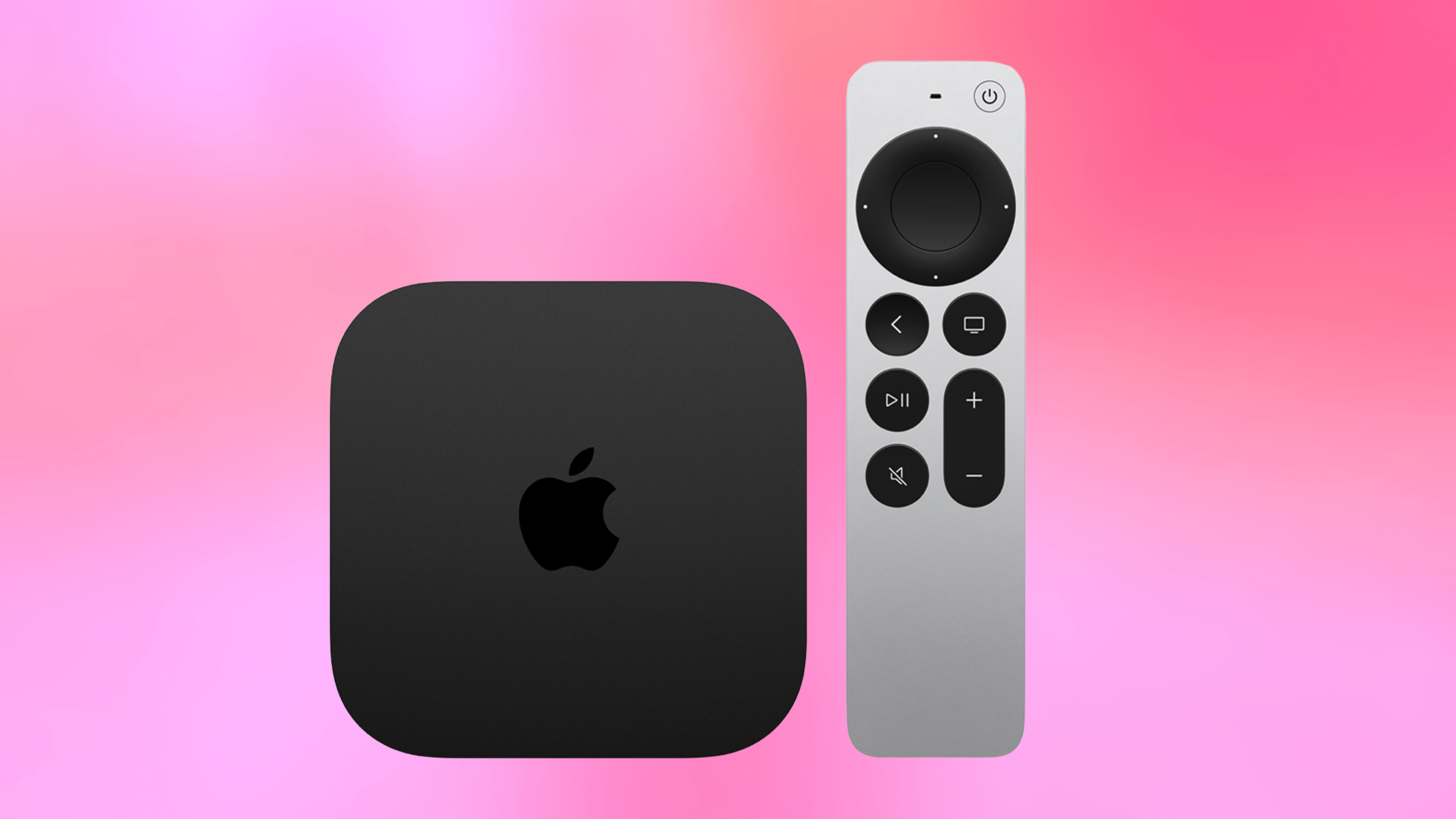
    Apple TV 4K 2026
    (Image credit: Apple)

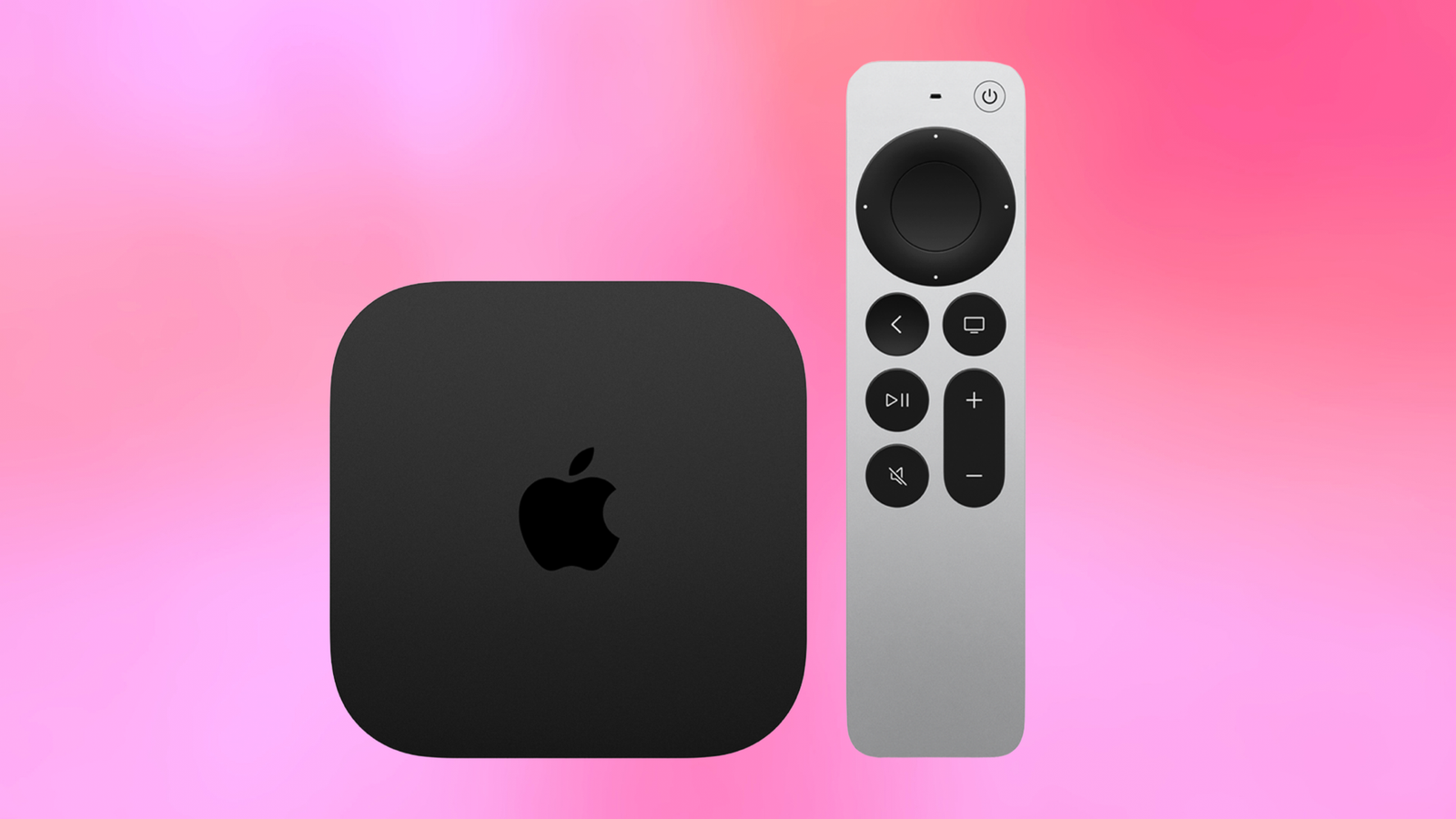
    I never deliberately put my Apple TV remote somewhere difficult to find. And yet, that petite silver stick always ends up… misplaced. So when Apple showed me an Apple TV remote that can actually make a noise when you lose it, I was pretty much ready to upgrade on the spot.

    That audible chime for the companion remote are probably the most practical upgrades coming to Apple’s new $299 Apple TV 4K, which I got an early look at ahead of its official announcement. The streaming box is also getting an A19 chip, hands-free Siri AI and support for up to four HomePod speakers for a more immersive home theater setup.

    Speaking of speakers, Apple also introduced the $149 HomePod mini 2, which brings new colors, a clever lighting feature and tighter integration with your Mac. While the speaker itself is a fairly modest refresh, it’s another piece of Apple’s increasingly connected approach to home entertainment and access to Siri AI.

    After seeing some of these features demonstrated together, I think the most interesting changes aren’t necessarily about what you watch or listen to, but how much easier Apple wants to make the home entertainment experience.

    You can finally ping your Apple TV remote…

    Apple has already offered Find My for tracking down compatible Siri Remotes with an iPhone, but the newest remote adds a built-in speaker, something that Apple TV users have been begging Apple to deliver.

    In practice, you ask Siri where your remote is, and it’ll play a chime to help you locate it. You can also use Find My with Precision Finding to guide you toward the remote’s location.

    I appreciate having both options, but if the remote is lost somewhere in the depths of the couch, an audible alert seems a lot more convenient.

    Sign up to the weekly Tom’s Streaming Guide to stay in the loop with the latest releases and top recommendations across your favorite streaming services. We’ve got you covered with a complete guide on what’s worth watching.

    Better yet, Apple says the new remote is backward compatible with existing Apple TV hardware. So if this is the feature that catches your attention most, you won’t necessarily need to replace your entire streaming box to take advantage of it.

    … or ditch the physical remote entirely

    Apple is also making picking up the remote optional in the first place. The new Apple TV 4K has three far-field microphones, allowing you to speak to Siri from across the room without pressing a button on the remote.

    And with Siri AI, Apple’s voice assistant is getting substantially more capable at understanding what you’re actually asking.

    One demonstration involved asking Siri to find a show that a friend had recommended over text. Rather than remembering the title or digging through your messages, Siri can leverage personal context from your iPhone to help figure out what you meant.

    You can also ask Siri more conversational questions about what you’re watching or describe the kind of movie you’re in the mood for without necessarily knowing its title.

    It’s worth noting that the new Siri AI experience will initially launch in beta in English, so some of these capabilities won’t necessarily be available to everyone right away.

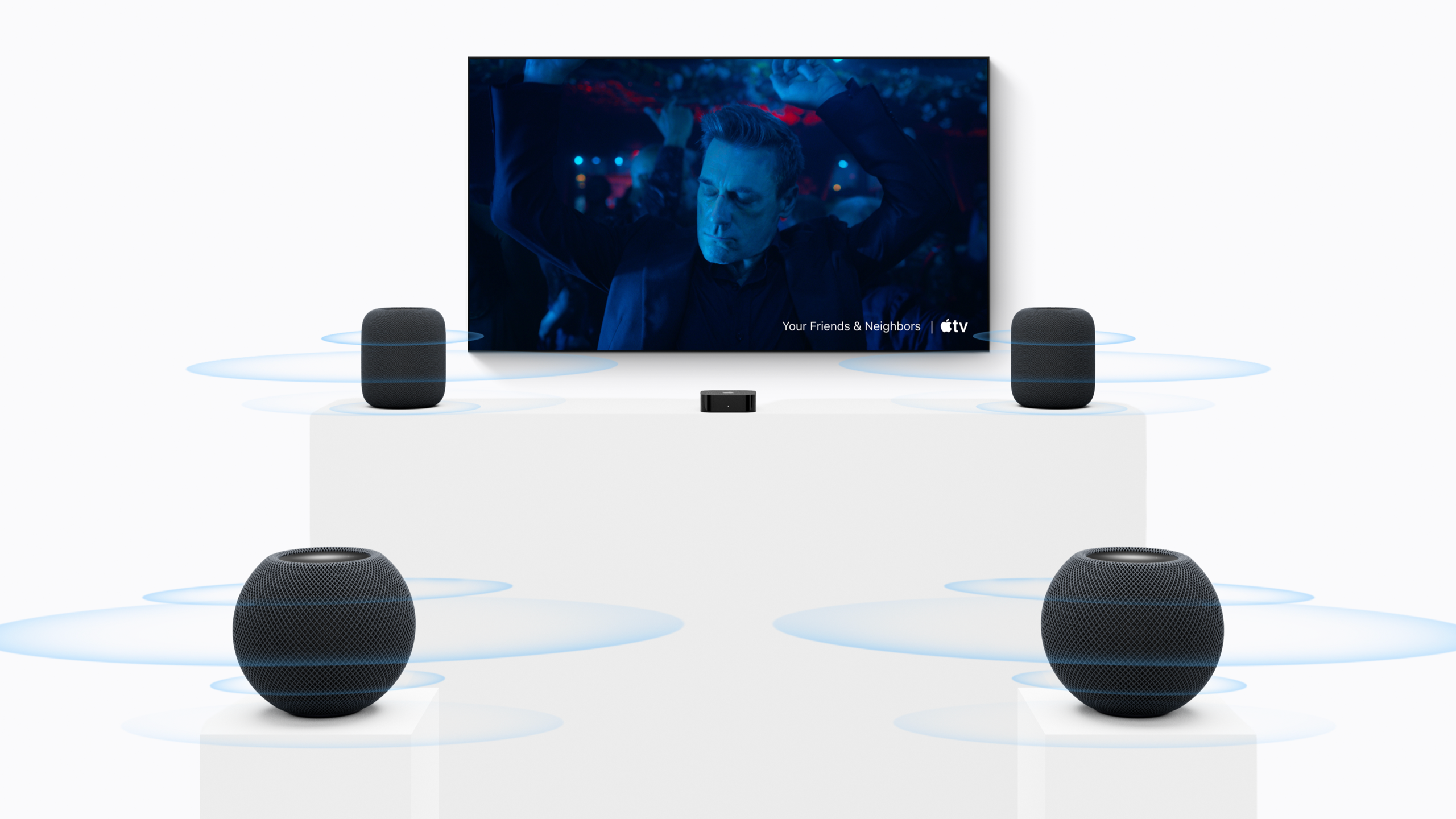
    Apple TV 4K can now pair with four HomePods

    Apple TV 4K surround with HomePod

    (Image credit: Apple)

    This new Apple TV 4K can now pair with up to four compatible HomePod speakers to create an immersive surround sound setup. Previously, you could only connect two.

    In the demonstration, two HomePod (2nd Gen) speakers sat on either side of the TV screen, while two HomePod mini 2 devices acted as the rears. The system also automatically calibrates the speakers to the room, taking some of the work out of getting everything configured.

    Unfortunately the system only works with the latest generation of Apple TV 4K, HomePod and now HomePod mini. But the whole array comes out to about $1,300, which is actually a relatively fair asking price for a surround sound set up

    HomePod mini 2 gets minor, yet colorful upgrades

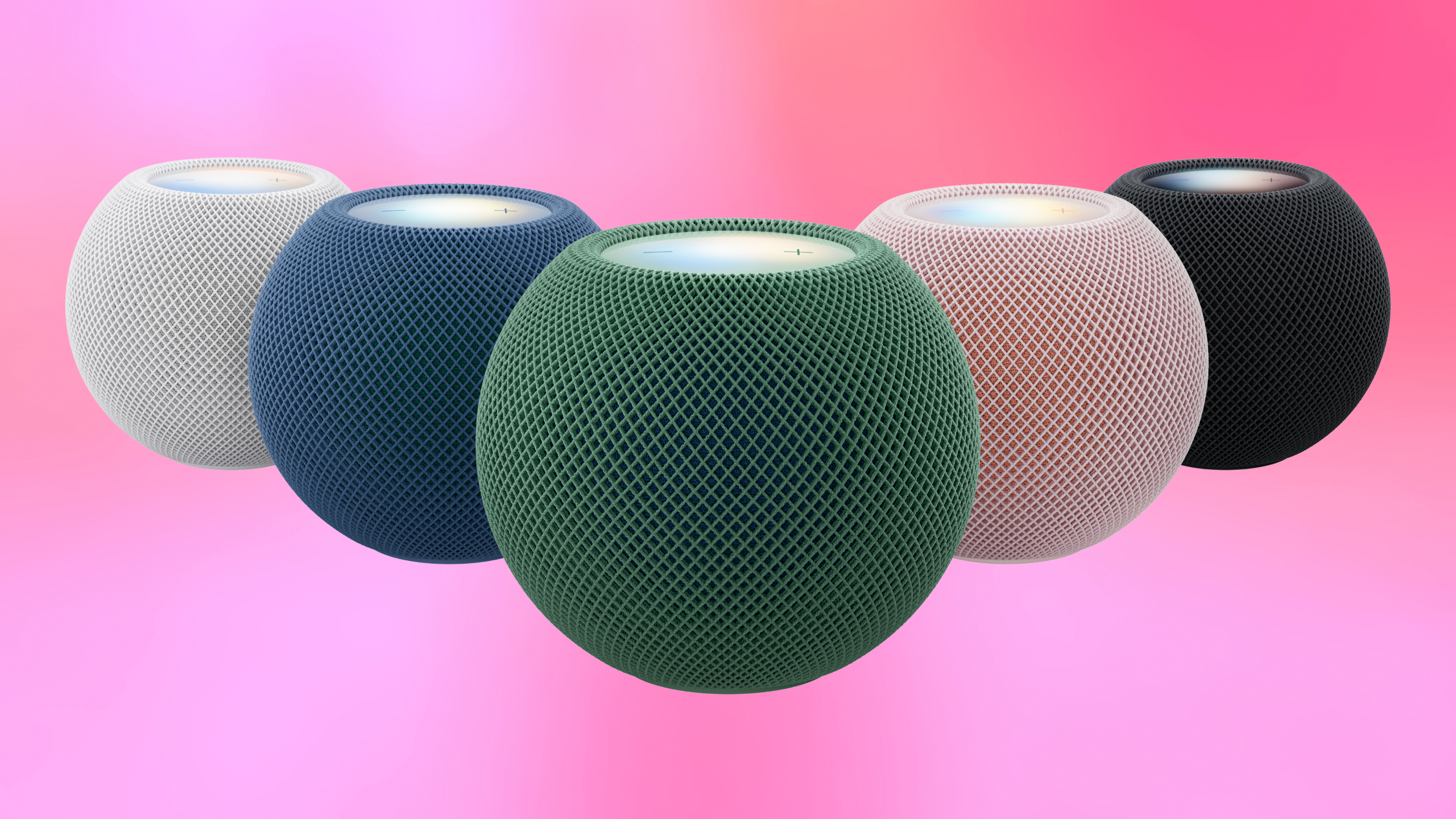
    HomePod mini 2

    (Image credit: Apple)

    Alongside the Apple TV 4K, Apple unveiled the second-generation HomePod mini, priced at $149.

    The new speaker features an S10 chip, Siri AI support (via a compatible iPhone with Apple Intelligence) and five colors: green, blue, pink, white and midnight.

    But the most visually interesting upgrade is a feature called Sound Glow, which lets the lights on top of the HomePod mini change color to coordinate with the album artwork of whatever you’re listening to. This feature works with Apple Music or any third-party streaming that supports Now Playing information. It also works with ambient sounds.

    The new HomePod mini can be configured as your Mac’s default audio output, allowing it to handle everything from video calls to gaming. I listened to it demonstrated with games, emphasizing the responsiveness of the connection.

    Apple TV 4K and HomePod mini 2: Early verdict

    I think it’s safe to say the HomePod mini 2 isn’t quite as substantial an upgrade as the new Apple TV 4K, but it’s arguably a necessary refresh if Apple wants its users acclimating to Siri AI throughout their home.

    The new Apple TV 4K is becoming a device you can interact with more naturally, while HomePods are taking on a bigger role in everything from your living room audio to your Mac setup.

    There’s still plenty I want to test, particularly the reliability of Siri AI and whether four HomePods can deliver a convincing surround sound experience compared to what you get with, say, Sonos or Bose.

    But I like that Apple hasn’t overlooked the little improvements in pursuit of bigger AI features. As impressive as the new Siri capabilities sound, there’s something to be said for a remote that simply makes itself easier to find. For me, the best upgrade is the one that saves you five minutes of digging through the couch.


    Google News

    Follow Tom’s Guide on Google News and add us as a preferred source to get our up-to-date news, analysis, and reviews in your feeds.


    More from Tom’s Guide

    Kate Kozuch is the managing editor of social and video at Tom’s Guide. She writes about smartwatches, TVs, audio devices, and some cooking appliances, too. Kate appears on Fox News to talk tech trends and runs the Tom’s Guide TikTok account, which you should be following if you don’t already. When she’s not filming tech videos, you can find her taking up a new sport, mastering the NYT Crossword or channeling her inner celebrity chef.

  • I saw Apple’s HomeView early — 7 things you need to know about the new smart home display

    I saw Apple’s HomeView early — 7 things you need to know about the new smart home display

    Apple HomeView
    (Image credit: Apple)

    Apple has spent years making products for just about every part of our lives. There’s an iPhone in our pockets, an Apple Watch on our wrists, AirPods in our ears, Macs on our desks and an Apple TV in our living rooms. But for all its efforts with HomeKit and HomePod, Apple has never really had a defining smart home moment. Apple HomeView might finally be it.

    I got an early look at Apple’s new $299 smart home display ahead of its official announcement, and what struck is that HomeView doesn’t feel like an iPad attached to a speaker or an oversized Apple Watch. Instead, it borrows some of the best ideas from across Apple’s ecosystem and turns them into something that feels designed specifically for the home, built on a platform Apple is calling “HomeView Software.”

    Sure, Amazon‘s Echo Show and Google‘s Nest Hub have been around for years, but HomeView is the most inventive new product for Apple users since the Vision Pro — only with a much more approachable price and a purpose that’s considerably easier to imagine in everyday life.

    Between its personalized interface, surprisingly clever cooking features and new Siri AI capabilities, I came away from the demonstration with a breakdown of these seven features that stand out most.

    1. HomeView recognizes who’s standing in front of it

    Apple HomeView user recognition

    (Image credit: Apple)

    Using facial and voice recognition, HomeView can identify up to six people in your household and adjust the information on its screen based on who’s interacting with the display accordingly. That means schedules, reminders and widgets on the home screen you’re looking at can be different from what your partner sees when they approach the same device.

    Apple is also drawing a distinction between accessible shared experiences, like controlling lights or playing music, and private information, like iMessages, Safari browsing and calendar events.

    There’s a security-related catch, though. To access personalized information, your iPhone needs to be home, connected to the same Wi-Fi network and has to have been recently unlocked.

    Get instant access to breaking news, the hottest reviews, great deals and helpful tips.

    2. Siri AI understands your personal context

    Apple HomeView

    (Image credit: Apple)

    We’ve heard plenty about how Apple is making Siri smarter with personal context, but Apple’s demonstration gave me a more tangible example of what that means.

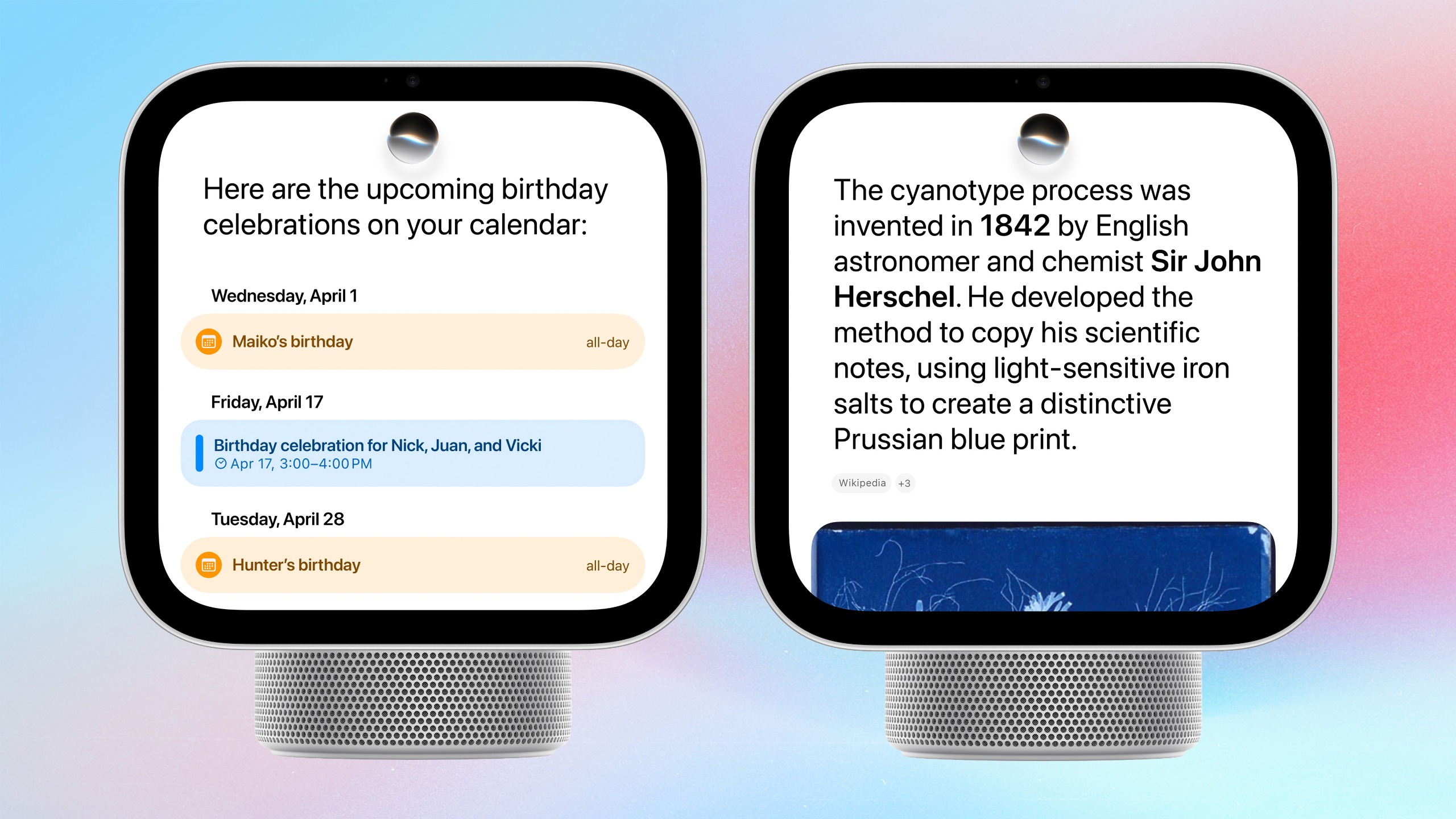
    Imagine asking Siri to find a recipe that someone sent you in a text message. Instead of searching through your conversations, you can ask HomeView to find it using information from your iPhone.

    The same intelligence can help with calendar requests, questions about everyday topics and other tasks that would typically send you reaching for your phone.

    Apple says Siri requests are processed on HomeView’s A18 processor, while relevant personal context is retrieved from your iPhone (15 Pro or newer supporting Apple Intelligence.)

    It’s an interesting approach because your iPhone essentially remains the keeper of your personal information, even when you’re interacting with another device, but only you can request the use of personal context.

    3. It turns online recipes into a cooking experience

    Apple HomeView on kitchen counter

    (Image credit: Apple)

    When I’ve used Amazon’s smart displays in the past, it’s been, primarily, to follow recipes. Apple’s version of using a smart display into a sous chef relies on a new Safari sub-interface that translates internet recipes into organized, step-by-step instructions.

    You can AirDrop a recipe from your iPhone or search for one directly using Safari, or using personal context, ask for a recipe sent to you in iMessage or Mail to be surfaced.

    It even recognizes when a recipe calls for a timer and automatically presents one (that looks very similar to the Apple Watch’s timer) that you can start with a tap.

    You can use Siri to move through the instructions, too.

    As someone who regularly cooks with a recipe open on my phone or iPad, often propped against whatever happens to be nearby, this is the kind of feature I could actually imagine using several times a week.

    4. HomeView doubles as a customizable digital photo frame

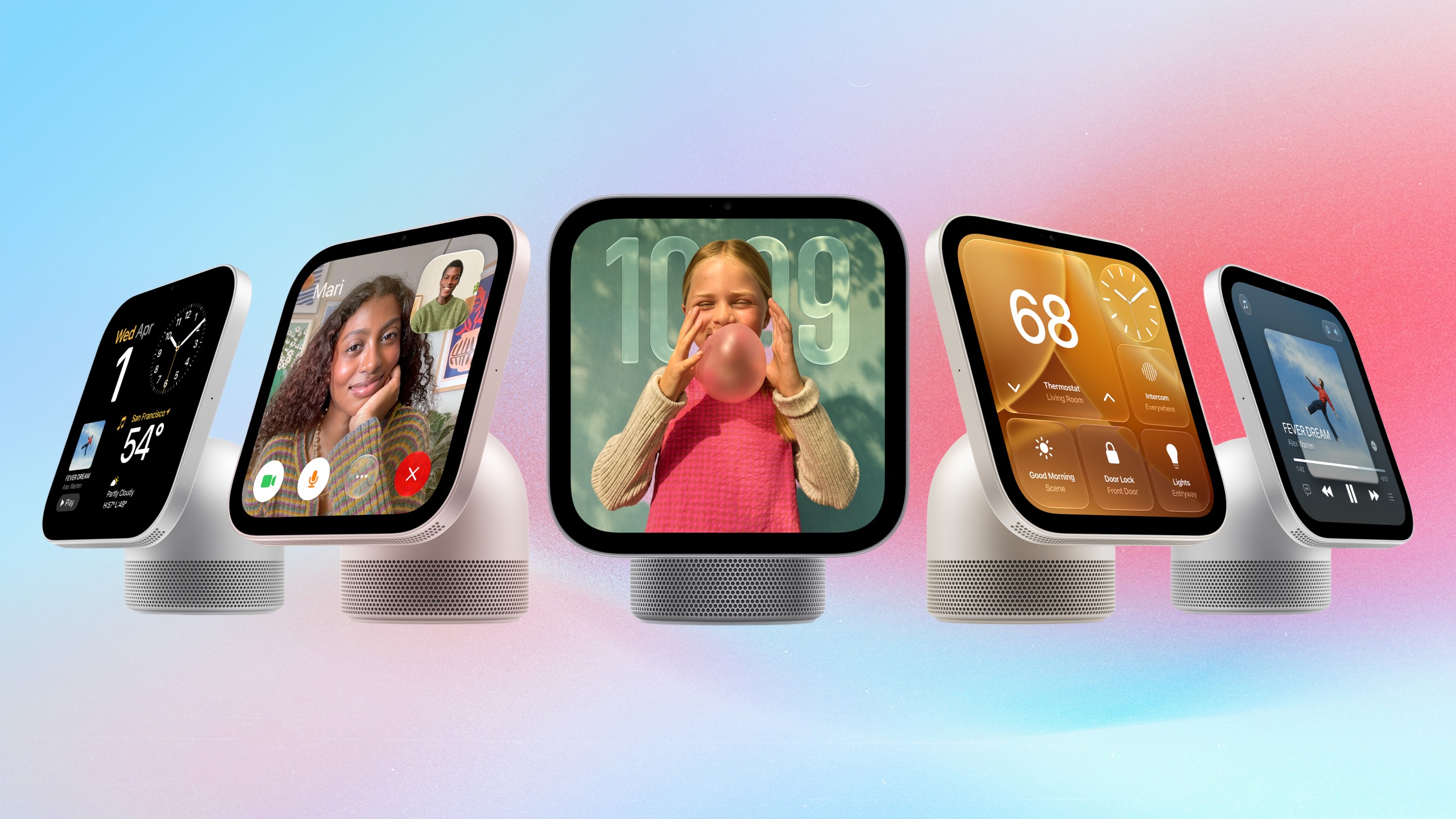
    Apple HomeView Faces

    (Image credit: Apple)

    Apple has clearly borrowed some inspiration from the Apple Watch for HomeView’s interface, particularly its customizable faces.

    There are clock faces, modular layouts with widgets, a moving Flow face that reminded me of a lava lamp and even an animated Snoopy face.

    The Photos face is especially appealing. You can display images of specific people, places or albums, including shared albums, and have them rotate throughout the day. As is the case for iPhone wallpapers, Portrait photos look particularly dynamic.

    HomeView’s TrueTone display can adjust to the surrounding light, with brightness ranging from 500 nits all the way down to just 0.3 nits. That’s the dimmest display it has ever engineered. That makes me think a HomeView makes as much sense for your nightstand as it does in those shared high-traffic areas of the house.

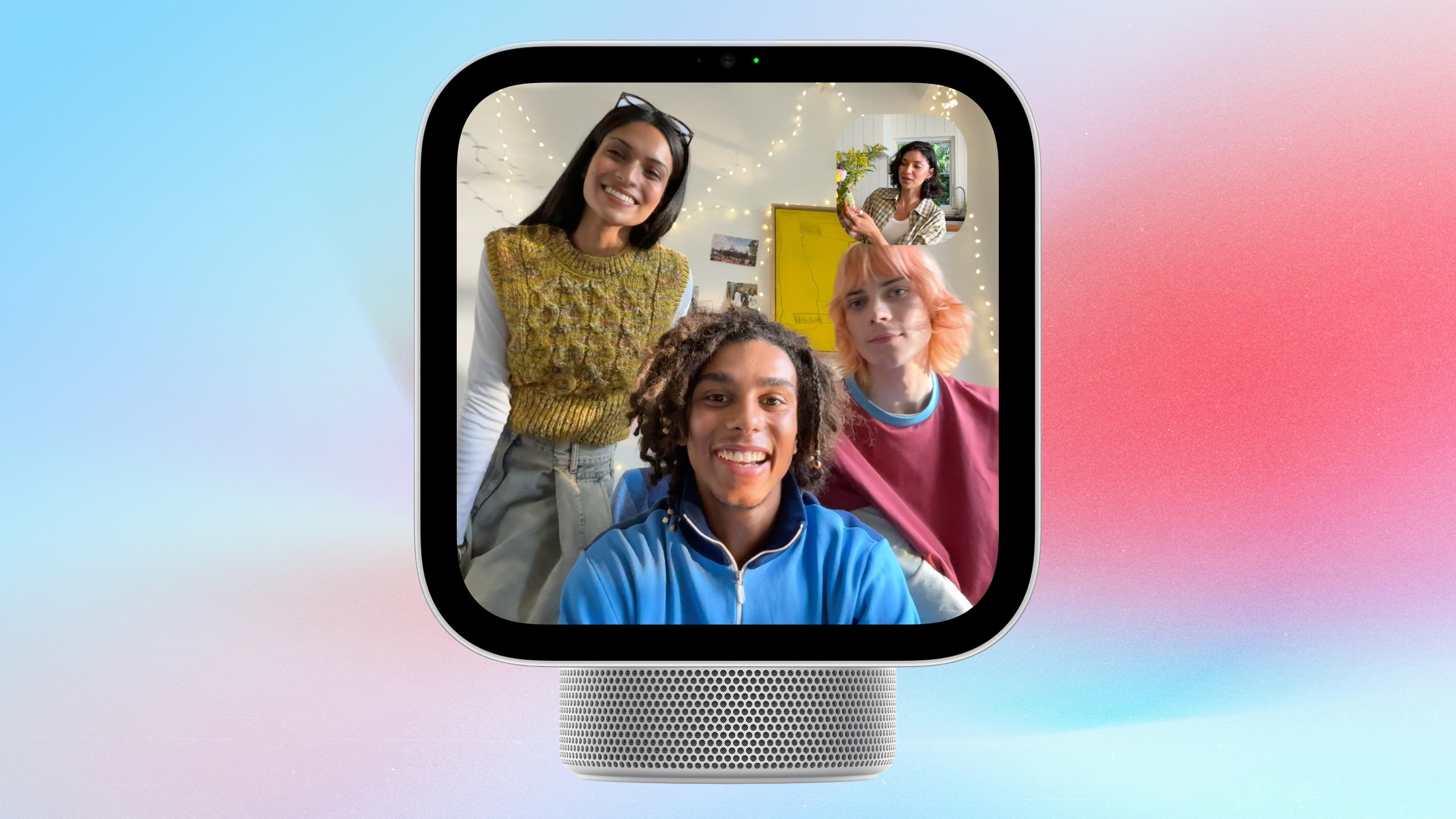
    5. FaceTime hands-free with a 12MP Center Stage camera

    Apple HomeView

    (Image credit: Apple)

    HomeView has a 12MP Center Stage camera and a four-microphone array for hands-free FaceTime calls.

    I can see this being particularly convenient in a kitchen, where you might want to chat with someone while preparing dinner, or in a living room where several family members want to join the same call.

    You can also hand off FaceTime calls from your other Apple devices.

    No, it’s not an entirely new concept for smart displays, but the integration with Apple’s existing FaceTime experience could make it especially useful for households that already rely on iPhones.

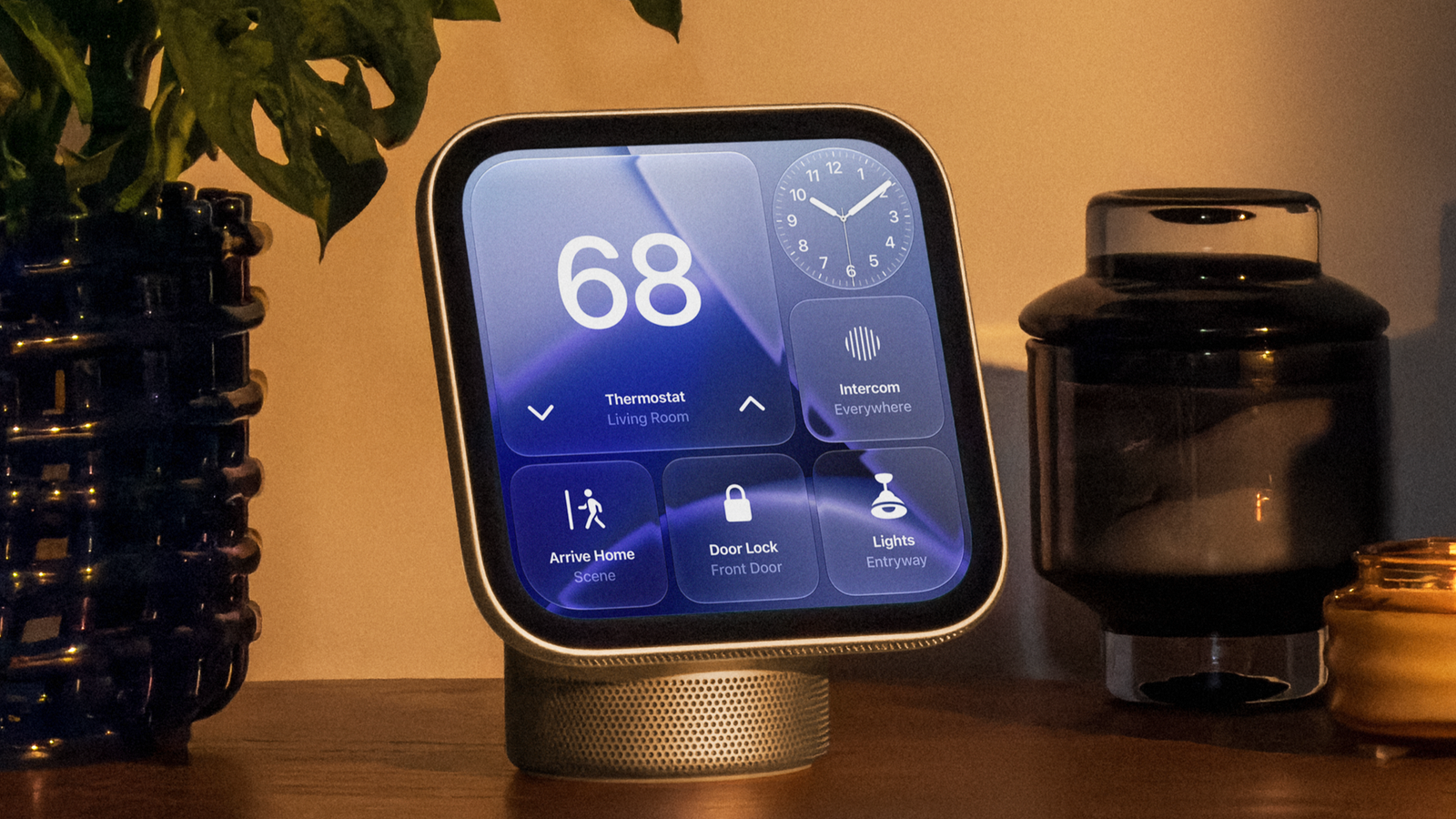
    6. Your entire smart home gets a control center

    Apple HomeView

    (Image credit: Apple)

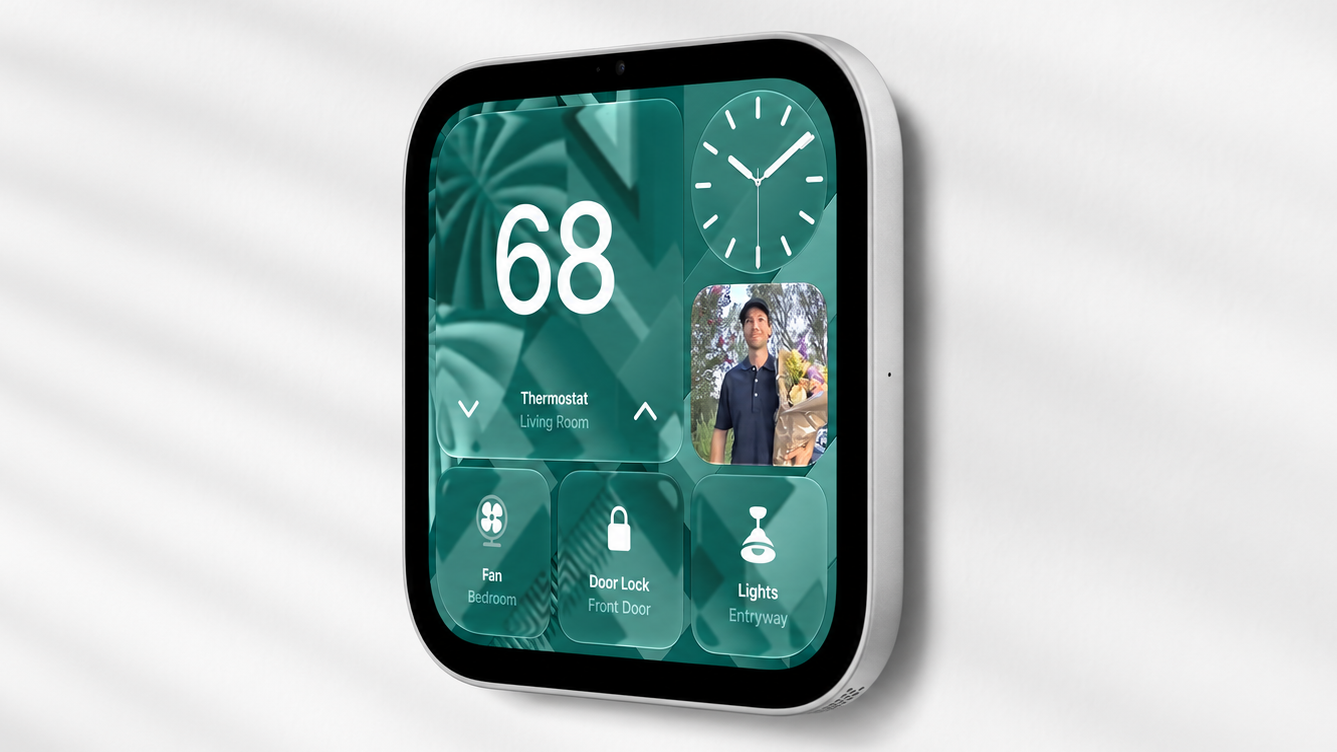
    Naturally, HomeView is also designed to manage your smart home. You can control compatible lights, locks, thermostats and other accessories, create widgets for devices in Apple’s Home app, and view up to five security camera feeds simultaneously.

    But Apple isn’t just introducing a new way to control existing Matter-equipped accessories. It’s also teaming up with LG Electronics and Schneider Electric on an entirely new lineup of products called the Apple Home Collection.

    The collection includes indoor and outdoor security cameras, a video doorbell with two cameras for monitoring visitors and packages, smart thermostats, and a smart door lock that automatically unlocks when you approach with a compatible iPhone or Apple Watch via UWB.

    7. There are two versions of HomeView hardware

    Apple HomeView on wall

    (Image credit: Apple)

    When it comes to controlling smart home devices, an optimally-placed, wall-mounted control center tends to be a preferred interface. That’s why Apple is introducing two versions of HomeView hardware at the same price.

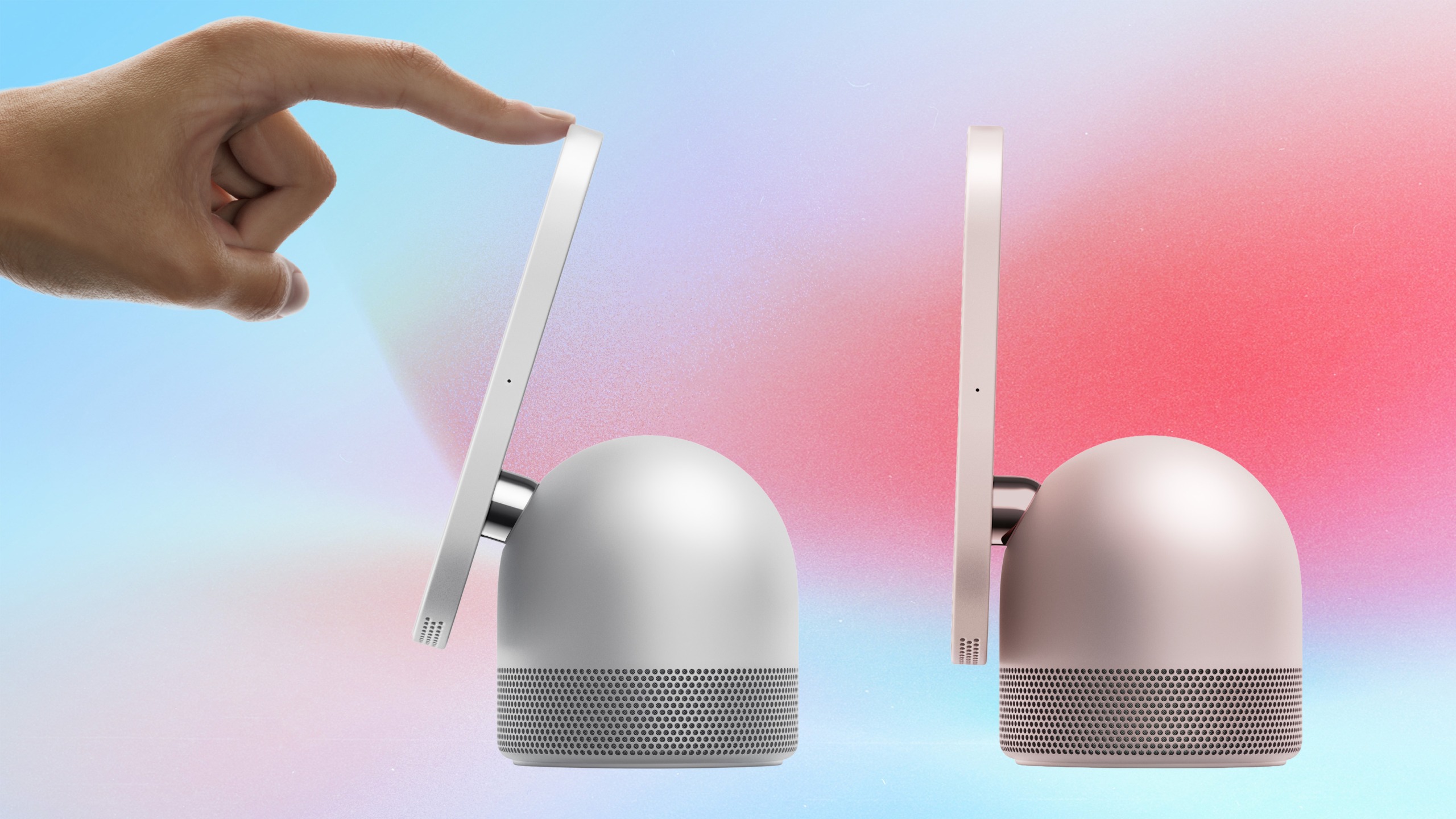
    The tabletop HomeView comes with a speaker base featuring a down-firing woofer and two passive radiators, along with two full-range drivers in the tilting display itself. Apple demonstrated its music playback capabilities, including album artwork, lyrics and controls for managing speaker groups.

    The wall-mounted model, meanwhile, has audio tuned for its placement and is particularly well-suited for smart home controls. It will offer three mounting options, including two in-wall solutions developed with Schneider Electric.

    Apple HomeView: My early verdict

    Apple HomeView

    (Image credit: Apple)

    The more I saw of HomeView, the more I realized Apple is serious about giving its smart home ecosystem something it’s been missing all along: a centerpiece.

    What’s particularly interesting is that HomeView doesn’t seem to depend on having a house full of connected gadgets to be useful. Between FaceTime, recipes, music, photos and personalized information, there’s plenty here for someone who hasn’t invested much in smart home technology. And for those who have, HomeView could be the missing link that brings everything together.

    There are still some important questions, particularly around how reliably Siri AI handles personal context and how limiting the lack of a traditional App Store in “HomeView Software” might be. But after witnessing HomeView in action, I’m considerably more interested in having one in my kitchen or on my nightstand than I expected to be.

    Apple has spent years finding its way into nearly every corner of our lives. With HomeView, it might have finally figured out how to make the home itself feel like an Apple product.


    Google News

    Follow Tom’s Guide on Google News and add us as a preferred source to get our up-to-date news, analysis, and reviews in your feeds.


    More from Tom’s Guide

    Kate Kozuch is the managing editor of social and video at Tom’s Guide. She writes about smartwatches, TVs, audio devices, and some cooking appliances, too. Kate appears on Fox News to talk tech trends and runs the Tom’s Guide TikTok account, which you should be following if you don’t already. When she’s not filming tech videos, you can find her taking up a new sport, mastering the NYT Crossword or channeling her inner celebrity chef.