Ask Claude for live dashboards and animated explainers
Category: Claude
-

Claude models: Fable vs. Opus vs. Sonnet vs. Haiku
Anthropic’s Claude family has four primary models: Haiku, Sonnet, Opus, and Fable. (There’s also Mythos, but the general public doesn’t have access to that.) All four Claude models are incredibly capable. Even the smallest model, Haiku, is better than the best frontier models from two years ago. This makes teasing out the differences between them a challenge.
Benchmarks are one tool to help. Zapier’s AutomationBench, for example, tests AI agents on end-to-end workflow execution using real tools across different business functions. Each task drops an agent into an isolated environment (CRM records, inbox threads, calendars, and more), and it’s built on real patterns from 2B+ monthly tasks across 3.7M companies.
So if you’re looking for a comparison of quality across these Claude models, here’s how each model’s most powerful version stacks up on AutomationBench.
Model
Cost per task
Pass rate
Claude Opus 5.5 (Max)
$1.28
40.0%
Claude Fable 5.1 with Opus 5 Fallback (Max)
$2.45
31.4%
Claude Fable 5.1 (Max)
$2.45
22.37%
Claude Sonnet 5 (Max)
$0.88
10.65%
Claude Haiku 5.5 (default fallbacks, Max)
$0.10
12.02%
But I wanted to put all these models through my own tests. To do so, I used the same five prompts for each.
-
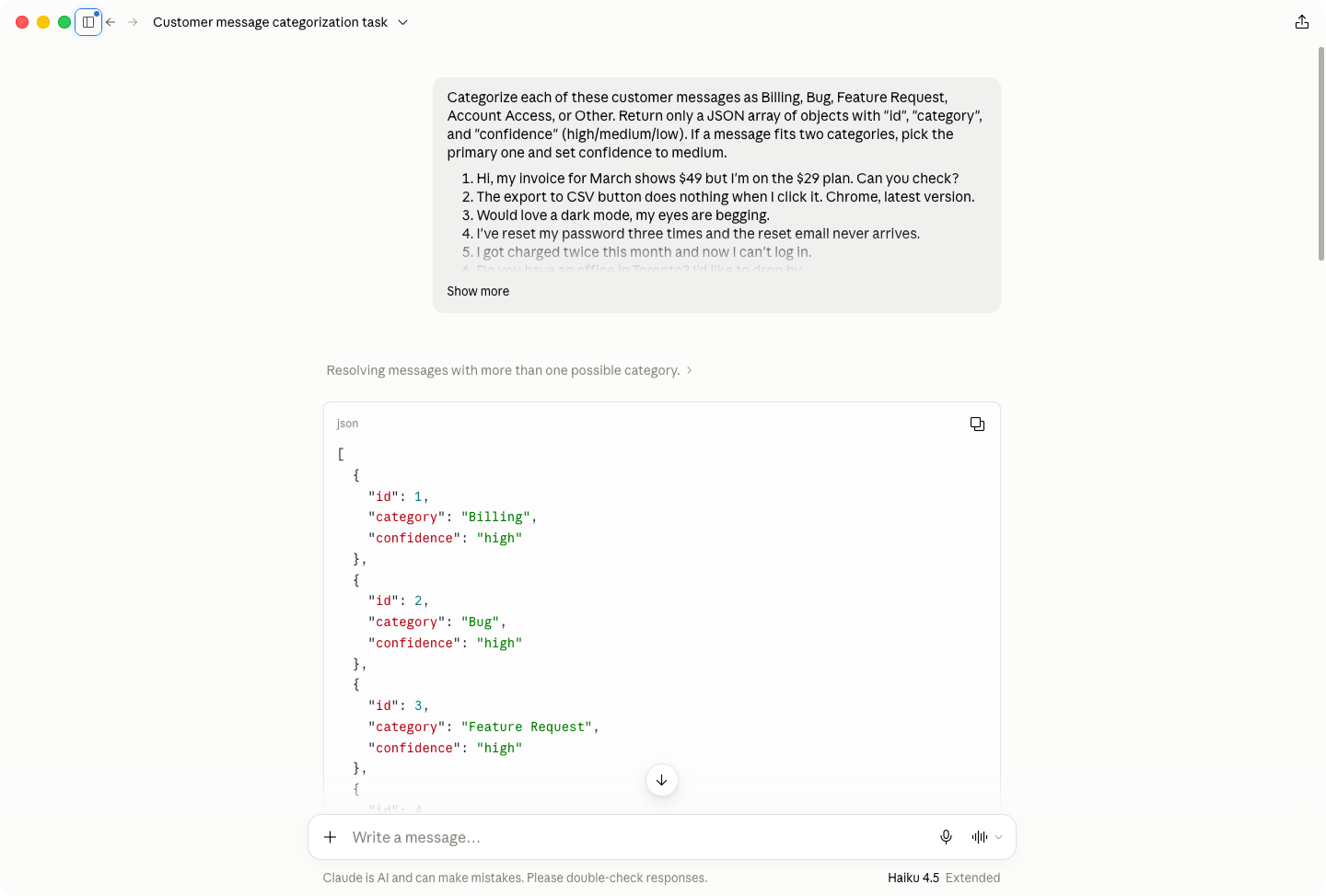
Categorize 25 customer support messages into Billing, Bug, Feature Request, Account Access, or Other with a confidence score. The model had to return a JSON array, and there were a few ambiguous messages.
-
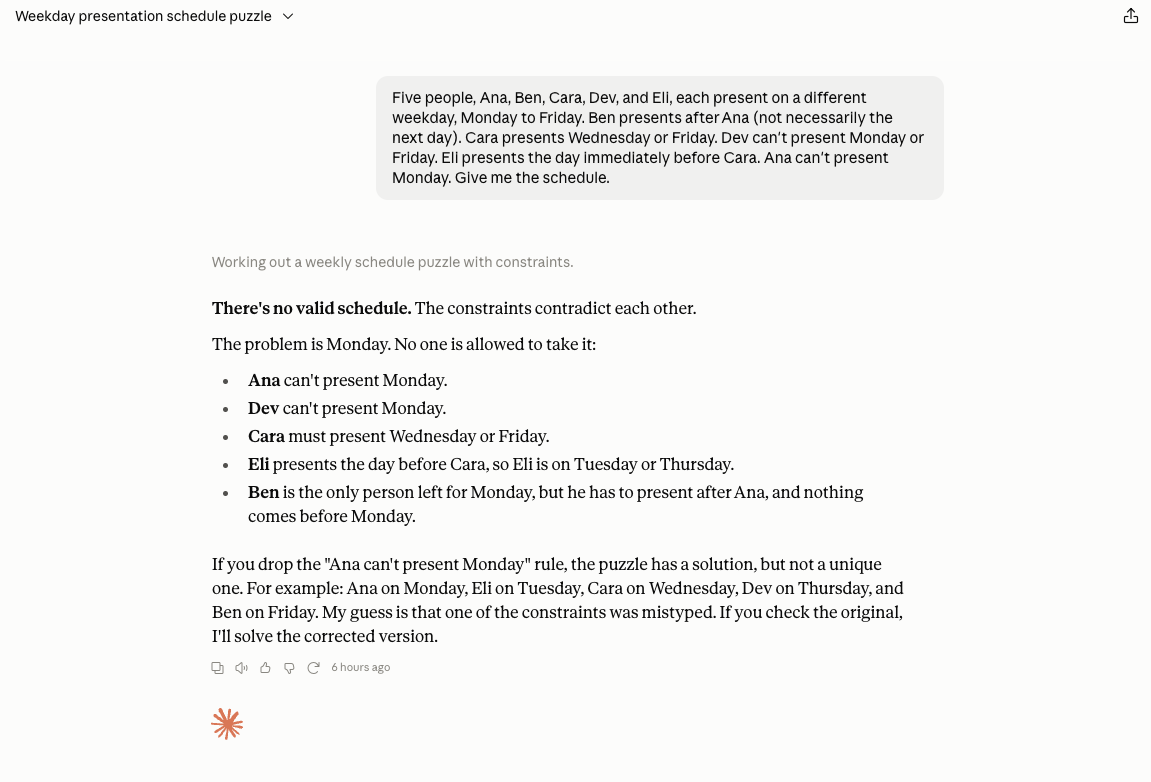
An impossible calendar scheduling puzzle. This wasn’t about getting the right answer, but seeing how each model handled an unsolvable problem. Earlier models would have just silently changed the constraints or claimed success when they clearly had failed.
-
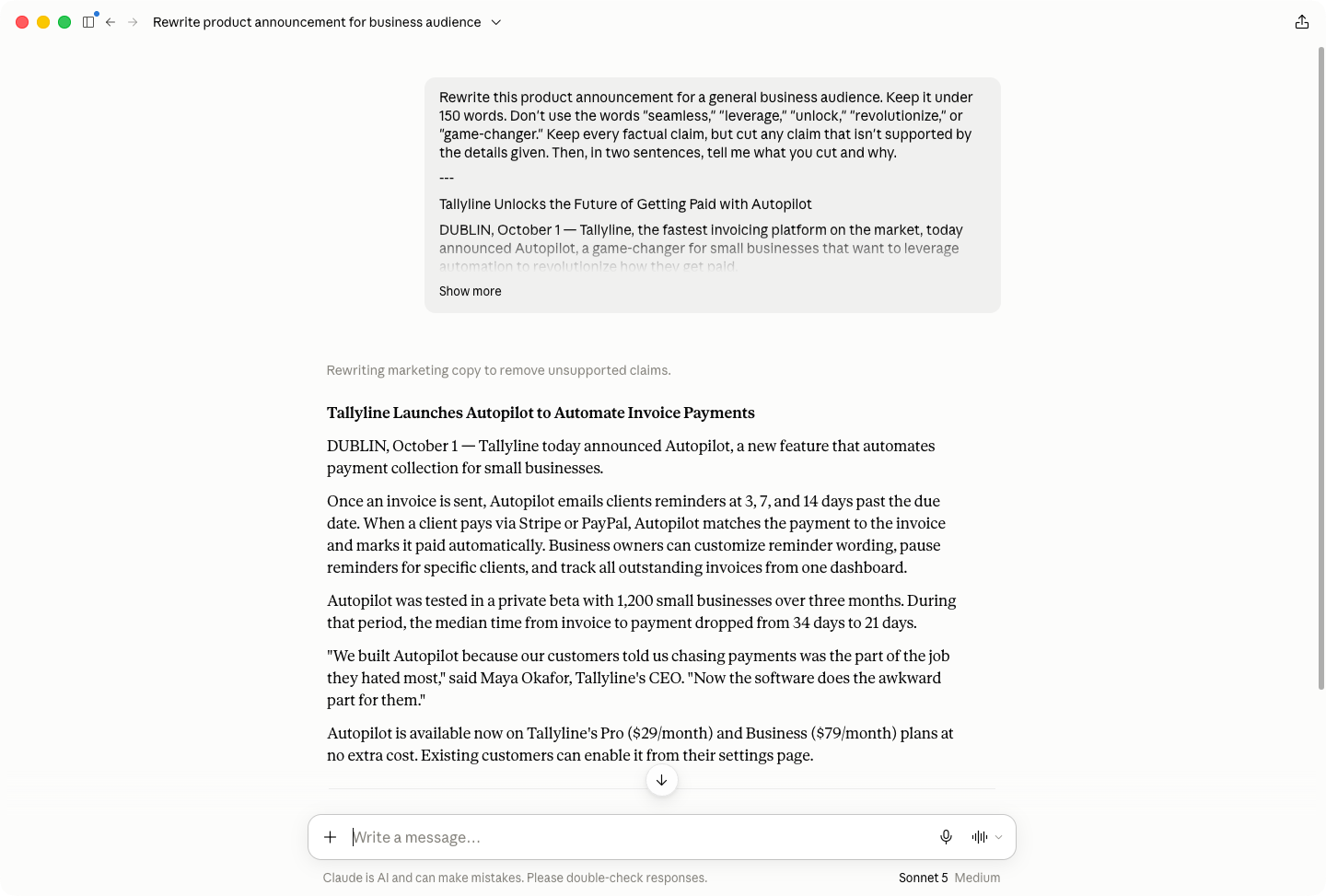
Rewrite a product announcement to less than 150 words while avoiding jargon and cutting any unsupported or overblown claims. It then had to explain what it had cut and why.
-
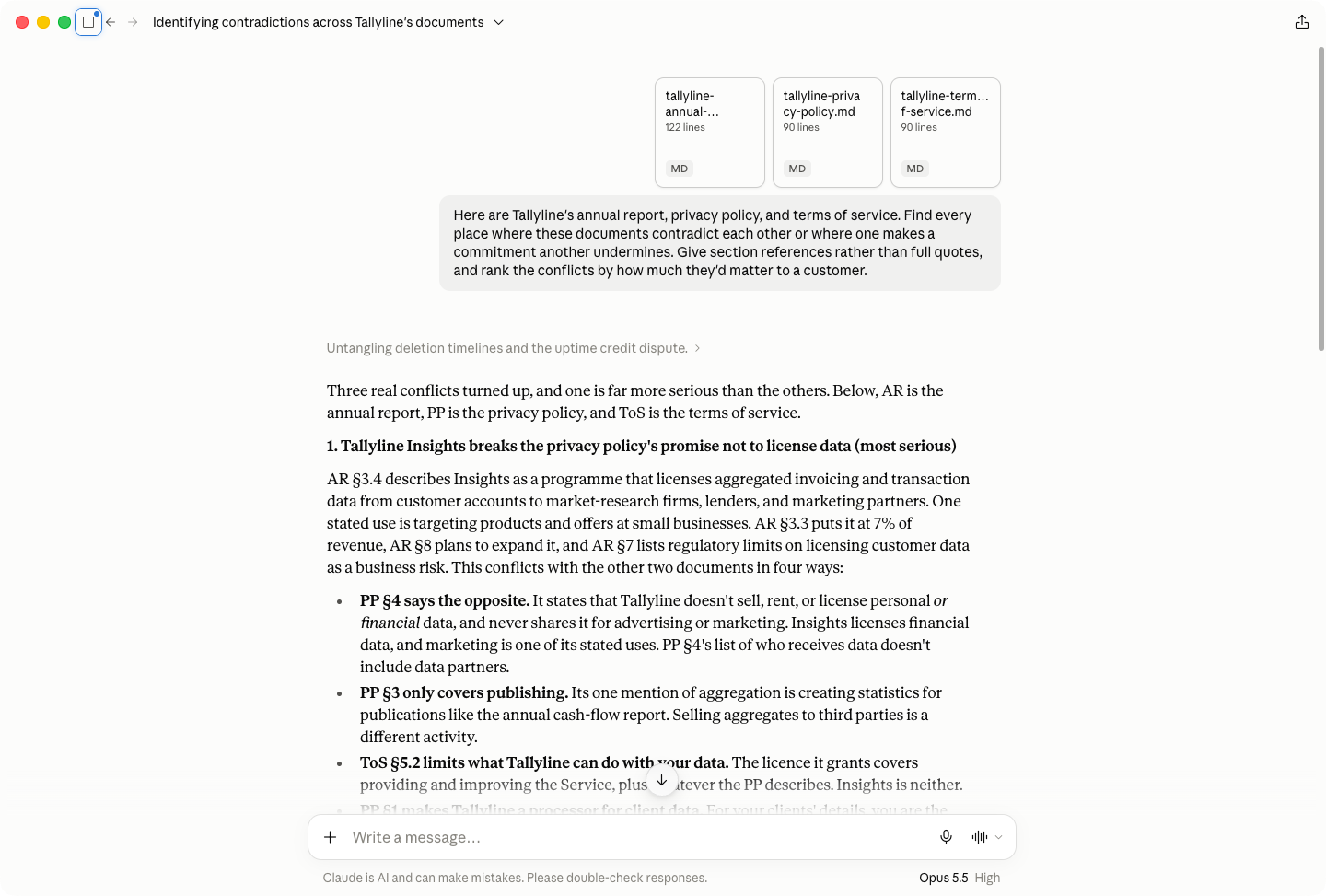
Analyze an annual report, terms of service, and privacy policy for contradictions and disagreements.
-
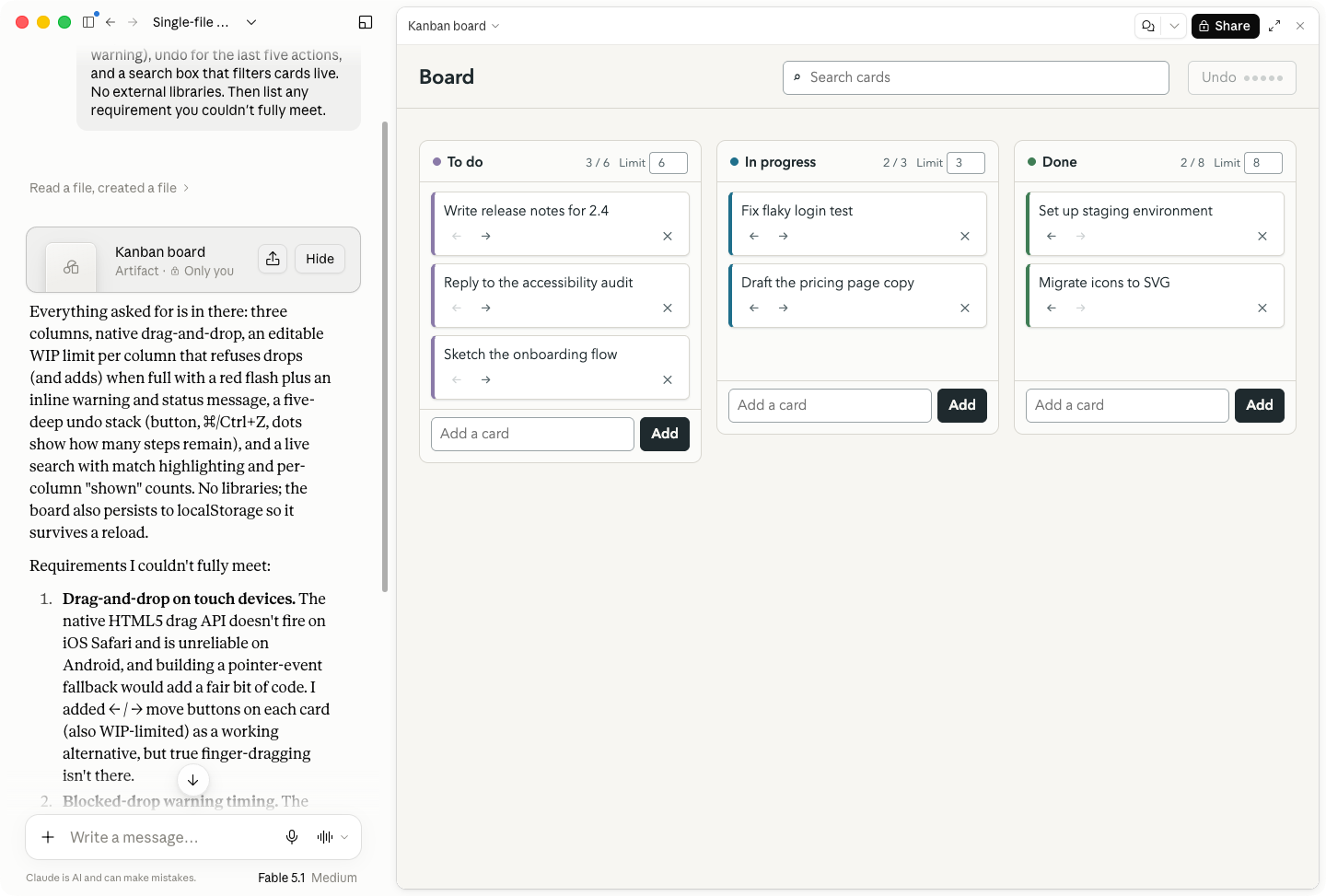
Build a Kanban board in a single HTML file with no external libraries. It had to list any requirements it couldn’t meet.
Of course, these tests aren’t the only thing I’m basing this write-up on. I’ve been writing almost exclusively about AI for the past four years, I’ve spent hundreds of hours working with every Claude model, and my personal AI bill is at least $400/month. As well as some real-world results, I’ll try to give you a practical framework for thinking about each model.
To make things simple, I used the Claude app for the tests, but all the models are available through Claude Code and the API too. (For advanced uses, Claude Code is normally the most suitable tool.)
Now, let’s get into it.
Table of contents:
Claude Haiku vs. Sonnet vs. Opus vs. Fable at a glance
Model
Best for
Input price
Output price
Notes
Claude Haiku 5.5
High-volume, repeatable tasks: classification, routing, real-time chat
$0.10 / M tokens
$0.50 / M tokens
1M context, 128K max output; prices apply to prompts up to 100K tokens ($0.50 / $2.50 above that); available on every plan, including Free
Claude Sonnet 5.5
The everyday default: chat, drafting, analysis
$2 / M tokens
$10 / M tokens
1M context, 128K max output; the most advanced model on the Free plan
Claude Opus 5.5
Work and coding; the best balance of price and performance
$4 / M tokens
$20 / M tokens
1M context, 128K max output; needs Pro or above
Claude Fable 5.1
Frontier coding and long-running agentic work
$10 / M tokens
$50 / M tokens
1M context, 128K max output; usage credits on Pro; 50% of weekly limits on Max; falls back to Opus on flagged requests
Claude Haiku: Fast and cheap
-
Input price: $0.10/million tokens
-
Output price: $0.50/million tokens
-
Context window: 1M context, 128K max output
-
Knowledge cutoff: June 2026
Claude Haiku is Anthropic’s fastest and cheapest model, though that comes with a couple of caveats. Haiku 5.5 launched in October 2026 and replaces Haiku 4.5. It’s a big step up: it costs about 90% less than Haiku 4.5 for prompts up to 100K tokens, and it’s the first Haiku with adjustable effort. My tests below were run on Haiku 4.5.
Haiku is best for simple and repeatable tasks, like categorizing messages, routing support tickets, and powering the real-time chat layer of a customer service app where speed matters more than depth.
It correctly categorized all 25 customer messages, though it missed a few ambiguous cases where a second category was also appropriate. (Sonnet also missed the same cases.)
Haiku is a reasoning model. The catch is that it isn’t very good at it compared to the other Claude models; it only supports “extended thinking” and doesn’t allow you to set a reasoning effort. For the impossible puzzle, Haiku took almost two minutes to figure out that it was unsolvable—and even then, its reasoning was the weakest. Opus and Fable clocked the issues instantly, and Sonnet took less than 15 seconds.
Perhaps the biggest problem was in the rewriting test: Haiku silently reworded a direct quote. This is the kind of thing that gets you in big trouble, and it also missed the word count.
Similarly, its document assessment and Kanban board were the weakest of the lot. It found the inconsistencies in the documents but didn’t really understand the context of them, and search didn’t work in its app.
For tasks that suit Haiku, it’s a strong model. But for tasks that are beyond its capabilities, it can fail without alerting you, and also take longer to get worse results than more advanced models.
In my opinion, Haiku is only worth using through the API (or for an automation). It’s not a model you want to work with on a daily basis; you want to assign it a very specific and limited task that it does automatically.
Claude Sonnet: The conversational default
-
Input price: $2/million tokens
-
Output price: $10/million tokens
-
Context window: 1M context, 128K max output
-
Knowledge cutoff: June 2026
Claude Sonnet is a big step up from Haiku and a solid all-rounder. If you’re on the free plan, it’s the most advanced model you have access to. If you’re on the $20/month Claude Pro plan or you want to conserve your token usage on a Max plan, it’s a very good default model, especially through chat.
I’ve also had good results getting Opus to delegate some coding tasks to Sonnet agents, but that’s getting deep into the technical weeds.
Like Haiku, Sonnet correctly categorized all the customer support messages but missed two ambiguous cases. Its reasoning about the impossible puzzle was substantially quicker, and its rationale was much clearer. It also found the exact same proof that the puzzle was unsolvable as Opus.
In the rewriting and document analysis tasks, Sonnet showed its strengths. While it missed the word count by 17 words, it cut all the hyperbolic statements and left the direct quote intact. It also found all the contradictions in the three documents—and even found one bonus issue around the number of employees that the more advanced models missed. Its assessment of the issue priority fell short, but it was closer to Opus than Haiku.
It produced a working Kanban board and accurately assessed the limitations with its design, but it lacked the visual polish of Opus or Fable.
All told, Sonnet is a useful and flexible model. If budget isn’t an issue, Opus and Fable generally outperform it—though by how much depends on the task. For API use, it’s capable of more advanced linguistic reasoning than Haiku. I use it to generate SEO briefs from search data, and it consistently gives solid results.
Claude Opus: For work and coding
-
Input price: $4/million tokens
-
Output Price: $20/million tokens
-
Context window: 1M context, 128K max output
-
Knowledge cutoff: June 2026
Opus is only available to paid Claude subscribers (or through the API). For most people doing coding and development work, Opus at various different reasoning efforts will be the default model for essentially everything.
Just this week, I’ve used Opus through chat to analyze my blood work, find a paint color match available in Ireland for British Racing Green, fact-check articles I’m writing, and figure out if there’s an open-source alternative to Bird Buddy I can build. Could Sonnet have got good results for these? Maybe, but Opus aced them all first time and quickly enough that it fits with my workflow.
In the categorization test, Opus correctly identified all the ambiguous cases. It instantly saw that the puzzle was unsolvable and proved it cleanly. It hit the word count for the rewriting task, and kept the quote intact. It found all the inconsistencies in the document tasks and correctly classified them by severity. Its Kanban board was fully functional and nicely styled.
Really, for most people, Opus will hit the balance between good enough at everything and not so expensive to run that it wipes out your usage instantly that it will be the model you want to use in most cases. Sometimes, you’ll be token constrained or need Fable’s power, but Opus is the Claude model I default to 95% of the time. (Opus 5.5 is also cheaper than Opus 5 and is more efficient at using tokens, further strengthening the argument to default to it.)
One thing to note: Opus 5 was infamous for its awful and long-winded Claudish writing style, but 5.5 seems to have fixed it. I suspect the issue was to do with optimizing Opus for reasoning and coding tasks.
Claude Fable: Frontier coding
-
Input price: $10/million tokens
-
Output price: $50/million tokens
-
Context window: 1M context, 128K max output
-
Knowledge cutoff: June 2026
Claude Fable is great at frontier coding and advanced long-running tasks, but it has some downsides too. For most tasks, Opus 5.5 matches it on benchmarks, and I’d say that’s pretty true in my testing. It also doesn’t take direction especially well. Like other experts, I’ve found it performs best when you give it a brief and let it do its own thing, rather than dictate every limitation or step it has to take.
Where I’ve found Fable especially useful is in planning code. I’ve used it to create implementation plans, or review implementation plans that I can then delegate to other models to actually run. I’ll also use it to do targeted code and feature audits. I feel it gives you a huge amount of Fable’s advantages without the astronomical usage costs.
Part of the issue, I suspect, is that frontier models like Fable are trained to think hard about everything. Even simple tasks can turn into overwrought reasoning exercises, especially at higher reasoning levels.
So how did it do on my tasks? About as well as Opus. It correctly categorized all the messages, including the ambiguous ones, and identified why the scheduling problem was unsolvable. In the rewriting task, it came in under the word count but made some small cuts to the direct quote—the kind of thing an editor would do, but also a little dicier than Opus’s approach. In the document task, it found the same planted issues as Opus and prioritized them defensibly, though it made one unsubstantiated claim. Its Kanban board had the best design sensibilities, but both models still passed the test.
Really, Fable is a great model, but if you don’t know for sure you need it for a specific task or have unlimited budget, Opus is the better default.
One quirk worth noting: you might end up using Opus anyway. Fable falls back to Opus when it detects a request that trips its safety guardrails. This includes some things around computer security, biology, and science and can be triggered by your prompt, the files you upload, or other details. It tells you when it happened, so it isn’t hidden, but it’s still worth understanding.
Which Claude model is best?
Claude Haiku, Sonnet, Opus, and Fable all have legitimate use cases, though there’s a huge amount of overlap in everyday capabilities. For lots of tasks, Fable and Opus don’t significantly outperform Sonnet and Haiku. Of course, for more advanced tasks (especially coding), Fable and Opus offer substantial advantages—though the gap between them can be very narrow.
Even in my testing, Haiku only failed the single most advanced task with a search bug (though it reported that it had succeeded)—the others passed everything. The difference wasn’t in whether or not they gave an answer, it was in how accurately they followed instructions, what compromises they made, how they handled ambiguity, and how well they reported on what they’d done. For the most part, more advanced models provided more clarity around what they’d done—though Fable does march to the beat of its own drum more often than is ideal.
In most cases, it takes a bit of trial and error and some human judgment to work out which model is truly optimal. In general, though, Opus offers the most consistent balance between price and performance if you have a Claude subscription; if you don’t, want to conserve tokens, or aren’t worried about coding, Sonnet is a solid default.
Add Claude to your workflows with Zapier
Whatever Claude model you use, you can use it in your automated workflows with Zapier. All four—Haiku, Sonnet, Opus, and Fable—work with AI by Zapier, which means you can bring Claude’s brain into all your workflows, across your entire tech stack. Because each model excels at specific tasks, you can use different models for different steps in the same workflow, and swap between them at any point without rebuilding your workflows.
Unless you bring your own key (BYOK), you’re also not paying per token. Zapier bills by task—1, 3, or 5 tasks, depending on the model—so costs stay predictable no matter how much the model is doing under the hood.
Or, if you’d rather stay in the Claude app, Zapier MCP gives it secure access to 9,000+ apps, so you can take action straight from the chat window.
Related reading:
-
-

Claude 5.5: What you need to know about Anthropic’s AI models and chatbot
Claude refers to two things:
-
A family of large language models built by Anthropic. It currently includes four model variants—Fable (Mythos), Opus, Sonnet, and Haiku—each with different tradeoffs between speed, intelligence, and cost.
-
The AI chatbot built on top of those models. It can handle tasks like writing, coding, and analysis.
I’ve been using Claude long enough to remember when the main selling point was that it was a nicer chatbot to talk to than the alternatives. (That’s still true, for what it’s worth.) But Claude no longer just talks to you about your work; it also does your work for you. You can give Claude a project, head off to make a coffee, and check in occasionally when questions pop up.
For enterprises looking to get real productivity gains from AI, Claude has become the default choice. And Claude is equally popular at smaller companies among developers, writers, and teams who just want an AI that can handle complex work.
In this article, I’ll explore what Claude can do and why it’s become the default AI for enterprises and professionals.
Table of contents:
What is Claude?
Claude is a family of large language models (LLMs) developed by Anthropic, a company founded in 2021 by former OpenAI researchers. Anthropic centers its development of Claude around a constitution that guides Claude during the training process to prioritize safe, ethical, and helpful AI interactions.
Claude is also the name of the AI chatbot built on top of these models. It’s a general-purpose assistant that can handle tasks like writing, analysis, coding, and reasoning.
Claude’s model family: Fable, Opus, Sonnet, Haiku
Anthropic offers four main model variants, each with different performance characteristics and price points.
-
Claude Fable 5.1 is Anthropic’s most capable publicly available model. It’s the most advanced model for long autonomous coding projects, deep research, and complex data analysis. It’s also the public version of Claude Mythos—a model Anthropic initially withheld from broader release over cybersecurity concerns, but which is now available to a limited set of organizations.
-
Claude Opus 5.5 is the best model for most complex tasks, and the right choice for any heavy work. It’s well-suited to research, agentic coding, and enterprise applications that require high levels of accuracy. It also costs 20% less than its predecessor Opus 5.
-
Claude Sonnet 5.5 is the best model for all-around performance. Opus still has an edge on the most complex tasks, but at $2 per million input tokens and $10 per million output tokens, Sonnet is the best default model for most users due to its balance of performance and cost.
-
Claude Haiku 5.5 is optimized for speed and affordability. At $0.10 per million input tokens and $0.50 per million output tokens (for prompts up to 100K tokens), it’s a good choice for time-sensitive use cases like customer service or for affordably processing lots of data.
Claude API pricing
Best for
Input price (per million tokens)
Output price (per million tokens)
Fable 5.1
Long, complex, autonomous tasks
$10
$50
Opus 5.5
Complex research, enterprise, and coding tasks
$4
$20
Sonnet 5.5
Best all-around model for most users
$2
$10
Haiku 5.5
Fastest and most affordable
$0.10
$0.50
To learn which AI model your team should use, check out the AutomationBench leaderboard. AutomationBench is Zapier’s open evaluation tool for measuring how well models handle real, complex business workflows.
How to access Claude
If you’re using Claude’s free plan, you get limited usage of Sonnet and Haiku. Claude Pro, at $20/month, gives you access to Opus (and to Fable through usage credits) along with features like Claude Code and Research. If you’re a power user, Claude’s $100/month Max 5x plan increases your usage limit by another 5x (you can also pay $200/month to increase your limit by 20x).
You can also access all of these state-of-the-art models on Zapier, bringing the power of Claude’s AI into all the apps you already use. And with Zapier MCP, you can give Claude safe, governed access to 9,000+ apps, directly from the chat window.
What can Claude do?
Claude is best for use cases like coding, deep reasoning, nuanced content creation, and privacy-focused enterprise applications. Here are the features that help Claude stand out.
Artifacts
Claude Artifacts lets you build interactive apps, tools, and content. They’re generated automatically when Claude thinks you might want to edit, share, reuse, or reference the content later. Artifacts open up in a split screen, which makes it easy to continue iterating by conversing with Claude, and they can be used to create things like data visualizations, small web apps, games, interactive React components, code snippets, or documents.
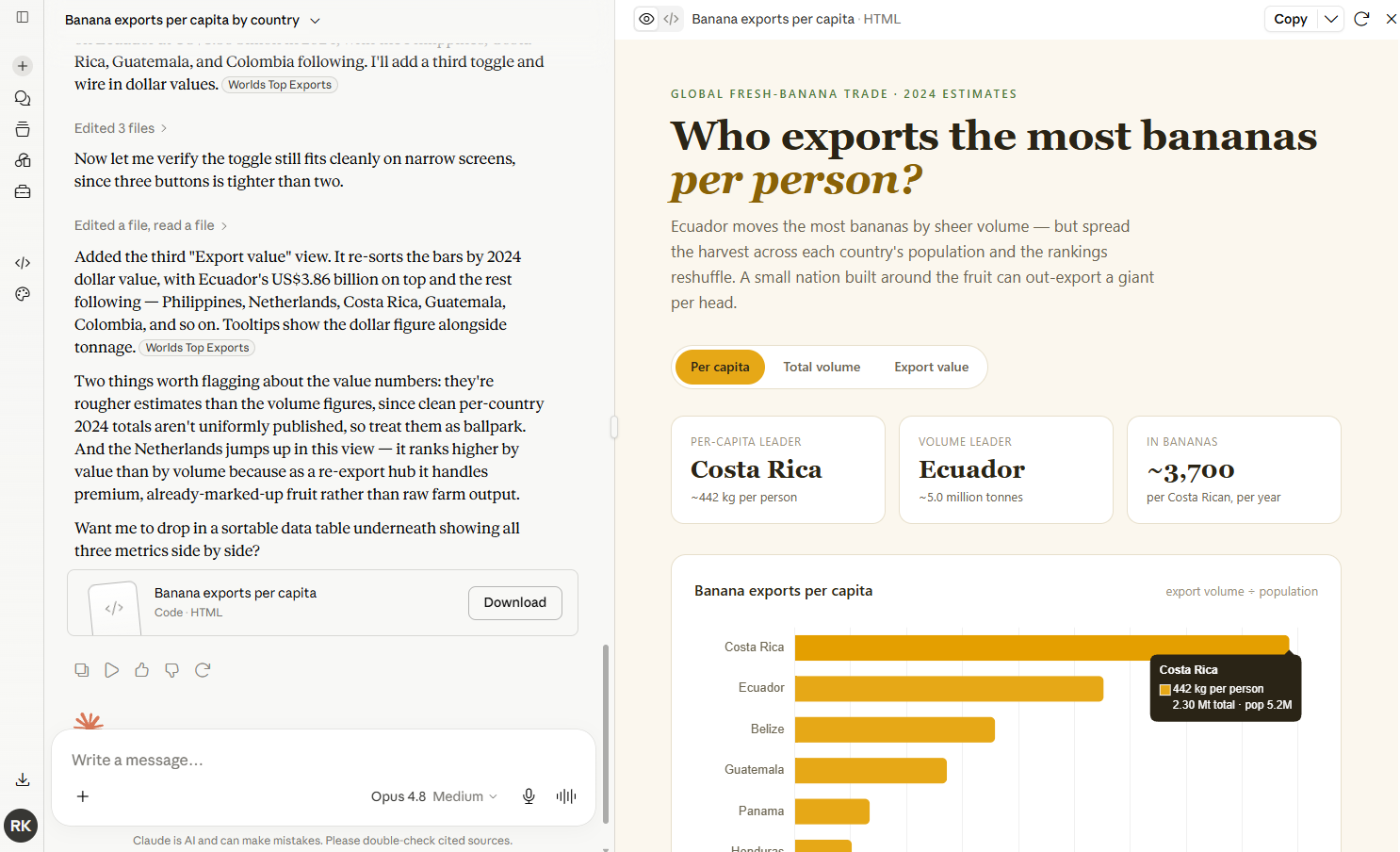
You might be surprised how useful this is for satisfying your everyday curiosity. Seriously: ask Claude to generate data visualizations for random questions and see what happens. It still blows my mind that from the comfort of my couch, I can ask Claude for “an interactive visualization showing which countries export the most bananas per capita” and get a masterpiece like the chart below, complete with one-click filters and expandable detail panels.
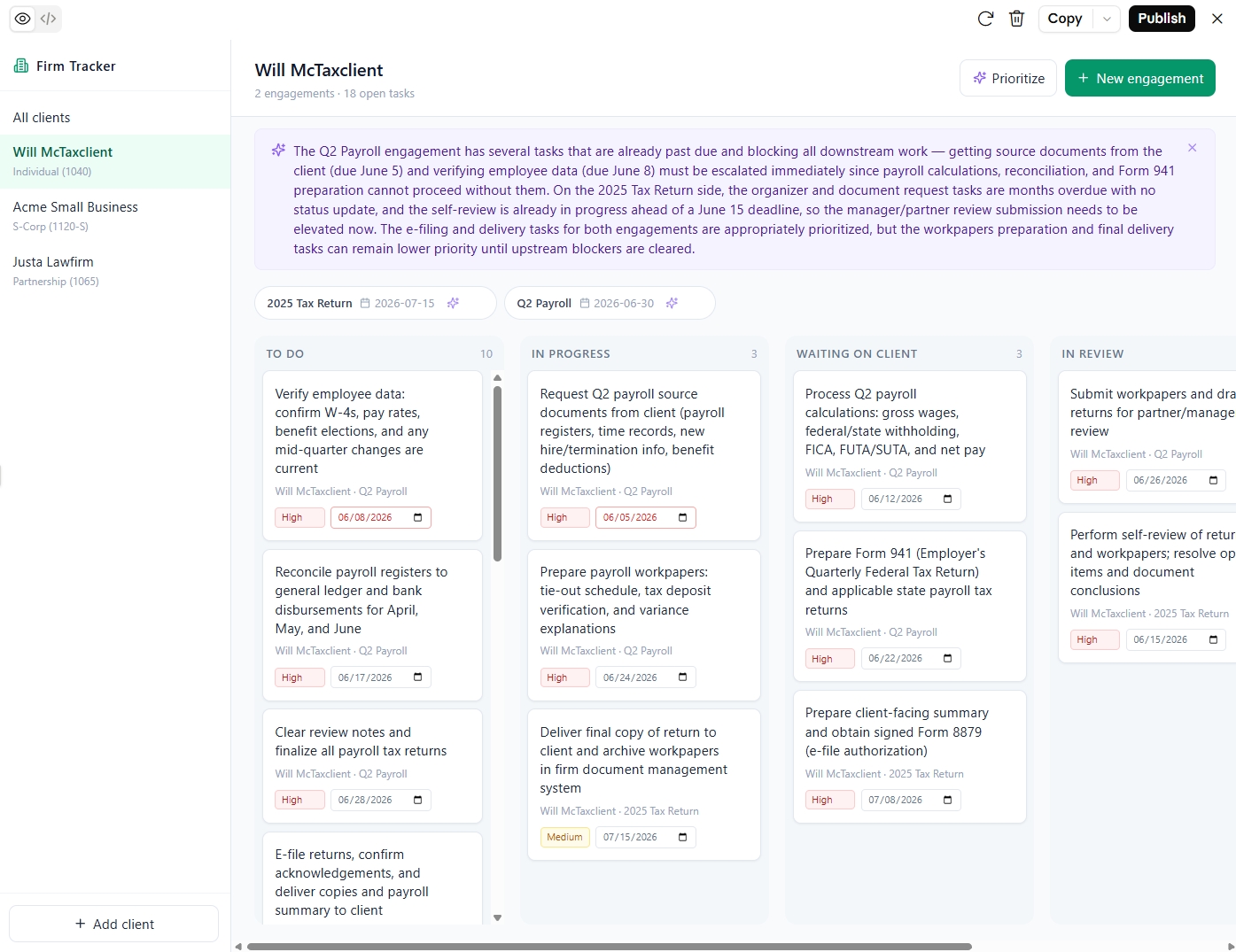
Artifacts are a productivity tool too. You can spin up internal business apps in minutes, then share them with your team with one click. And since Anthropic now allows you to create AI-powered artifacts that consume each user’s tokens—rather than yours—it’s easier than ever to incorporate AI features into the apps, dashboards, and reports you build with Claude.
In the example below, I used Fable to create a shareable project tracker that uses AI to generate tasks and prioritize next steps.
Research
All of the leading LLMs have some form of “deep thinking” mode. Claude offers two variations: research and extended thinking mode.
Like ChatGPT’s Deep Research, Claude’s Research feature looks through dozens (and often hundreds) of sources to create comprehensive reports addressing nuanced requests. For example, I asked Claude to do a comprehensive review of Alaska Inner Passage cruise options, specified a few parameters, and got a thoroughly-researched recommendation in ten minutes.
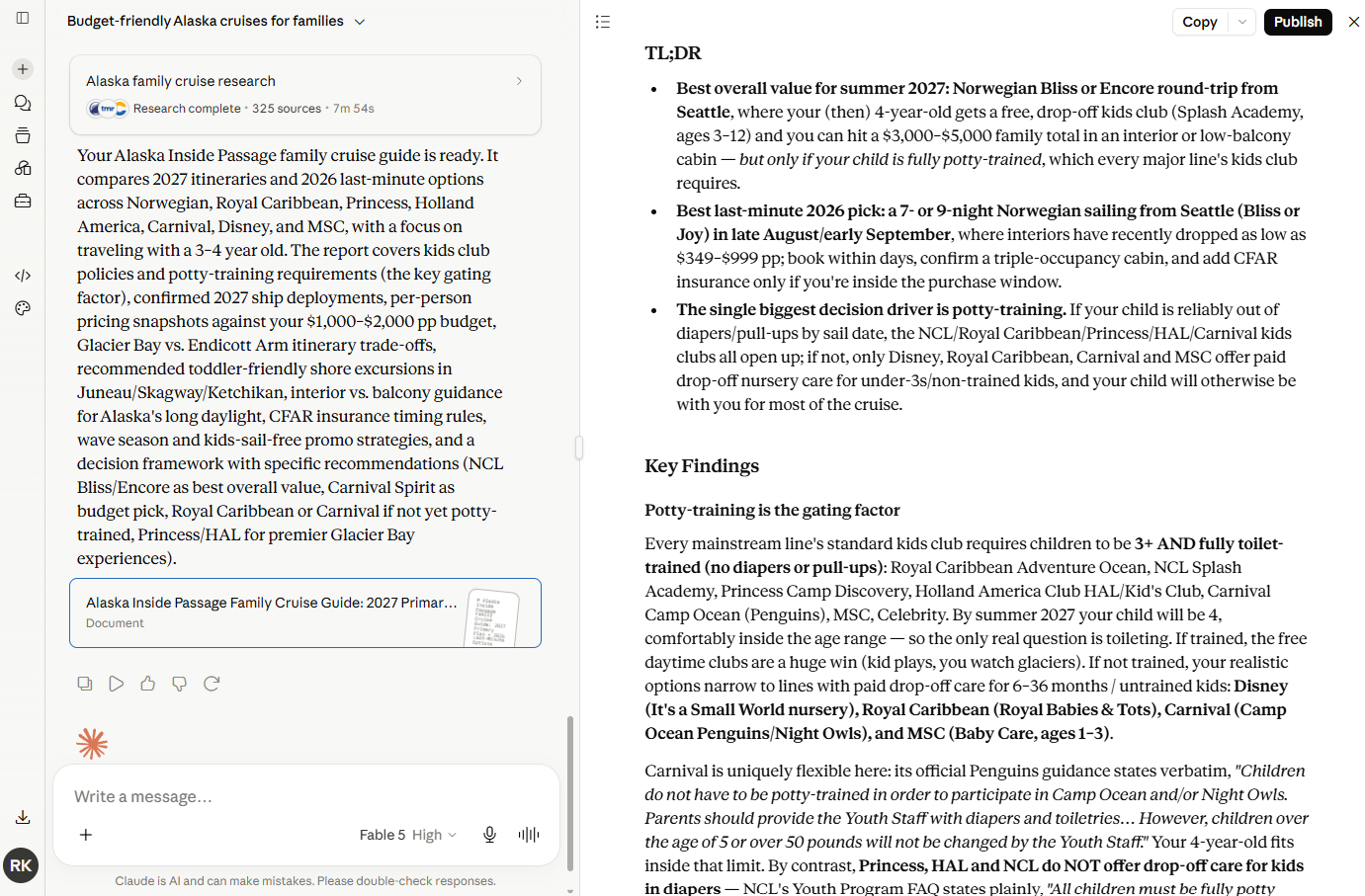
What’s especially neat is that Claude automatically takes a multi-agent research approach to speed things up. It starts by mapping out a research plan, then delegates each task to a different subagent so that Claude can investigate each thread of research simultaneously.
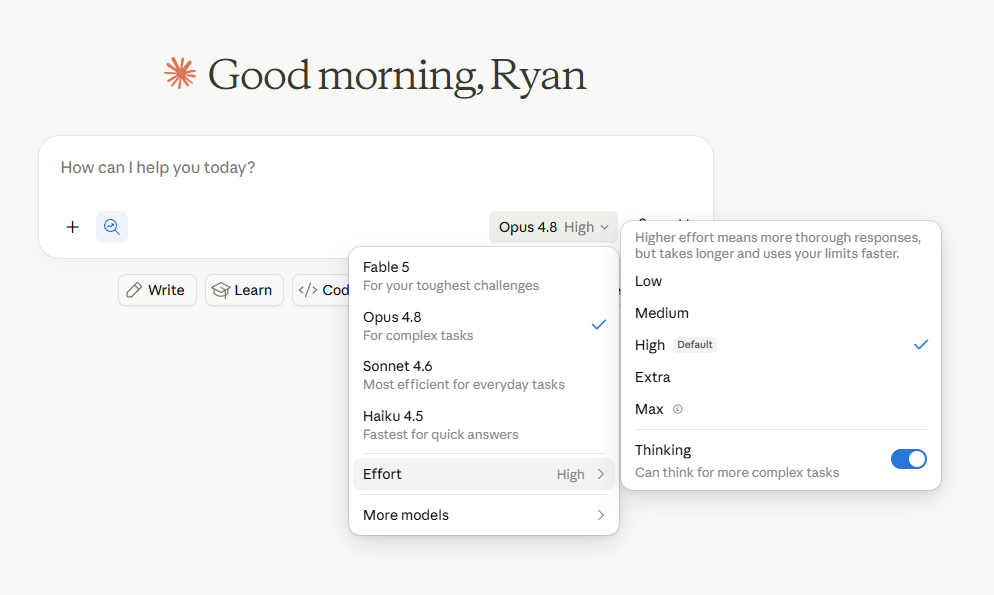
Before running a research task, it’s worth knowing about Claude’s effort levels, which apply to all tasks but are particularly relevant to research. In addition to choosing your model, you can set the effort level to Low, Medium, High, or Max. Higher effort means more thorough responses, but it takes longer to complete tasks and you’ll burn through your usage limits faster. For serious research tasks, High or Max effort levels give you the best results. For quicker questions, Low effort is a better default.
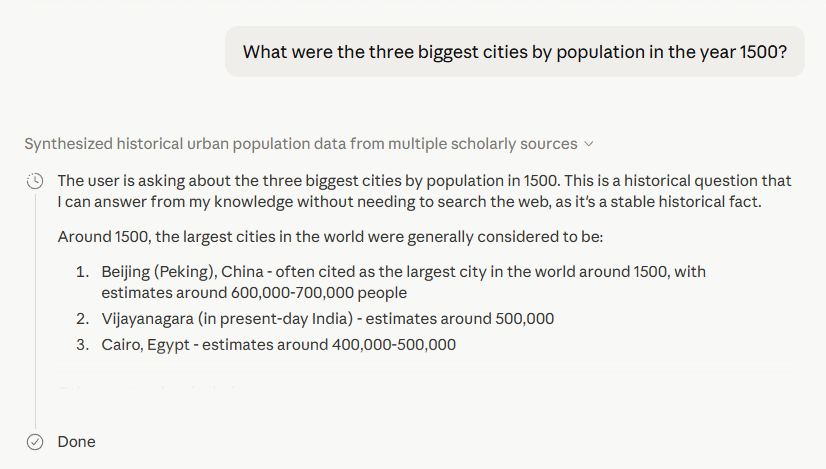
If you just need Claude to reason its way through a problem and you don’t need to check web sources, extended thinking mode is a good option. It employs a “hybrid reasoning” approach that lets the AI either respond almost instantly or take time to reason step-by-step before answering. Either way, you’ll be able to see how Claude arrived at its conclusion, which builds confidence in the answers it gives you and prevents unnecessary back-and-forth.
When your question can be accurately handled by quickly pulling from its training data, Claude will tell you.
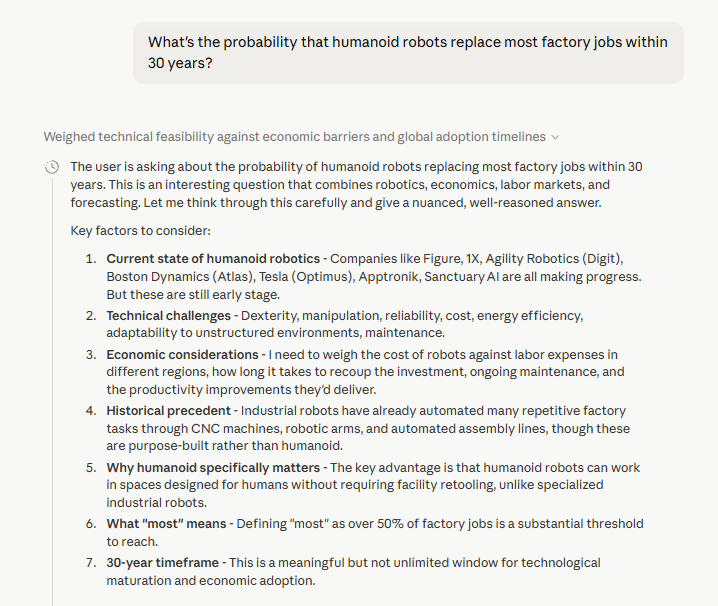
And when you ask a question that requires analysis, probabilities, and complex ethical or societal considerations, Claude will ponder your question a bit longer and explain all the factors that are driving its thought process.
Projects and Skills
If you use Claude regularly for the same kind of work, Projects lets you create a persistent workspace with saved instructions, files, and context, so you don’t have to reexplain yourself every time you start a new task.
For example, let’s say you’re a product manager who reviews customer feedback every day. Normally, you’d need to introduce your product, roadmap, and preferred response format during every single session. Projects lets you anchor all of your chat activity with the same instructions and long-term memory context, while also uploading materials to a persistent file archive so Claude always has the context it needs.
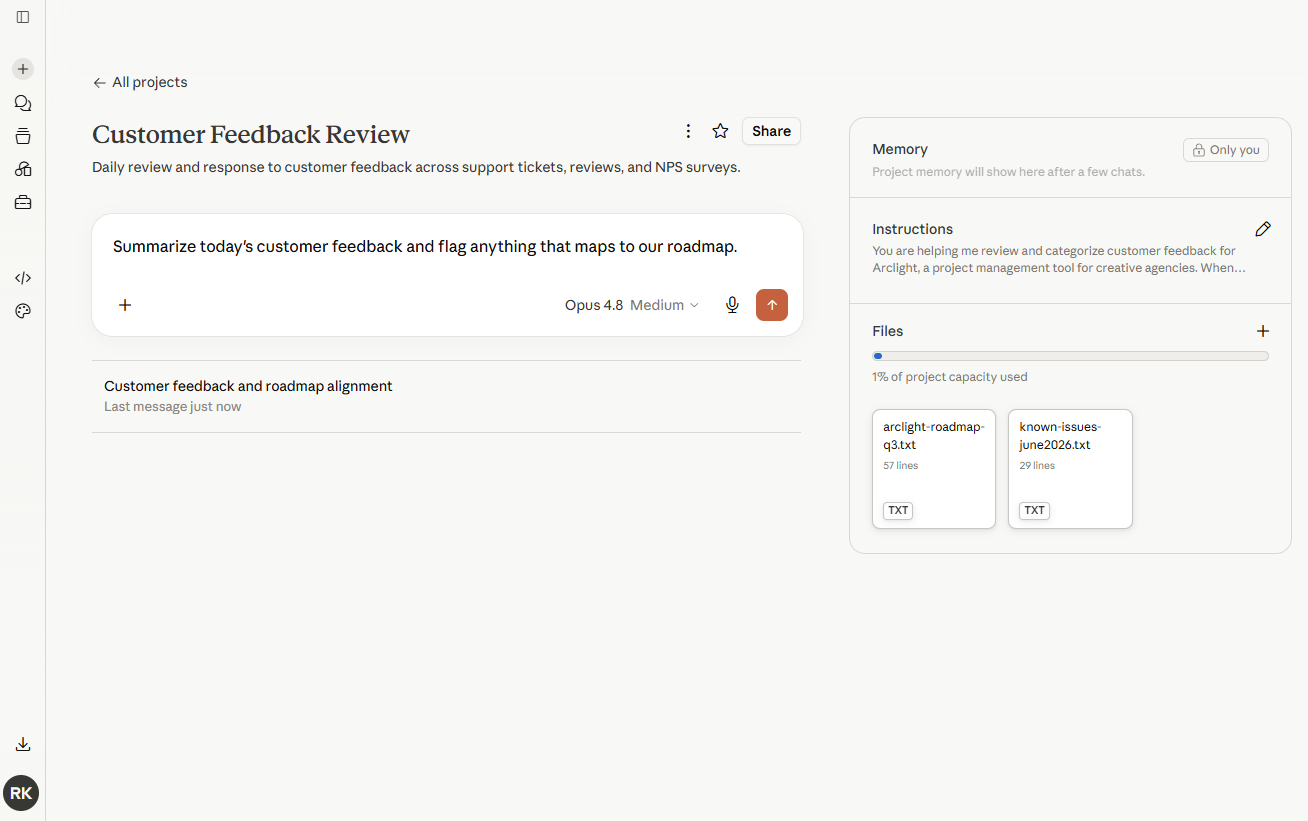
Projects is great for consistently referencing the same context and background knowledge. But if you’re looking to define a repeatable process, that’s when you’ll want to reach for Claude Skills.
A Skill is a reusable set of instructions that outlines the process and output format Claude should adhere to. Want Claude to always draft newsletters in the same way, or follow a specific editing checklist when you share a draft? That’s a Skill. You can build your own by simply asking Claude to help you build a Skill, which will trigger—you guessed it—a skill-creator Skill to walk you through the process.
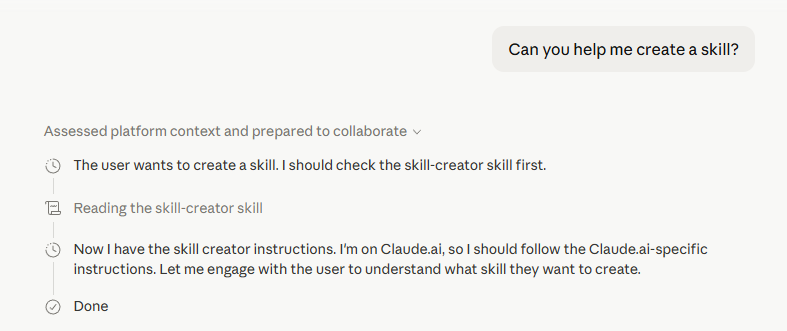
Skills and Projects work best together. Use Projects as a container to hold the context of what you’re working on, and use Skills to help you take action in a predictable, repeatable way.
Claude Code
Claude Code, Anthropic’s agentic coding tool, is wildly popular for coding. Among enterprises, it owns 54% of the coding market. And among developers, a February 2026 survey found that 71% of those who use AI coding agents use Claude Code.
Rather than simply generating code, Claude Code can execute entire projects from start to finish. Just give Claude your vision (“build me an iOS app that tracks blimps”), and it’ll take all the necessary steps to plan and execute it, while checking in occasionally for questions along the way.
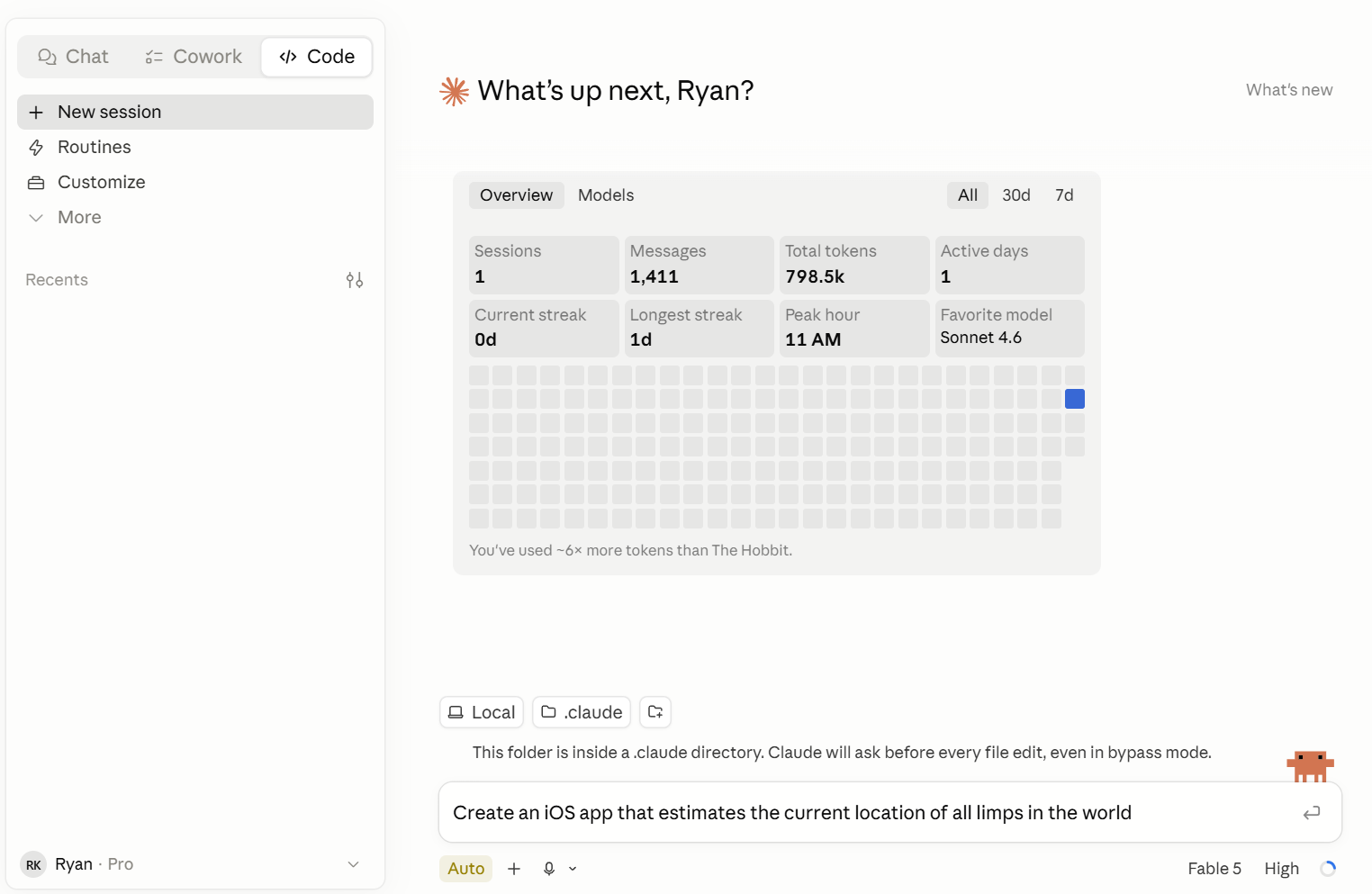
You get full control over how often you want Claude Code to check in while it runs commands and modifies files. By default, it asks for your approval at each checkpoint, but you can also select Auto mode if you only want to be in the loop if a possible safety issue arises. There’s also an ominously-named
--dangerously-skip-permissionsoption, which bypasses all safety prompts so Claude Code can run uninterrupted. (Ideally, you’d only use this in sandboxed environments.)Claude Code’s hours-long autonomous projects are made possible through a couple of innovations. Compaction allows Claude to summarize its own progress so it doesn’t hit a context wall, and agent teams coordinate multiple Claude instances that work in parallel on parts of a larger task. And since Claude now has a 1M token context window, it can hold entire codebases, meaning it can understand the entire context of your project without issue.
Developers can use Claude Code in a terminal, but even non-technical users can try it out using Claude’s desktop app or web app.
For a full guide on getting started, check out our Claude Code guide.
Agentic AI
Claude’s agentic AI layer used to be called Cowork, but now it’s all part of the chat window. Claude can do actual work on your computer. Just describe the outcome you want—like pulling data from a bunch of PDFs into a spreadsheet—and instruct Claude to handle it for you. Claude makes a plan, breaks it into steps, and does the work while you watch. It runs in a sandboxed environment, which means it can only take action within the folders you specify.
It’s perfect for admin-heavy tasks like organizing files, reconciling transactions, and streamlining onboarding. If you’re used to procrastinating by organizing your desktop files and folders, you’ll have to find a new pastime: Claude can do it in 30 seconds.
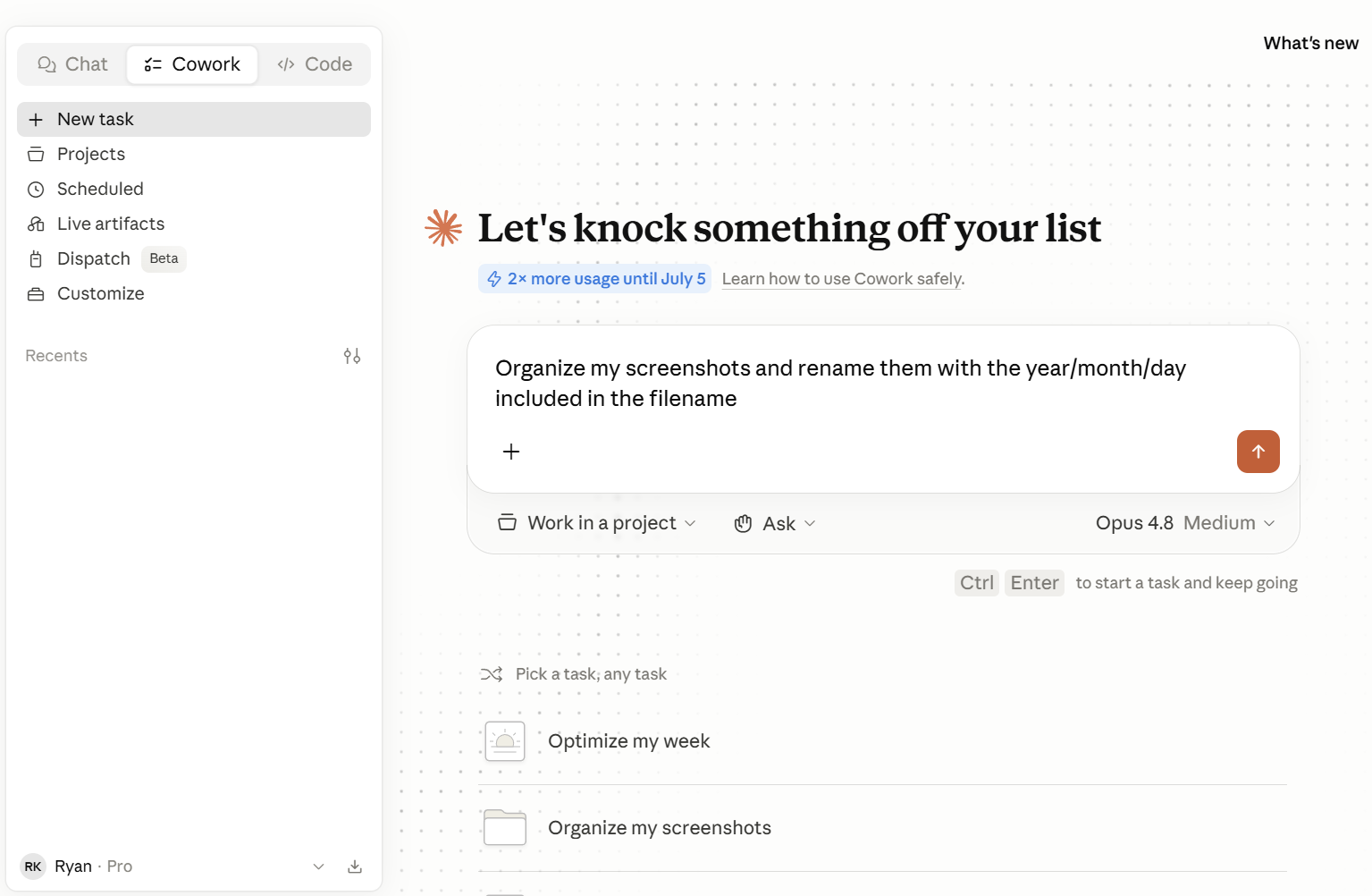
Claude also lets you schedule recurring tasks, like pulling sales data into a report each morning or reconciling expenses at the end of each week. And with Dispatch, another Claude feature, you can control sessions remotely from your phone (as long as your computer is turned on) so you can kick off a task from anywhere.
Claude Design
Claude Design lets you create prototypes, wireframes, pitch decks, landing pages, and marketing collateral, and it tends to create more polished results than you’d get from other Claude tools. You can refine your design within the chat or with inline comments, direct edits, or custom sliders.
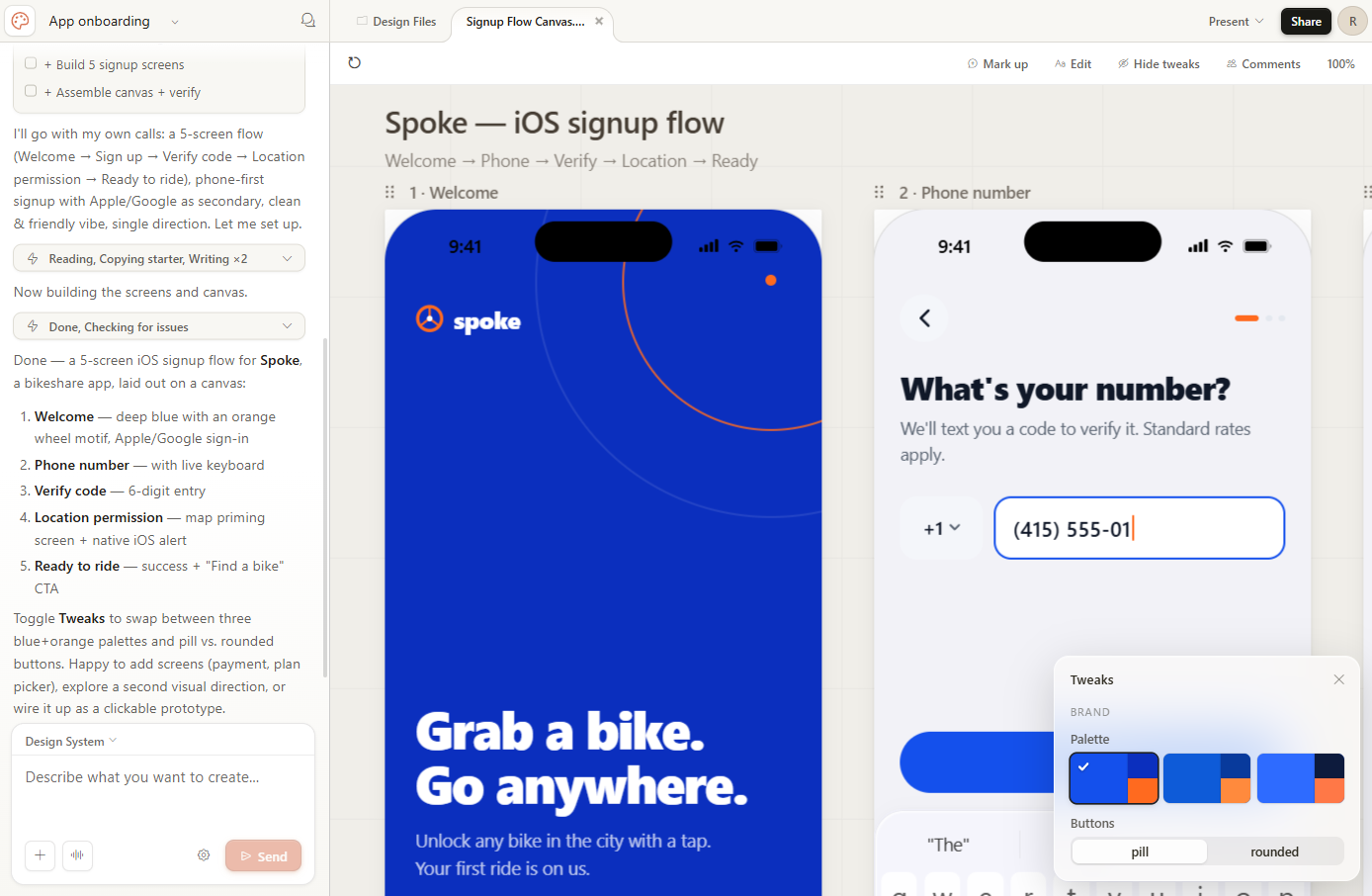
Claude Design can also automatically apply your team’s design system across everything you build, so the output is consistent whether you’re building a slide deck or an app prototype. Once you’re happy with your design, you can share it via a URL, save it as a PDF or PPTX file, or export it to Canva. And if you want to take your design and build something with it, Claude Design can create a bundle of design files and instructions so you can continue building in Claude Code.
Claude Design is currently in research preview. You can access it with any paid Claude subscription.
How to try Claude for yourself
For access, sign up at Claude.ai. From there, you can start a conversation or use one of Claude’s default prompts to get started. As a free user, you’ll get limited access to Claude’s Sonnet and Haiku models. Upgrading to one of Claude’s paid plans (starting at $20/month) gives you access to additional models and priority access even during times of high traffic.
You can also download Claude’s desktop app for macOS or Windows, which streamlines access to Claude.
Automate Claude with Zapier
If you decide to use Claude as your AI chatbot of choice, you can connect it to Zapier so you can safely kick off automated workflows across 9,000+ apps directly from your Claude chat. Zapier handles OAuth-managed authentication for every connected app, so Claude gets the access it needs to act without getting access to your credentials. Learn more about how to automate Claude with Zapier MCP.
Zapier also offers access to the latest Claude models inside its own workflow engine—so whether you’re kicking off an action from Claude chat or running a scheduled workflow in the background, you’re working with state-of-the-art AI.
Related reading:
This article was originally published in September 2023. The most recent update was in September 2026.
-
-
Claude for Google Workspace
Bring Claude directly into Google Docs, Sheets & Slides