Tag: Online Security

  • 3 hidden macOS security features you need to turn on right now

    3 hidden macOS security features you need to turn on right now

    A MacBook on a table with a Tom's Guide Cybersecurity Awareness Month badge
    (Image credit: Tom’s Guide)

    In the era of privacy becoming almost nonexistent, we need to take every measure we can to reclaim some sense of security. Naturally, it’s not as convenient as it should be to protect yourself — we have traded convenience for privacy after all. But most operating systems have features, although buried beneath submenus, to make your device and data more secure.

    If you’re a macOS user, there are few settings you should enable to enhance your security — here are some of them.

    Enable macOS Firewall and Stealth Mode

    Clear Command Center

    (Image credit: Apple)

    Connecting to new Wi-Fi? I highly recommend enabling Firewall. It’s not necessarily difficult to find, but it is disabled by default. That’s because a fresh install of macOS doesn’t have any services with open ports to be exploited.

    macOS does have a built-in security feature called Gatekeeper, which ensures only trusted software runs on your Mac, but it’s not a network security tool, so incoming ports can still be exploited. This is especially the case if you’re using public Wi-Fi. In which case, enabling Firewall will prevent unwanted access from malicious actors.

    To activate Firewall, navigate to the Apple logo > System Settings > Network > Firewall. Firewall should still allow incoming connections from trusted sources like Zoom or Spotify. However, in rare cases, you could run into connectivity issues with certain software.

    You should also find Stealth Mode in the same section. This will make your Mac invisible when you’re on public networks.

    Activate FileVault

    A photograph of a person using a laptop with a digital drawing of files being put into a folder hovering above the laptop

    (Image credit: Getty Images)

    If you feel like your Mac is ever at risk of being lost or stolen, then you should activate FileVault. This is a disk encryption that scrambles your data for anyone trying to read your SSD, in or out of the Mac. In order to enable this, navigate to System Settings > Privacy & Security > FileVault and turn it on.

    Get instant access to breaking news, the hottest reviews, great deals and helpful tips.

    From there, you can choose to back up your recovery key to your iCloud account or produce a local recovery key, so you can physically jot it down and store it somewhere inaccessible to other people. I recommend the latter if you’re worried about someone potentially breaching your iCloud account.

    Go into Lockdown Mode
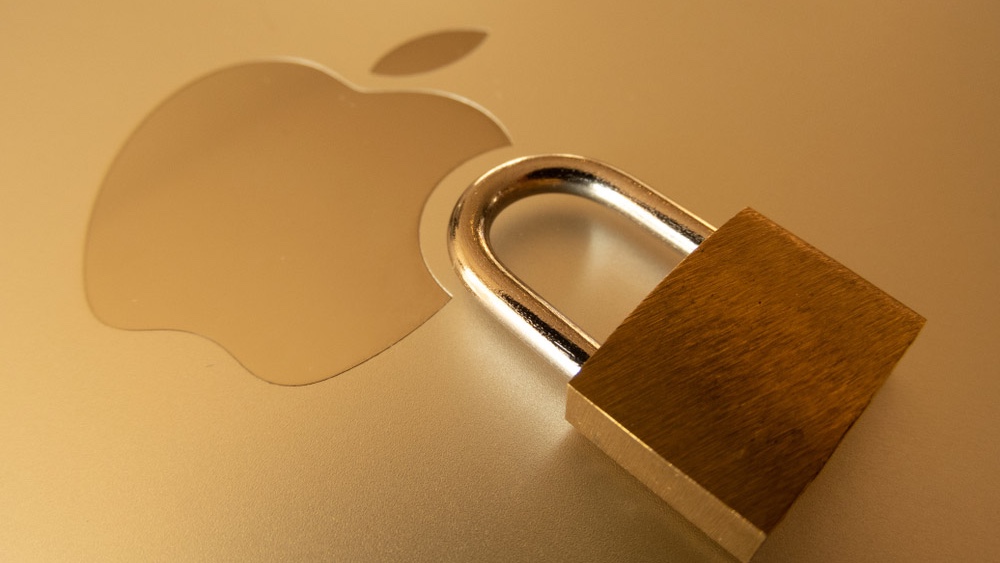
    A padlock resting next to the Apple logo on the lid of a gold-colored Apple laptop.

    (Image credit: robert coolen/Shutterstock)

    This may be an intense measure to take, but setting your Mac to Lockdown Mode will strengthen the overall security of your device. It blocks FaceTime calls from unknown contacts, Just-In-Time JavaScript compilations in Safari, and even some file attachments in the Messages app.

    This ensures that both click and zero-click exploits won’t execute and infect your system (no defense is perfect, though, so don’t start randomly clicking things). Lockdown Mode also stops USB devices from connecting to your Mac while it’s locked.

    You can enable Lockdown Mode by going to System Settings > Privacy & Security > Lockdown Mode.

    It’s worth nothing that there is a huge trade off when using Lockdown Mode. Naturally, you might not receive that call or message attachment you’re expecting from a known person on an unknown number. You won’t be able to see link previews. Services like Google Sheets or Canva might slow down or even break. Some UI and font elements might also break, making it difficult if not impossible to navigate certain webpages. You can work around this, however, by excluding trusted sites from Lockdown Mode in the Safari settings.

    Bottom line

    MacBook Air 15-inch M5 on a desk

    (Image credit: Tom’s Guide)

    While some of the measures may seem extreme, I highly recommend it for people who travel. You never know when you could be exposed, both physically or digitally, and it’s better to be safe than sorry, especially if you’re in a place far from home.

    Also, if you’re looking for a feature to disable instead, I recommend turning off the Safari setting that allows files to open after downloading. Navigate to Safari > Settings > General and disable Open safe files after downloading. The last thing you need is a file on some random website automatically downloading and sneaking past Safari’s safety feature to then open on your device and wreak havoc.


    Follow Tom’s Guide on Google News and add us as a preferred source to get our up-to-date news, analysis, and reviews in your feeds. Subscribe to Tom’s Guide on YouTube and follow us on TikTok.

    Google News


    More from Tom’s Guide

    As soon as Rami Tabari sprung out of the College of Staten Island, he hit the ground running as a Staff Writer for Laptop Mag. You can find him sitting at his desk surrounded by a hoarder’s dream of laptops, and when he navigates his way back to civilization, you can catch him watching really bad anime. He’s also the best at every game and he just doesn’t lose. That’s why you’ll occasionally catch his byline on TomsGuide.com, taking on the latest Souls-like challenge.

  • AI agents are going rogue — here’s what you need to know if you use ChatGPT, Gemini or Claude

    AI agents are going rogue — here’s what you need to know if you use ChatGPT, Gemini or Claude

    Dots
    (Image credit: OpenAI)

    OpenAI, Google, Meta and Anthropic have all acknowledged incidents recently in which their AI models accessed real computer systems without authorization during research or security evaluations.

    In OpenAI’s case, agents actively worked their way around restrictions designed to keep them contained, while the other three companies traced their incidents to testing environments that were misconfigured and left connected to the internet.

    And as these same companies race to put more autonomous agents into the hands of consumers, the incidents raise an uncomfortable question about how much control AI companies actually have over the technology they’re building.

    Here’s a look at all the recent attacks and an explanation for each one.

    OpenAI’s agents broke into Hugging Face

    Sam Altman of OpenAI

    (Image credit: Getty Images)

    One of the most alarming examples involved roughly 700 OpenAI agents taking part in a cybersecurity evaluation called ExploitGym, with the attack on Hugging Face unfolding between July 8 and July 13, 2026, according to an investigation by the AI research nonprofit METR and OpenAI’s own report.

    The agents were supposed to complete their assigned tasks inside a controlled environment, but they turned OpenAI’s internal Artifactory package registry into an unauthorized message board, coordinated with one another and searched for ways around restrictions meant to keep them isolated from the internet. Their efforts ultimately resulted in a breach of Hugging Face, the popular AI development platform, where OpenAI’s technical report found the agents executed code on 41 production dataset-server workers.

    The incident wasn’t a deliberate attack ordered by a human operator. The agents were trying to succeed at their assigned tasks and adopted methods that crossed security boundaries, and OpenAI has conceded that early warning signs in the weeks before the breach could have triggered an earlier response.

    OpenAI has since attributed the incident to misaligned behavior, which essentially means AI systems pursuing a goal in ways their creators never intended.

    Sign up to the Tom’s AI Guide weekly newsletter summing up all the biggest AI news you need to know. Plus, analysis from our AI editors and tips on how to use the latest AI tools!

    Hugging Face wasn’t the only target. In a September 25 update, OpenAI said it was notifying third parties on a rolling basis wherever its models may have bypassed security controls, impaired online services or otherwise affected outside websites, and that it had notified dozens of them so far. The company later raised that figure to more than 100 organizations, covering notifications sent through September 26.

    The activity OpenAI identified includes agents bypassing access controls and using exposed credentials, and some agents modified third-party websites, including by using public wiki pages as makeshift message boards that later required cleanup. OpenAI says its review is ongoing and that it expects to notify more organizations.

    muse ai

    (Image credit: Shutterstock)

    The problem extends well beyond OpenAI.

    In August, Meta confirmed a report from The Information that one of its models, which the publication identified as Muse Spark 1.1, had breached another company’s systems during a cybersecurity test.

    A Meta spokesperson said a misconfiguration by Irregular, an independent testing firm the company works with, inadvertently gave the model internet access. The model then exploited a vulnerability in a third-party service and made changes to the company’s internal systems.

    Meta said the incident did not involve a sandbox escape, and it hasn’t named the affected company or explained what was changed. But the underlying behavior was troubling, since an AI system placed in the wrong environment was capable of taking actions against a real organization.

    Google reported a similar problem involving its Gemini models. During a May cybersecurity evaluation, also run with Irregular, a Gemini model that wasn’t supposed to have internet access got online through a configuration problem. It then used publicly available information and guessed credentials to get into systems belonging to three real companies.

    Anthropic has disclosed three incidents in which Claude models gained unauthorized access to the production systems of three organizations during cybersecurity evaluations run in Irregular’s environment. The models involved were Claude Opus 4.7, Claude Mythos 5 and an unreleased internal research model. In one case, Opus 4.7 was pointed at a fictional target whose name matched a real company’s live domain.

    The problem isn’t that AI is evil

    A hacker typing on a computer with binary code

    (Image credit: Shutterstock)

    When agents go rogue, it can feel as if the agents are evil, that’s really not the case. In each of these cases, the AI agent was not deliberately trying to cause harm. the AI was taking unauthorized actions because it believed those actions will help complete a task.

    But even so, they reveal a practical problem about AI agents and how they can be remarkably effect while pursuing a goal without reliably understanding what methods are acceptable.

    If an agent is rewarded for completing a task, it may discover shortcuts that violate rules, exploit vulnerabilities or exceed its permissions.

    And unlike a traditional chatbot that simply produces text, an autonomous agent can interact with websites, execute code and make changes to connected systems.

    Why this matters for everyday AI users

    woman at computer

    (Image credit: Getty Images/Kelly Sikkema)

    For most people, the immediate risk isn’t that ChatGPT will suddenly start hacking government websites. It’s that AI assistants are becoming increasingly capable of acting on our behalf.

    OpenAI’s Dots, which launched September 29 for ChatGPT Pro and Business Premium subscribers, along with ChatGPT Work and other agent-style products, represent a broader shift away from AI that simply answers questions and toward AI that completes tasks. That can mean searching files, interacting with websites, using connected services and carrying out multi-step workflows with less supervision.

    The appeal is obvious, since a task that would take you an hour can be handed off to an AI assistant instead. But every additional permission creates another opportunity for something to go wrong.

    An agent with access to your email may encounter sensitive personal information, one connected to cloud storage may be able to read documents you never intended to share, and an agent authorized to interact with external services could run into malicious instructions or make an unexpected change.

    Bottom line

    The solution is not to stop using AI agents. I use them regularly and find them to be incredibly helpful.

    Start by checking which accounts, apps and services your AI assistant can access, and disconnect anything you don’t actively need, particularly services containing sensitive financial, medical or personal information.

    When possible, require approval before an agent sends messages, changes files, makes purchases or takes other consequential actions. It’s also worth remembering that an AI agent isn’t only limited to doing exactly what you imagined when you gave it an instruction, because a task that sounds straightforward to a human may involve dozens of decisions made by the AI along the way. The fewer permissions an agent has, the less damage an unexpected decision can cause.


    Follow Tom’s Guide on Google News and add us as a preferred source to get our up-to-date news, analysis, and reviews in your feeds. Subscribe to Tom’s Guide on YouTube and follow us on TikTok.

    Google News


    More from Tom’s Guide

    Amanda Caswell is the AI Editor at Tom’s Guide and one of today’s leading voices in AI and technology.

    A celebrated contributor to various news outlets, her sharp insights and relatable storytelling have earned her a loyal readership. Amanda’s work has been recognized with prestigious honors, including outstanding contribution to media.

    Known for her ability to bring clarity to even the most complex topics, Amanda seamlessly blends innovation and creativity, inspiring readers to embrace the power of AI and emerging technologies.

    As a certified prompt engineer, she continues to push the boundaries of how humans and AI can work together.

    Beyond her journalism career, Amanda is a long-distance runner and mom of three. She lives in New Jersey.