Abstract:Training-free feature reuse accelerates diffusion transformer inference by replacing full denoising computation at selected steps with cached approximations. Existing methods mainly improve the reconstruction of skipped features, but we find that once a stable first-order reconstructor is used, increasing reconstruction complexity brings limited gains, whereas the placement of exact-computation steps has a much larger effect on fidelity. More importantly, absolute shallow-probe variation is jointly affected by input-trajectory displacement and network response strength, and therefore does not directly reflect cache risk. We address this confounding by normalizing probe-output variation with the corresponding input displacement, yielding a directional gain per unit trajectory movement. Based on this signal, we propose CacheScope, which identifies high-risk reuse steps online and selectively falls back to full denoising computation while leaving the underlying cache reconstructor unchanged. CacheScope requires no additional training, gradients, auxiliary networks, or prompt-specific offline schedule optimization. Across FLUX.1-dev, Wan2.1-T2V-1.3B, and Open-Sora 1.2, CacheScope achieves up to 3.57x acceleration and reduces median LPIPS by up to 70.1% over the strongest probe-based baseline.
Submission history
From: Qinhan Lyu [view email] [v1] Thu, 8 Oct 2026 10:19:34 UTC (2,655 KB)
Abstract:Large language models (LLMs) are increasingly under scrutiny for perpetuating identity-based discrimination in high-stakes domains such as hiring, particularly against people with disabilities (PwD). However, existing research remains largely Western-centric, overlooking how intersecting forms of marginalization–such as gender and caste–shape experiences of PwD in the Global South. We conduct a comprehensive audit of six LLMs across 2,820 hiring scenarios spanning diverse disability, gender, nationality, and caste profiles. To capture subtle intersectional harms and biases, we introduce ABLEIST (Ableism, Inspiration, Superhumanization, and Tokenism), a set of five ableism-specific and three intersectional harm metrics grounded in disability studies literature. Our results reveal significant increases in ABLEIST harms towards disabled candidates–harms that many state-of-the-art models failed to detect. These harms were further amplified by sharp increases in intersectional harms (e.g., Tokenism) for gender and caste-marginalized disabled candidates, highlighting critical blind spots in current safety tools and the need for intersectional safety evaluations of frontier models in high-stakes domains like hiring.
Submission history
From: Hayoung Jung [view email] [v1] Mon, 13 Oct 2025 04:18:23 UTC (1,493 KB) [v2] Thu, 8 Oct 2026 22:37:37 UTC (1,389 KB)
Abstract:Multimodal language models (MLLMs) exhibit promising spatial reasoning capabilities, yet the internal mechanisms supporting them remain poorly understood. We uncover S-Space, a linear representation subspace in which object-token representations encode continuous coordinates along horizontal, vertical, and distance axes. Although we identify these axes by differentiating spatial-answer scores with respect to object-token activations, S-Space is intrinsic rather than induced by specific data or prompts, remaining readable under non-spatial questions. We show that S-Space functions as an internal spatial workspace of MLLMs. Perception encodes object locations into it, forming spatial representations that can be directly read out to support accurate spatial judgments. Internal reasoning transforms it for changing viewpoints. Verbal responses selectively access it, evidenced by causal interventions that alter spatial judgments while largely preserving non-spatial responses. Case studies further show that S-Space assigns locations to unseen entities and the observer, and connects physical directions with abstract linguistic meanings, suggesting both the capabilities and limitations of large-scale language training. Finally, we use S-Space as a diagnostic tool for spatial reasoning failures. Direction-word readouts reveal systematic coupling between cardinal and image-relative reference frames. More importantly, a perception-computation decomposition exposes a key bottleneck: MLLMs can form capable spatial representations, yet fall short in the spatial transformations required to reason reliably across viewpoint changes.
Submission history
From: Jialong Wu [view email] [v1] Fri, 9 Oct 2026 12:48:41 UTC (13,229 KB)
Abstract:Medical agent systems are increasingly expected to support interactive clinical decision making rather than only static question answering. In such settings, effective agents must reuse prior experience across evolving cases, yet existing memory mechanisms often retain raw historical traces that are redundant, noisy, and difficult to govern. More importantly, they rarely distinguish which memories are truly useful for future reasoning. This limits their ability to accumulate compact and reliable experience for long-horizon clinical reasoning. To close this gap, we propose SkeMex, a post-deployment self-evolution framework that improves medical agents through a skill-based memory without updating model weights. SkeMex distills informative interaction trajectories into structured skills that encode reusable procedural knowledge, and organizes them into a multi-branch repository spanning general, task-specific, and action-level experience. To determine which memories should be reused and retained, SkeMex estimates context-dependent utility from environment feedback and uses it to guide value-aware retrieval and repository governance. A closed-loop “Read–Write–Assess–Govern” lifecycle further supports continual evolution by writing new skills, updating utilities, promoting useful memories, and removing harmful entries. Experiments across diverse clinical tasks show that SkeMex consistently outperforms representative memory-based agents in both offline and online settings. It also generalizes across model backbones and supports transferable skill memory. All data and code will be released publicly.
Submission history
From: Haoran Sun [view email] [v1] Mon, 8 Jun 2026 11:37:01 UTC (19,046 KB) [v2] Wed, 10 Jun 2026 14:46:00 UTC (19,046 KB) [v3] Mon, 15 Jun 2026 15:01:33 UTC (19,046 KB) [v4] Fri, 9 Oct 2026 07:02:59 UTC (19,057 KB)
Abstract:Geopolitical and strategic intelligence reports constitute a rich source of expert knowledge and have increasing value in the current political climate, but their heterogeneity and analytical complexity pose challenges for retrieval-augmented question answering. We introduce a benchmark for grounded question answering over 415 open-source geopolitical and strategic intelligence reports, comprising 5,525 document-grounded question-answer pairs spanning factual, inferential, comparative, and risk-oriented questions. We propose a document-aware generation pipeline that profiles reports before generating questions and validate dataset quality through expert annotation and an LLM-as-judge protocol. Using the benchmark, we evaluate 15 retrieval systems and six open-weight LLMs for RAG. We find that models perform similarly on document-level retrieval, while at the harder chunk level retrieval quality is not driven by embedding-model scale: bge-m3, a mid-size open encoder matches an order of magnitude larger ones and outperforms commercial embedding APIs. In contrast, answer generation remains challenging even given the gold evidence, particularly for inferential and risk-oriented questions.
Submission history
From: Veronika Solopova [view email] [v1] Thu, 8 Oct 2026 18:35:13 UTC (67 KB)
Get instant access to breaking news, the hottest reviews, great deals and helpful tips.
Millie is a Deals Editor at Tom’s Guide specializing in deals content. She also covers the latest tech news and and creates how-to articles about everything from phones, streaming devices, and headphones to apps and video games. In her spare time, she enjoys reading, gaming on her Nintendo Switch and creating digital art.
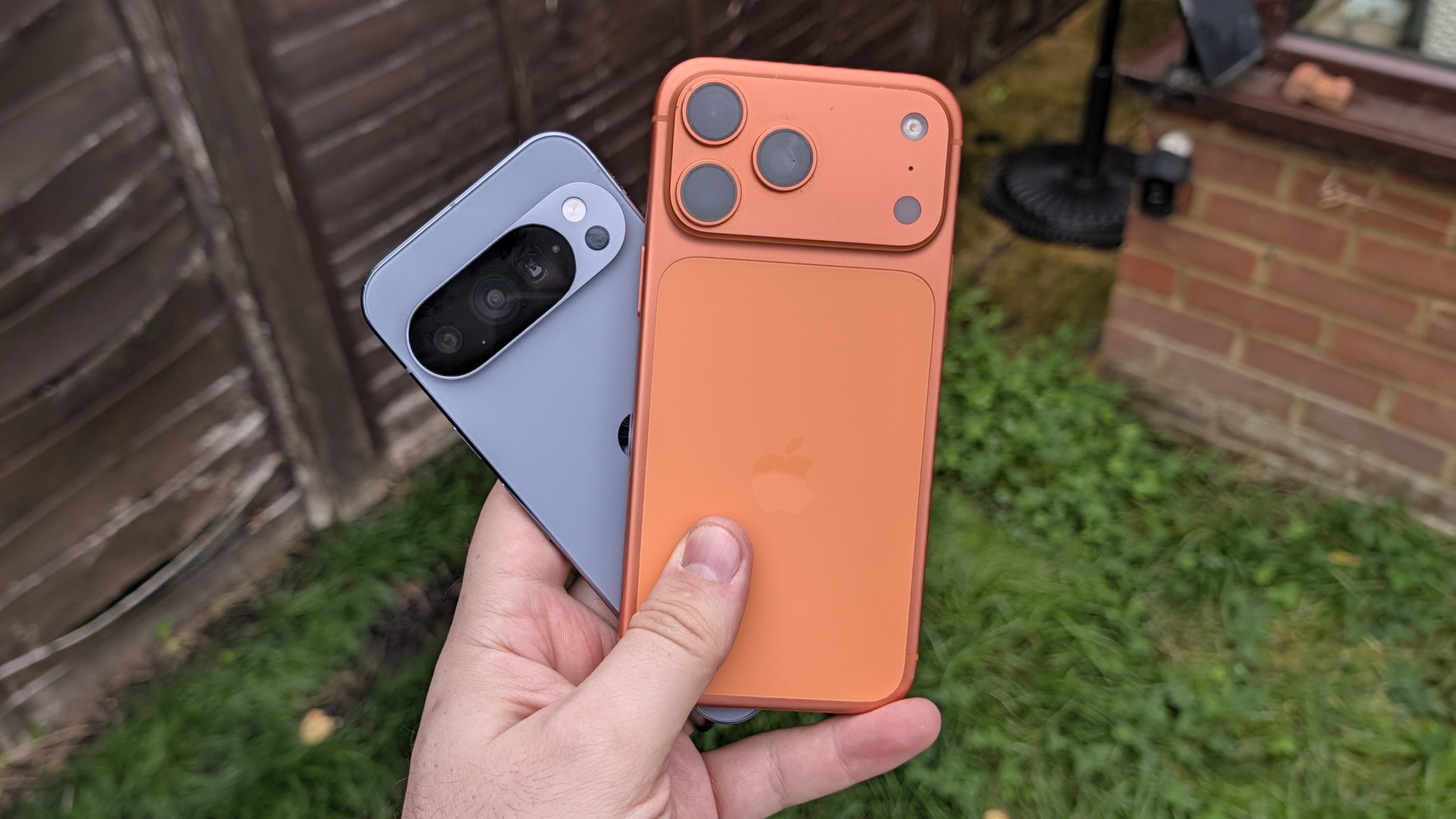
Android may have been the king of widgets for a very long time, beating Apple to the punch by several years, but the same can’t be said about offering them on the lock screen. Lock screen widgets were available until Android 5, at which point they were unceremoniously removed with no word on when they would come back.
I have since fixed that glaring oversight and have been getting to grips with lock screen widgets on Android, and my mind naturally started drawing comparisons to iOS.
While similar, both platforms treat lock screen widgets very differently. So which of them actually does a better job?
(Image credit: Future)
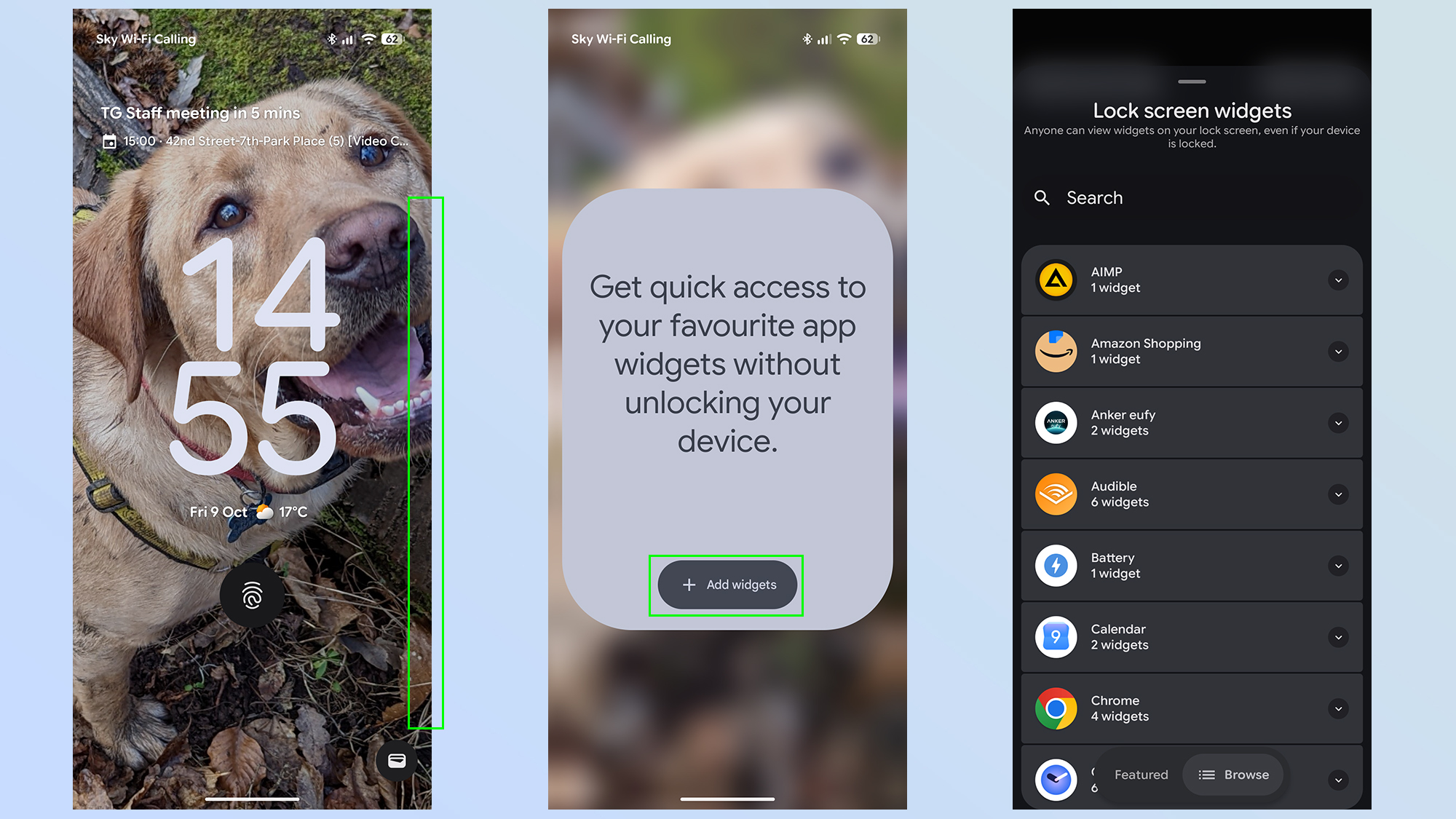
On Android, the easiest way to set up lockscreen widgets is to lock your phone, then swipe from the right side of the screen. You’ll see a large box informing you that lock screen widgets are available, and you need to tap the Add widgets button to continue.
From there the setup is almost identical to that of adding home screen widgets. Select the app of your choice and choose one of the widget designs on offer.
(Image credit: Future)
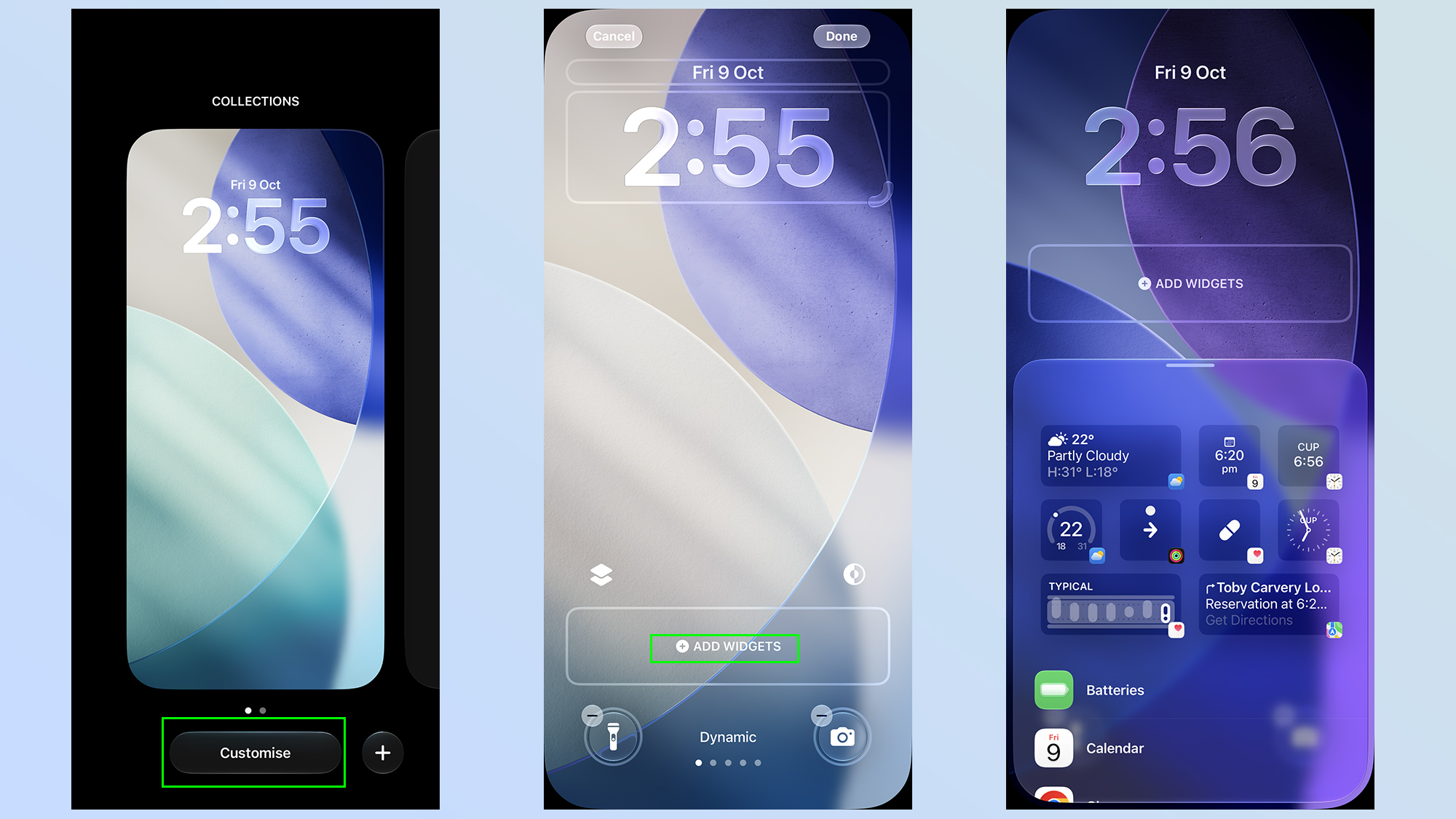
On iOS, you will need to press and hold on your lock screen, then tap the Customize option when the lock screen editor shows up.
Sign up to the Tom’s iGuide weekly newsletter with coverage on everything from product launches to software updates, this is your go-to source for the latest updates on all the best Apple content.
Once that’s done press Add widgets in the bar at the bottom of your screen, and choose the app and widget style you want to add to your widget bar.
(Image credit: Future)
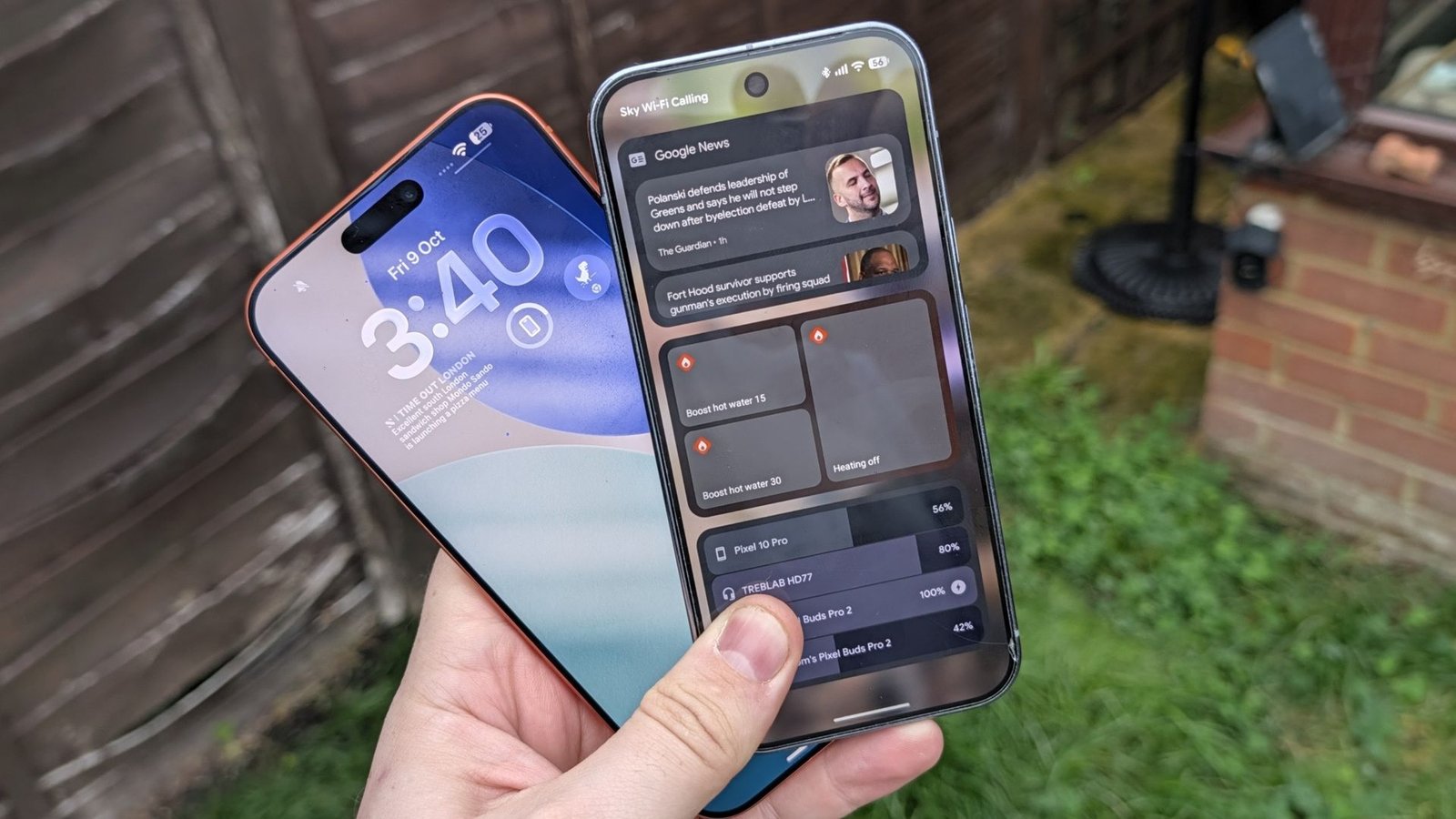
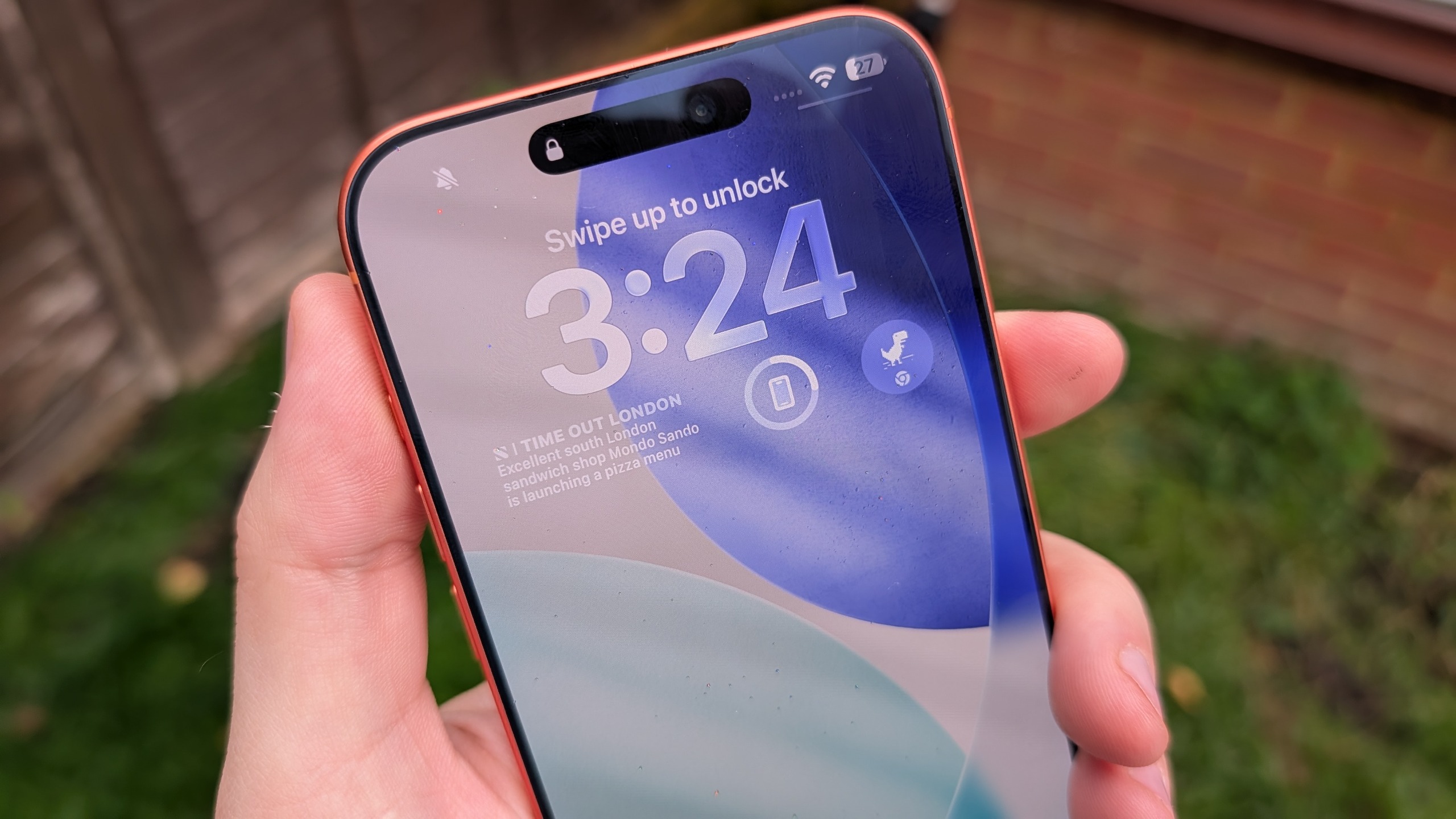
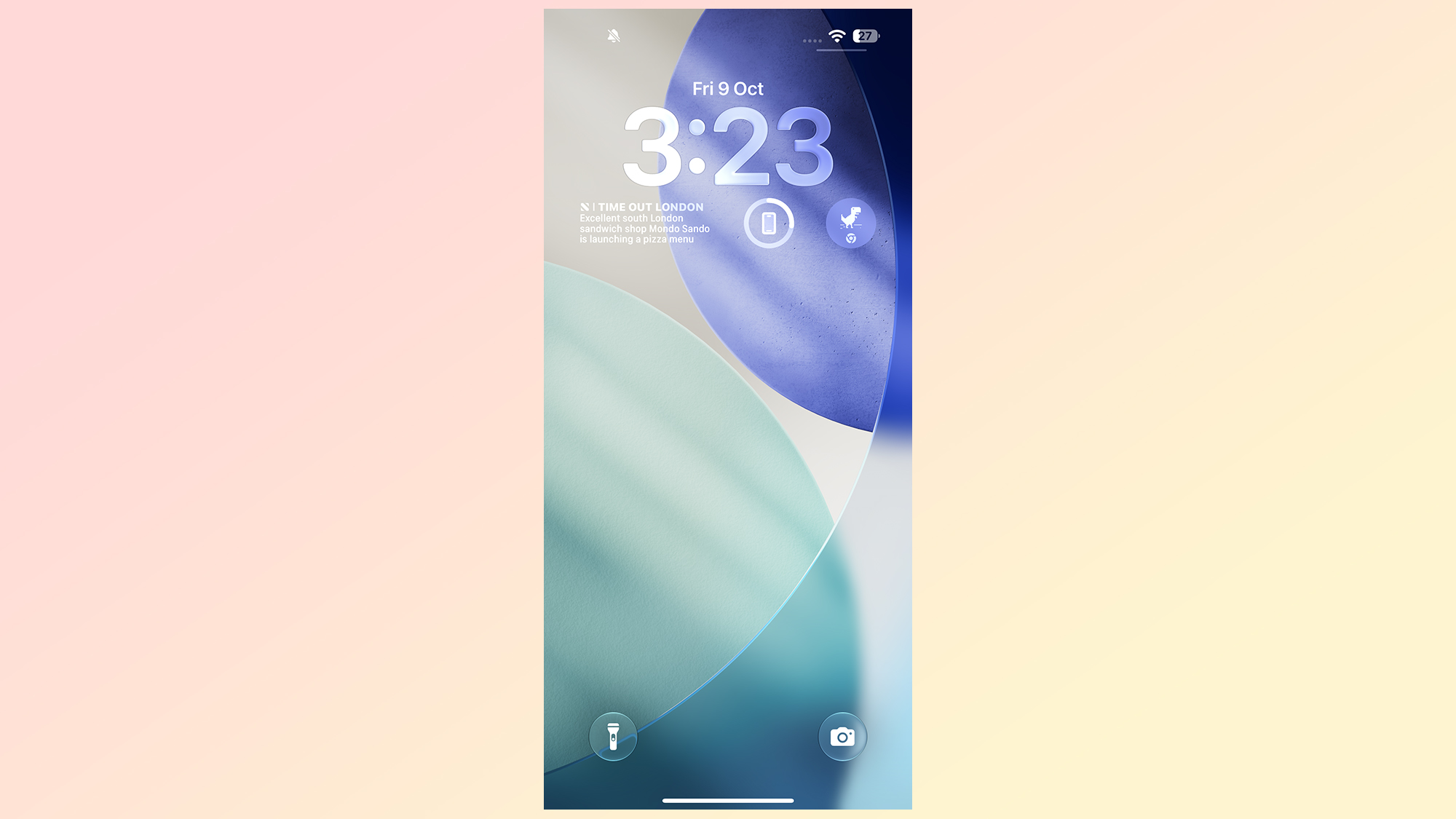
Apple’s lock screen widgets are right in your face, sitting on your locks creen where you can see them. However they are fairly limited, in that Apple only gives you a single line of the screen to work with. This means you can’t just overload your lock screen with whatever widgets you like, forcing you to be more selective about what you use.
Apple does let you make full use of that line, with equivalent space for four different tiles — or less if you select the larger widgets that take up the equivalent of two tiles. But once that line is full, you don’t get any extra space to work with.
Most of the widgets seem to be for displaying information at a glance, whether that’s time, calendar events, health metrics and other such features. There are a few other options that act as shortcuts to certain app features, including Chrome’s dinosaur minigame for some reason, but I couldn’t find anything that let me perform actions on my home screen.
(Image credit: Future)
It’s unclear whether it is dependent on the apps you have installed, so maybe I missed something out. What I do know is that everything I have was limited to visible information or the aforementioned shortcuts. Apple also seems to limit which third party apps are allowed to offer lock screen widgets, and it seems as though my smart home apps didn’t make the cut.
That means I don’t get to turn on my water heater without unlocking my phone first.
One more thing to note is that iOS lets you choose whether your lock screen’s widget bar sits at the top of the screen (under the clock) or at the bottom. There’s no in-between option, so make sure to pick the one that works best for you.
(Image credit: Future)
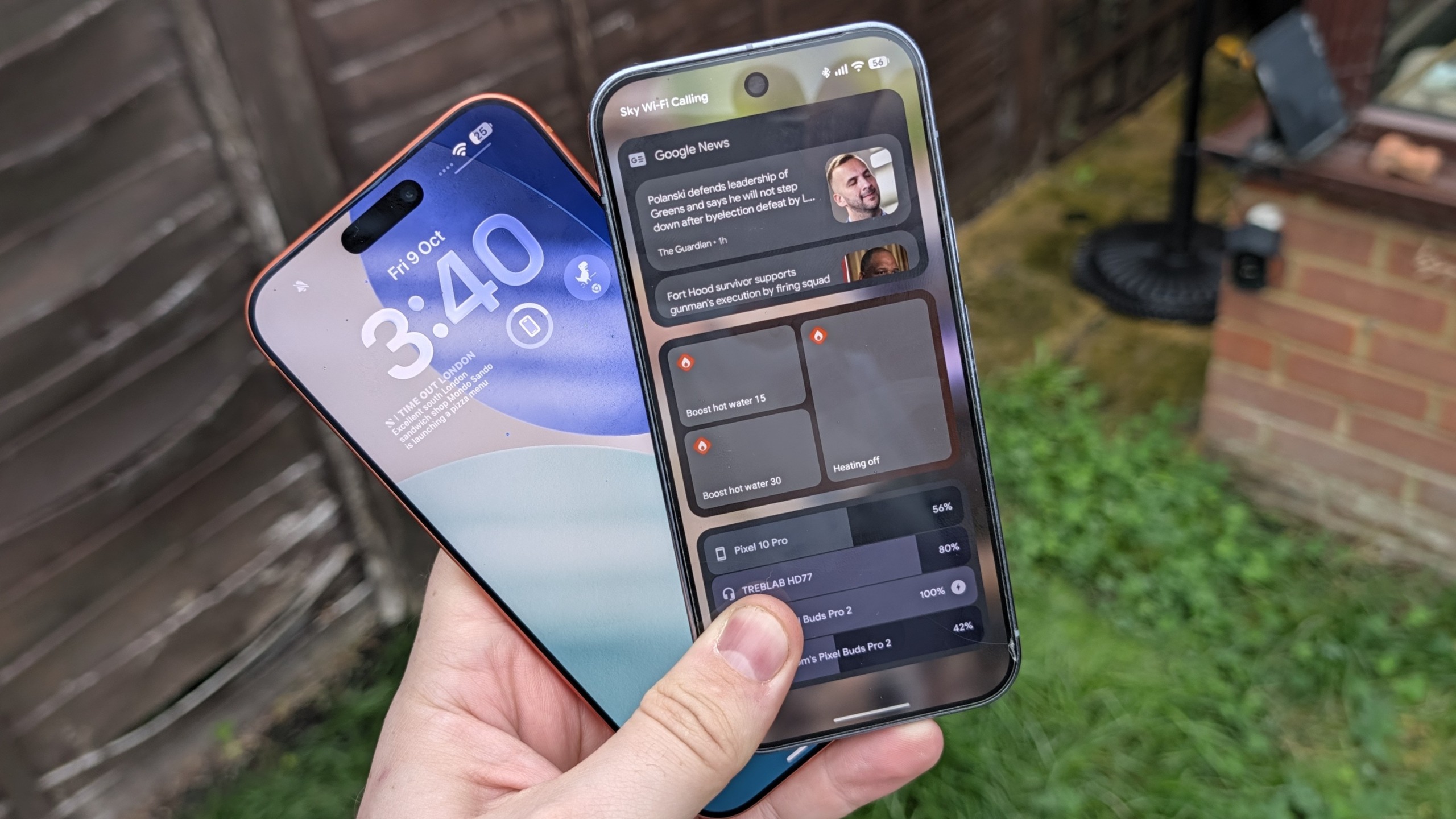
The funny thing about Android lock screen widgets is that it reminds of how Apple used to do widgets before iOS 14. If you think back to those days, you’ll remember that iPhones had a separate page that stored all your widgets, accessible by swiping from the left side of the home screen.
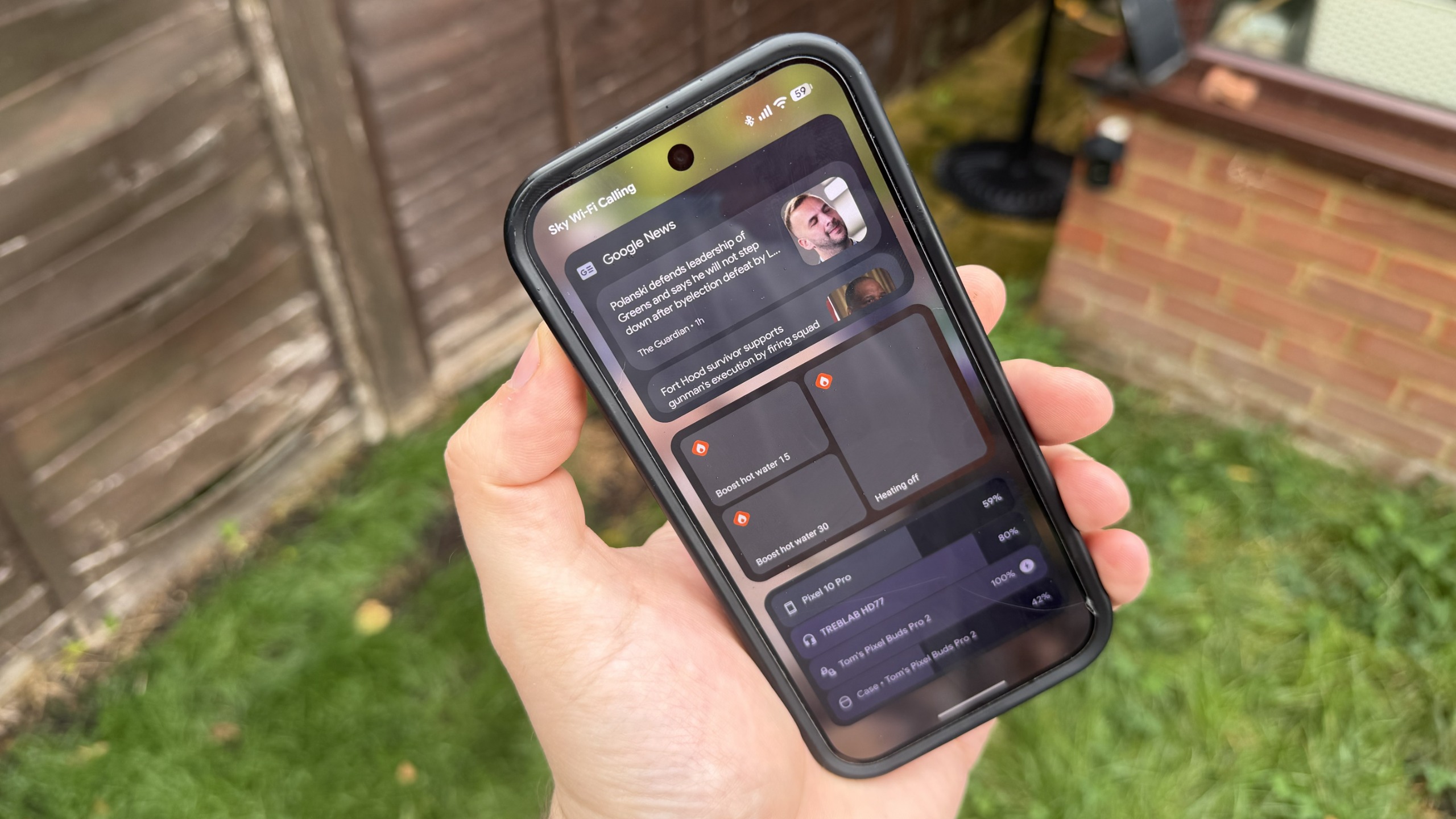
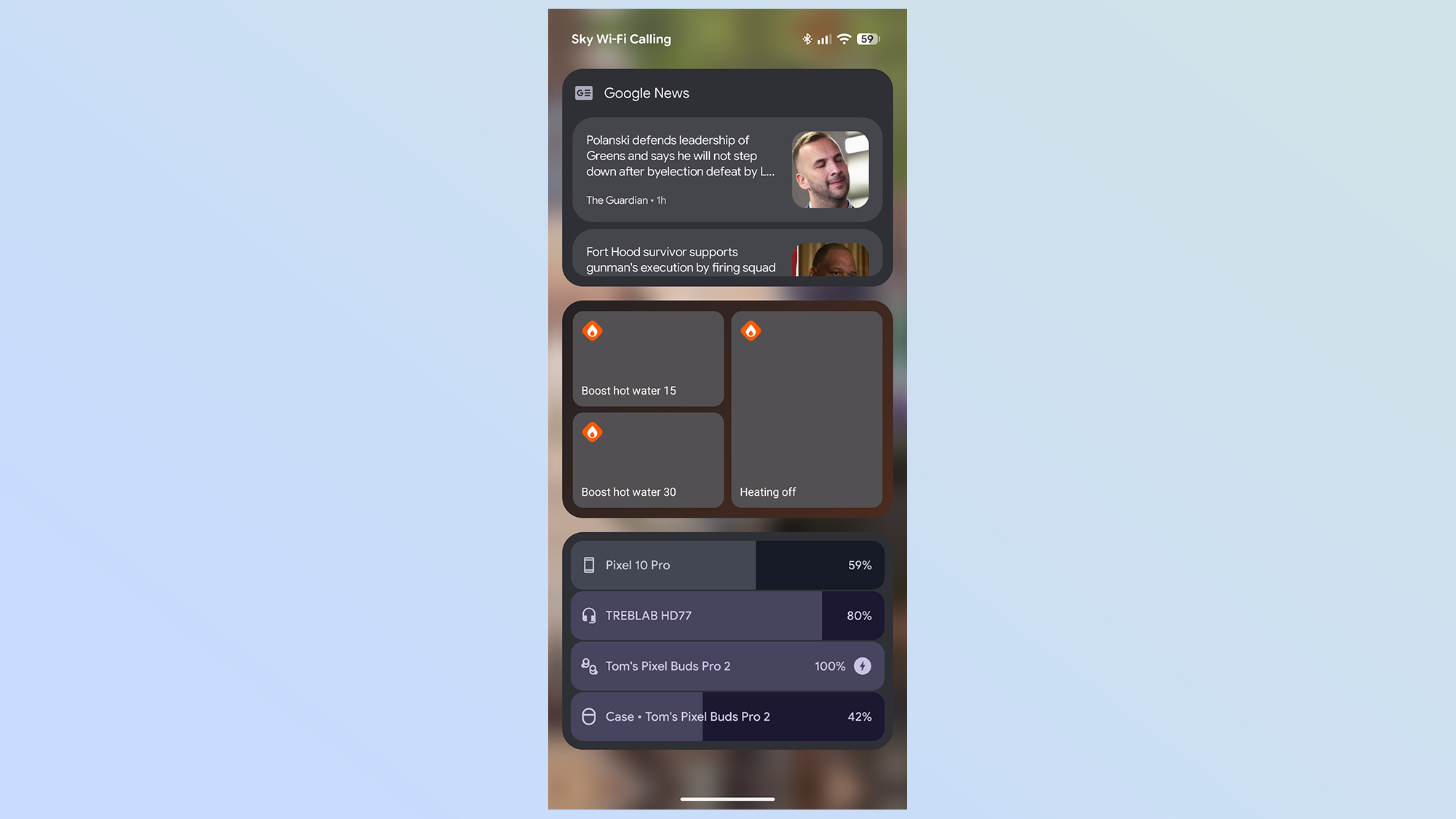
That is essentially how Android’s lock screen widgets work. You swipe from the right side of your lock screen, and all your widgets will be accessible without unlocking your phone. But rather than being a continuously scrolling feed of widgets, Android limits you to three lock screen widgets per page.
You can have multiple pages, of course, and if there’s a limit to that I haven’t managed to find it yet. So far I’ve added five pages worth of lock screen widgets, which is already more than I know what to do with.
You are limited to three widgets per page, however, and it doesn’t actually matter how big the widgets actually are. The smallest widget takes up the exact same amount of space as the largest, and you need to use up all the space before moving on.
(Image credit: Future)
Much like Android’s home screen widgets, there’s a surprising amount of variety when it comes to widget design. You get multiple choices for each widget, and the designs are similar to those you’d expect to see on your phone itself. To the point where it feels a lot like the usual Android widget experience, but accessible when your phone is still locked.
You can only see things at a glance, though. Some widgets let you access and control certain phone features, including smart home devices, accessing anything more sensitive prompts you to unlock the phone. If I want to access my calendar, emails or even something as simple as Shazam, I’ll need to unlock my phone first. While that does limit the usefulness of some widgets, I can understand why this is the case for a lot of things.
Except Shazam, not sure what that’s about — perhaps it’s something to do with microphone access?
Who does it best?
(Image credit: Future)
Both Android and iOS do lock screen widgets rather differently. Android gives you the option to have as many widgets as you like, with the added ability to perform certain actions without needing to unlock your phone.
Meanwhile iOS is a lot more limited, but seems focused on offering shortcuts to key apps, or offering important information in a way that doesn’t require you to unlock your phone to see it — potentially saving you time and battery life in the process.
With that in mind, it seems Android definitely offers more freedom and productive use of its lock screen widgets. Sadly it’s let down by the fact that it’s so easy to forget about the widgets, and end up unlocking your phone anyway. While limited in scale, iOS’s lock screen widgets are positioned front and center — making them very difficult to miss.
As feature-rich as Android lock screen widgets are, they’re a bit pointless if you keep forgetting that they’re there — and so far they haven’t been around long enough to properly integrate themselves into my day-to-day phone use. Then again, it’s not worth having in-your-face widgets if you can’t do much with them.
Honestly, it would be much better if both platforms offered a hybrid approach. More feature-rich widgets on and around the lock screen, and displayed in a way that you can’t really miss them. Keep Android’s extra pages around too, so you have plenty of space to access the widgets you need when you need them.
Tom is the Tom’s Guide’s UK Phones Editor, tackling the latest smartphone news and vocally expressing his opinions about upcoming features or changes. It’s long way from his days as editor of Gizmodo UK, when pretty much everything was on the table. He’s usually found trying to squeeze another giant Lego set onto the shelf, draining very large cups of coffee, or complaining about how terrible his Smart TV is.
Sweaty, uncomfortable nights have met their match in the Orion Sleep System, a smart mattress cover that uses subtle water tubes to cool and heat your bed as you sleep. It kept my mattress at the perfect neutral feel throughout seasonal temperature fluctuations, ensuring I never once woke up with a clammy neck and kicked off covers. At $2,399 for a queen it’s cheaper than its rivals and no subscription is required, making it a more affordable take on overheating (although, admittedly, still expensive.)
Reasons to buy
+
Active temperature control to prevent night sweats
+
Dual controls keep both sides of the bed comfortable
+
Easy to set up and use
+
Detailed sleep tracking available
+
Cheaper than the alternatives
Reasons to avoid
–
Control Tower makes a low-level ‘hum’ that some might find distracting
–
Sleep tracking is basic
–
Limited sizes
Why you can trust Tom’s Guide Our writers and editors spend hours analyzing and reviewing products, services, and apps to help find what’s best for you. Find out more about how we test, analyze, and rate.
Orion Sleep System review: Review in brief
After a blisteringly hot summer I jumped at the chance to test the Orion Sleep System, a smart mattress cover that promises active temperature regulation. Recent tropical nights have made me uncomfortably aware of how important temperature is for sleep, so can the Orion’s smart cooling earn it a place among the best smart beds?
Orion Sleep System Specs
Type: Smart mattress cover and hub Fits: 10″-16″ tall mattresses Sizes: 3 (Queen to Cal king) Trial period: 30 nights Warranty: 2 years (upgrade to 5 years for $399) Shipping: Free Price: From $2,395 at Orion
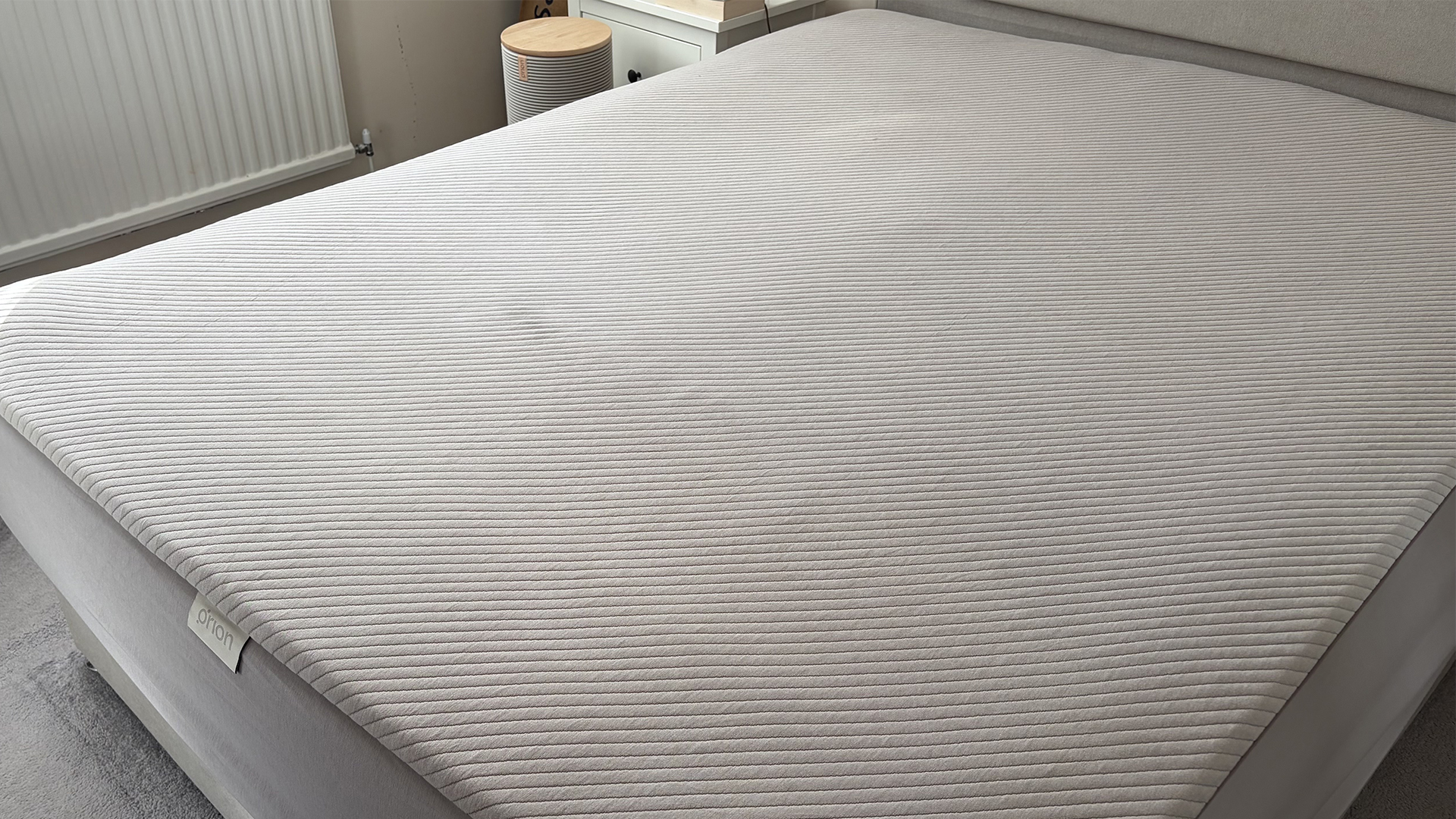
First, let’s get this out of the way: this is not a mattress, it’s a mattress cover. Head to our best mattress guide if you want a full bed. Fitted with smart sensors and water tubes, the Orion slips over your current mattress. It also comes with a bulky control hub that sits by the side of the bed.
During the night the Orion subtly adjusts the temperature of your mattress. It’s not chilly and it’s not warm — it’s the perfect neutral temperature for sleep. The Orion delivers comfort you hardly notice, until you realize you’ve gone weeks without sweaty mornings and kicking the covers off. And the dual-temperature regulation means each side of the bed can enjoy a targeted feel.
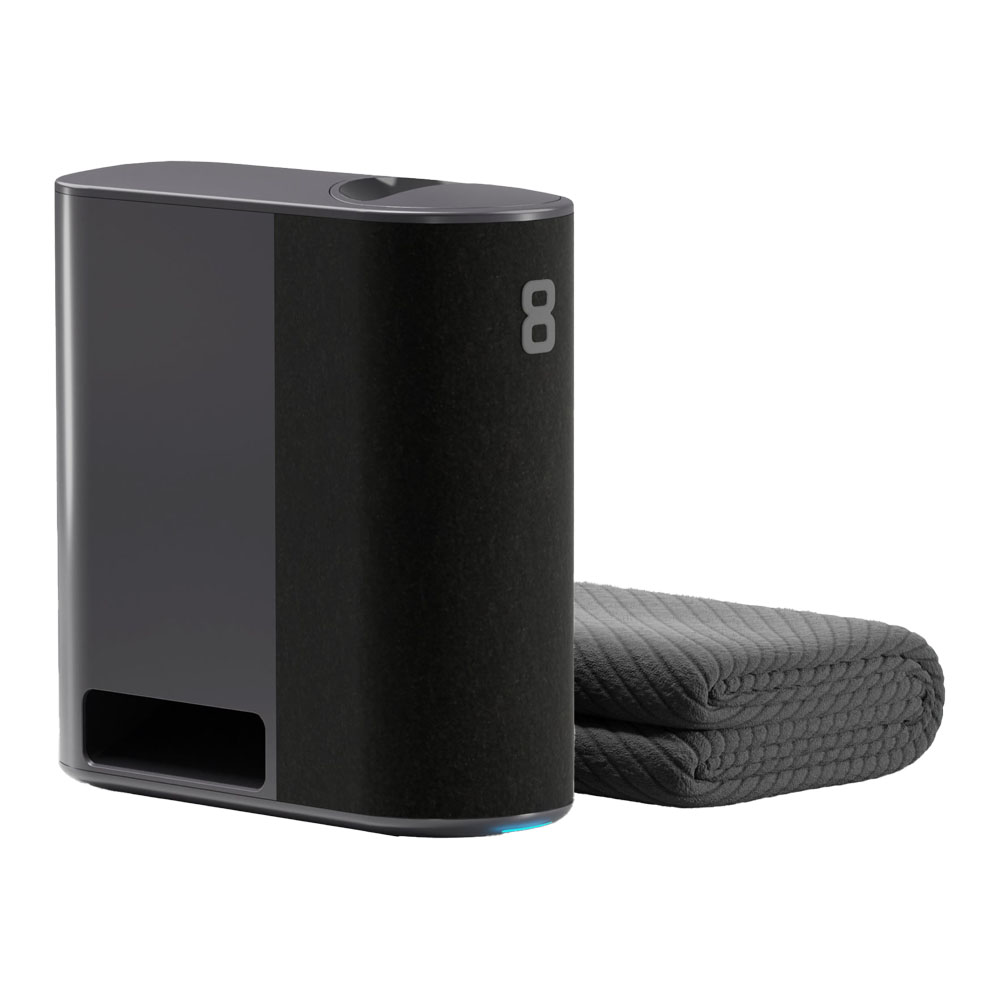
At $2,395 for a queen from Orion, the Sleep System is expensive. But compared to the Eight Sleep Pod 6 ($2,899 for a queen), it’s something of a bargain. Particularly as you don’t need a subscription to use the Orion. (An Orion subscription unlocks access to the sleep tracking but, from my experience, there are better options out there.)
So it might be pricey but on some hot nights, the Orion has completely transformed the feel of my mattress. Here’s everything you need to know.
(Image credit: Future)
Orion Sleep System review: Price & trial
The Orion is a premium mattress cover, starting at $2,395
Optional $250/year subscription grants access to sleep tracking
A 30-night trial and 2-year warranty are included
The Orion is a pricey piece of sleep tech, particularly as it’s just a mattress cover — there’s no mattress included. (Head to our best mattress in a box guide for a compatible option.)
It’s also only available in limited sizes. Here’s how much you can expect to pay for each one:
Tom’s Guide: Direct to Your Inbox
Get instant access to breaking news, the hottest reviews, great deals and helpful tips.
Queen MSRP: $2,395
King MSRP: $2,595
California King MSRP: $2,695
Orion positions itself as a more affordable alternative to the Eight Sleep… so reading that price list might raise a few eyebrows. But with a queen Pod 6 $2,899 at Eight Sleep, you are making a notable saving by opting for the Orion (although you do sacrifice a few features along the way — more on that later.)
The big difference isn’t in the initial cost, however. Eight Sleep requires a monthly subscription to use. Orion can be accessed subscription free. And with Eight Sleep’s Autopilot app starting at $17 a month, that can become a significant saving over time.
If you do want to add the Orion Intelligence sleep tracking service, it’s an additional $250 a year. That’s a fairly average price for a wellness tracker, although the Orion has limited functionality.
Orion does offer regular deals in the mattress sales, so look out for savings of $200+. You’ll also get a 30-night trial and a 2-year warranty (which you can extend to 5 years for $399.) This is on the low side for a piece of sleep tech but not unusually so — Eight Sleep offers something similar.
During the night Orion’s Sleep System heats and cools to keep you at a comfortable temperature. It’s a smart piece of tech with a high price tag, starting at $2,395 for a queen (smaller sizes aren’t available currently.) A 30-night trial and 2-year warranty are included, and you can add sleep tracking for an extra $250 a year.
Orion Sleep System review: Materials & Design
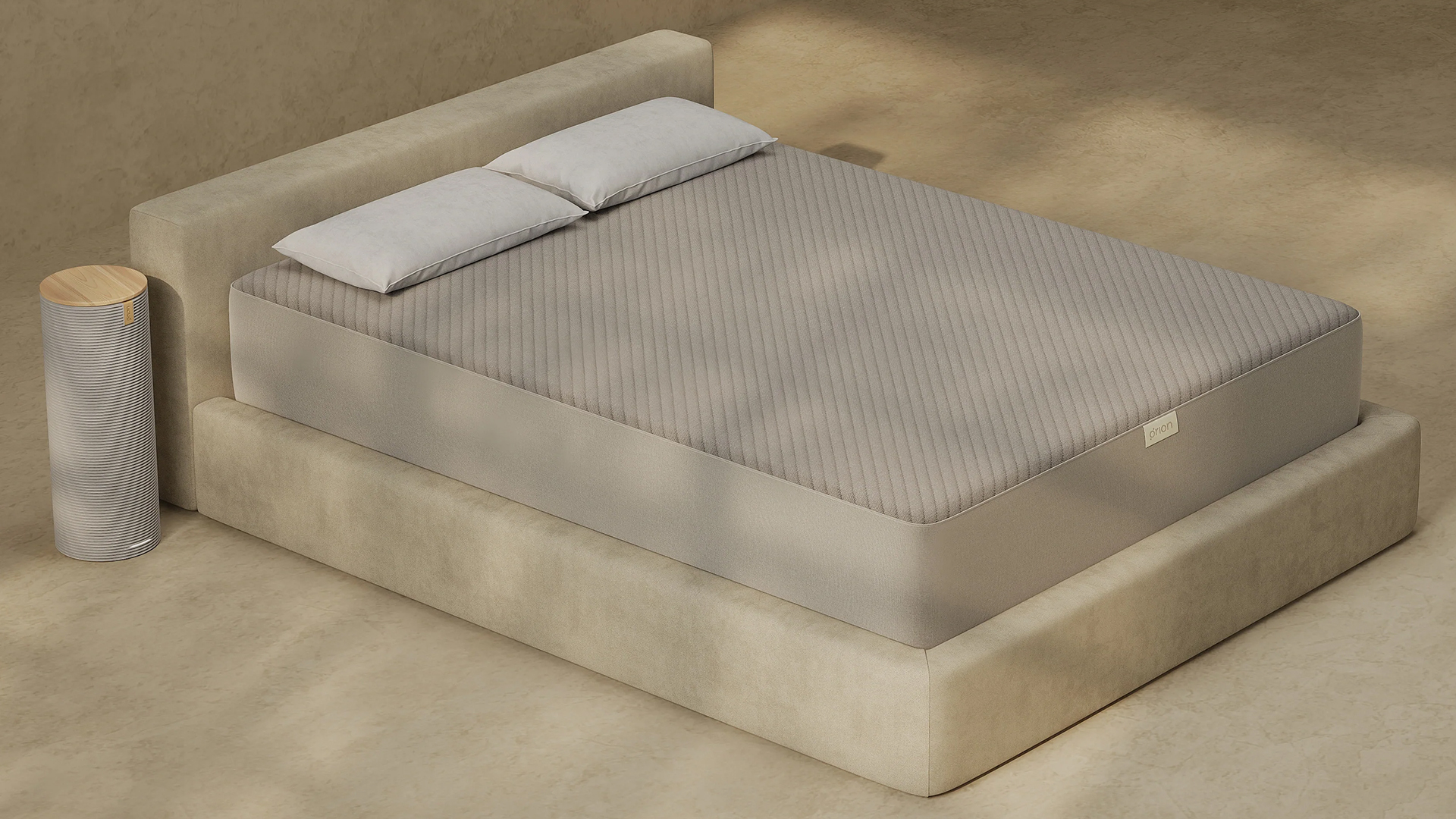
The Sleep System comes in two parts: a control hub and a cover
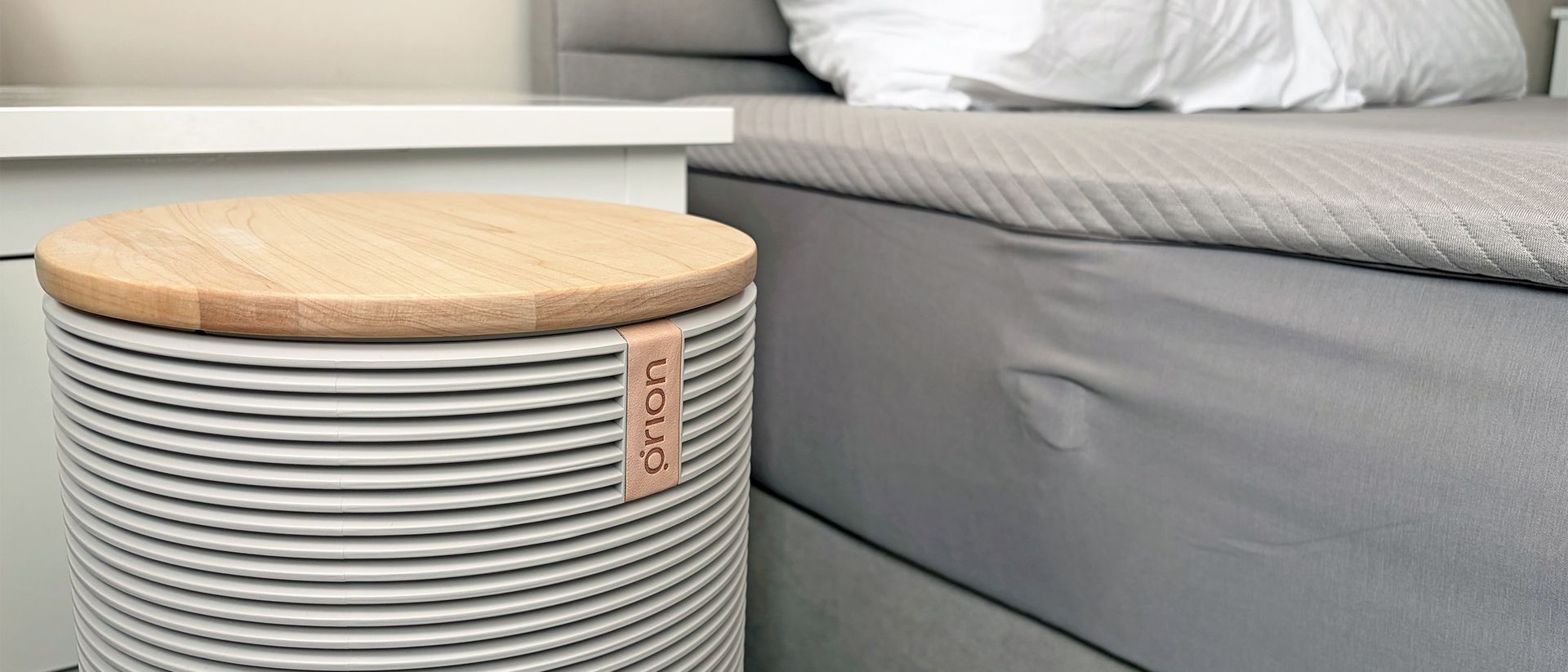
The control hub has an elegant look but a bulky footprint
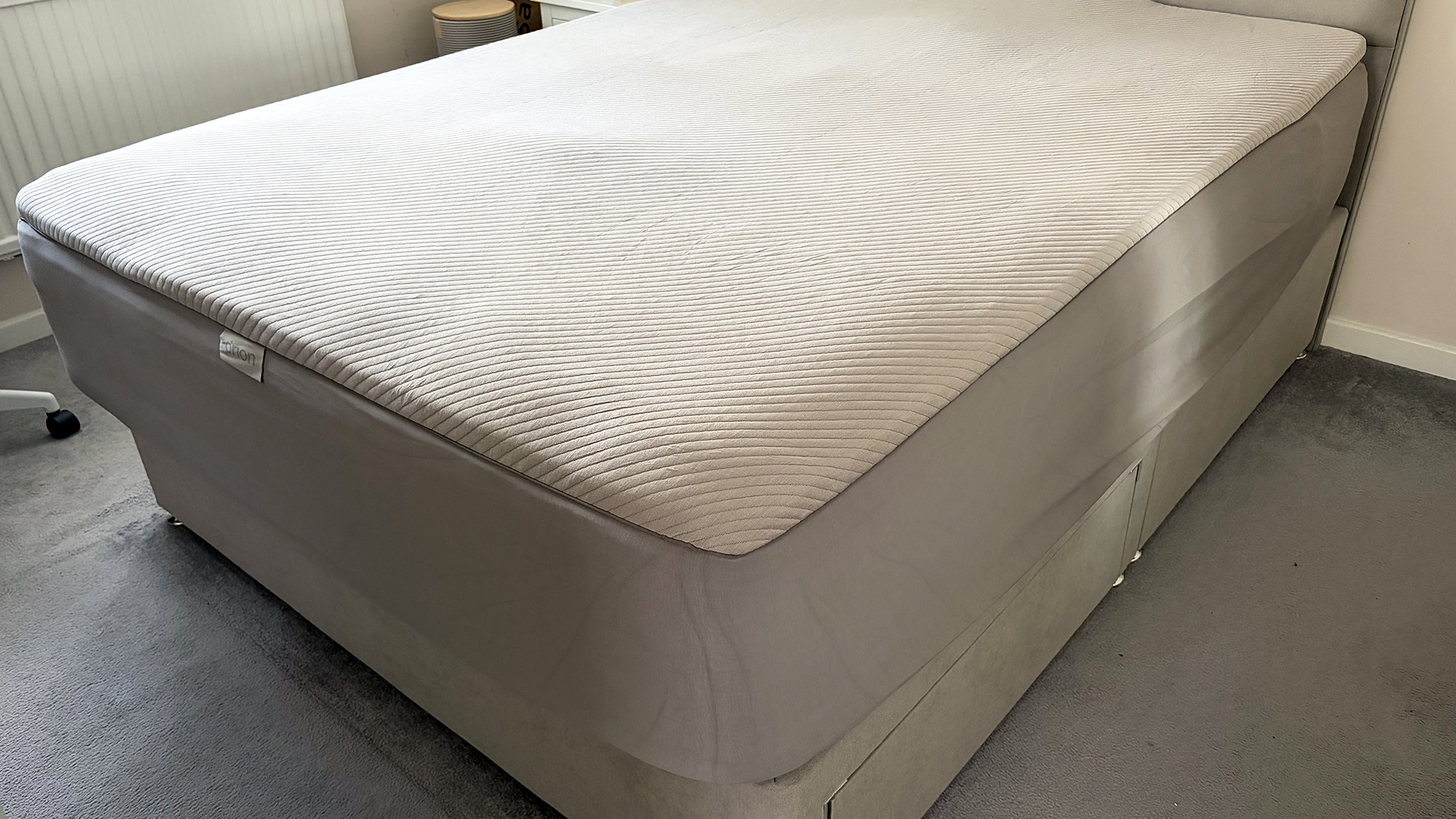
The padded cover is fitted with water tubes and is soft to the touch
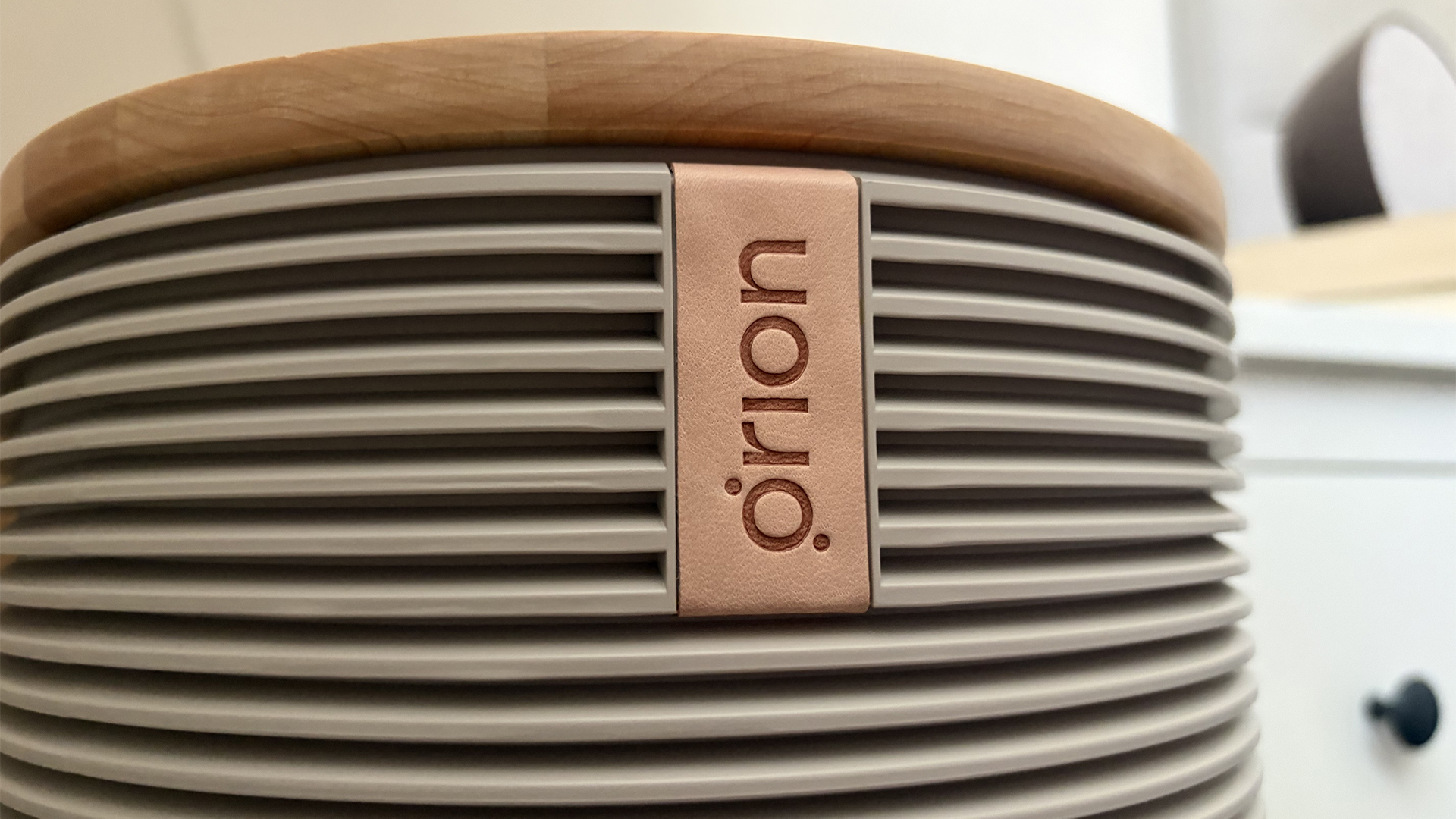
The Orion Sleep System consists of two parts. First, the Control Tower. This is the central hub of the Orion, attaching to the cover via a tube. The Control Tower is filled with water which circulates around the cover to change the temperature throughout the night. It’s a bulky piece of equipment but the neutral design will suit most bedrooms
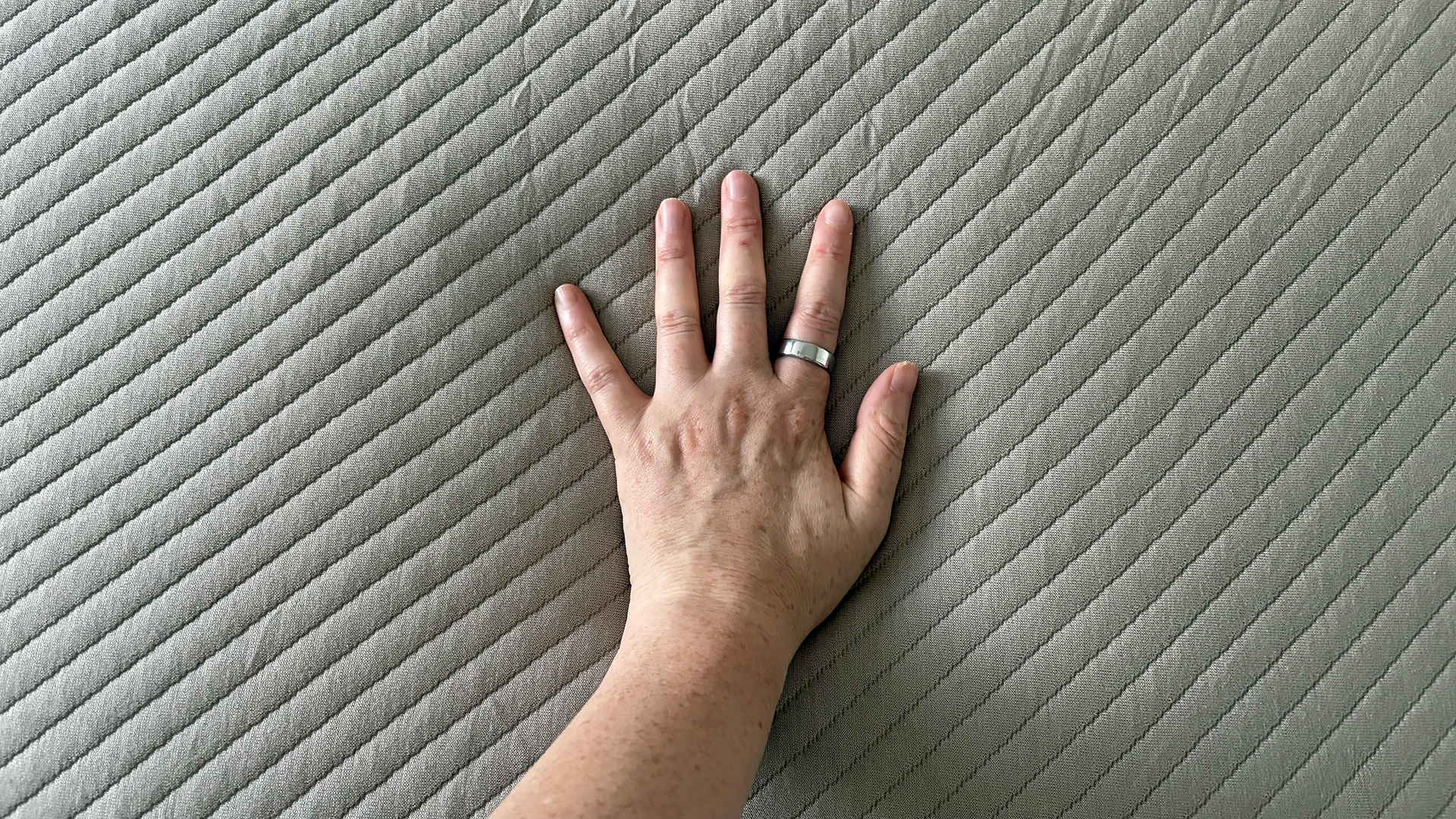
The cover itself is made of a stretchy material, allowing it to fit mattresses up to 16 inches tall (that’s plenty of room for even mega-plush mattresses like the DreamCloud Ultra Hybrid.) The surface also features bamboo fabric (40%), to assist with breathability. There’s light padding in the top and, from my experience, it can make your mattress slightly firmer.
(Image credit: Orion)
Running throughout the cover are a series of water tubes and sensors — but you’d never guess, that’s how well the cover masks the tech. During the night, the sensors detect how well you’re sleeping. The Control Tower can then adjust the temperature of the water flowing through the tubes, heating and cooling the cover. And they can do it on both sides, thanks to the dual design.
Integrated sensors also deliver the (optional) sleep tracking. This includes sleep stages, HRV and breath rate. It’s detailed insight but nothing that goes above and beyond standard sleep tracking.
Orion Sleep System review: Delivery & set up
Takes about 30 minutes to set up and requires WiFi and Bluetooth
App directs you through set up smoothly
The hub and water tube take up a lot of space
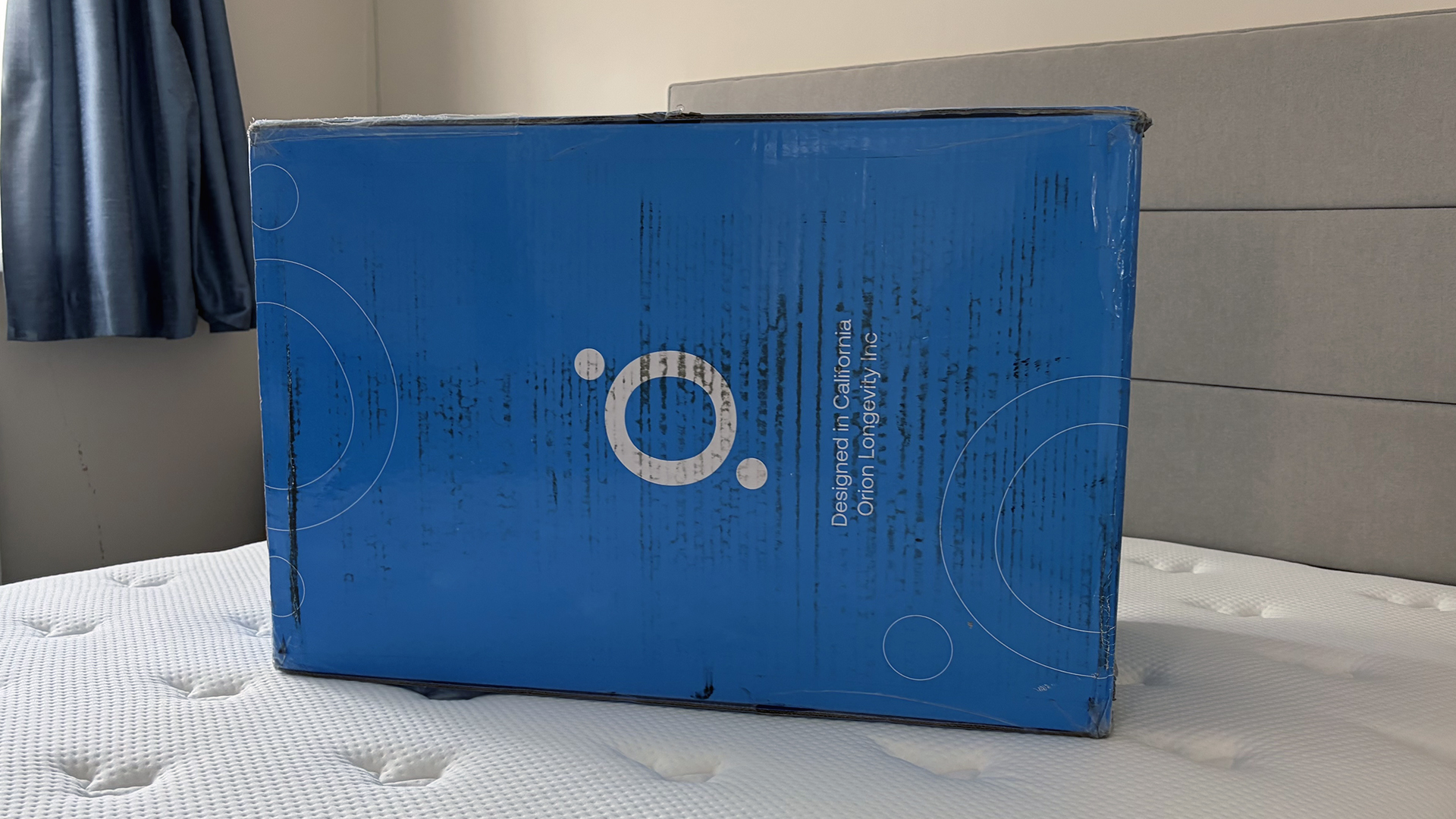
The Orion Sleep System comes in two large boxes, one of which is quite heavy and the other which is very heavy. But with that said, I unboxed and set up a queen size by myself and I don’t think this is a two person job. Scan the QR code before you start and it guides you through set up.
First, you need to put the cover on your bed. It’s stretchy, which makes this part easy, and Orion has included numerous ‘this way up’ stickers. Too many, you might say, as you slap another sticker on yourself because there’s nowhere else for it to go while you wrestle with a mattress cover.
Next, thread the pipe down the back of the bed. This will work best on a slat frame; it pushes against the mattress on my divan. Attach the tube to your control hub. Again, multiple stickers act as a guide.
Image 1 of 5
Both boxes from Orion were bulky and I’d ordered the smallest size (Image credit: Future)
If there’s just one thing you take from this review, make it this: put the control tower and pipe in the right position before you start filling with water. It’ll be almost impossible to do afterwards, which is why I found myself emptying and lifting my nightstand just to get the tube in the right place.
The next step is to add water. About a gallon of the stuff. This feels like pouring water directly into your laptop but ignore the gurgles and get on with it.
The final thing to do is note your preferences on the app and name your Orion. You can also turn the light off (a must from me) and lower the noise levels, but this also slows down the thermal response. (The Orion is loud but I found the droning buzz white noise-esque.) And don’t forget to set you sleep and wake times, as this is when it automatically switches on and off.
Score: 4 out of 5
Orion Sleep System review: Smart features
Dual climate control keeps you and a co-sleeper the right temperature
Smart sleep tracking is available under subscription
Relatively simple features, for a still very complex piece of tech.
Unlike some smart beds and mattresses, the Orion Sleep System doesn’t throw everything and the kitchen sink at the design. Its primary focus is temperature tracking and that’s what you’ll get.
The Orion has a temperature range of 50°F to 113°F (easily encompassing the optimal sleep temperature range of 65 to 70°F.) During the night, the cover responds to your changing sleep stages and needs to ensure you remain at a neutral feel as you snooze.
(Image credit: Orion)
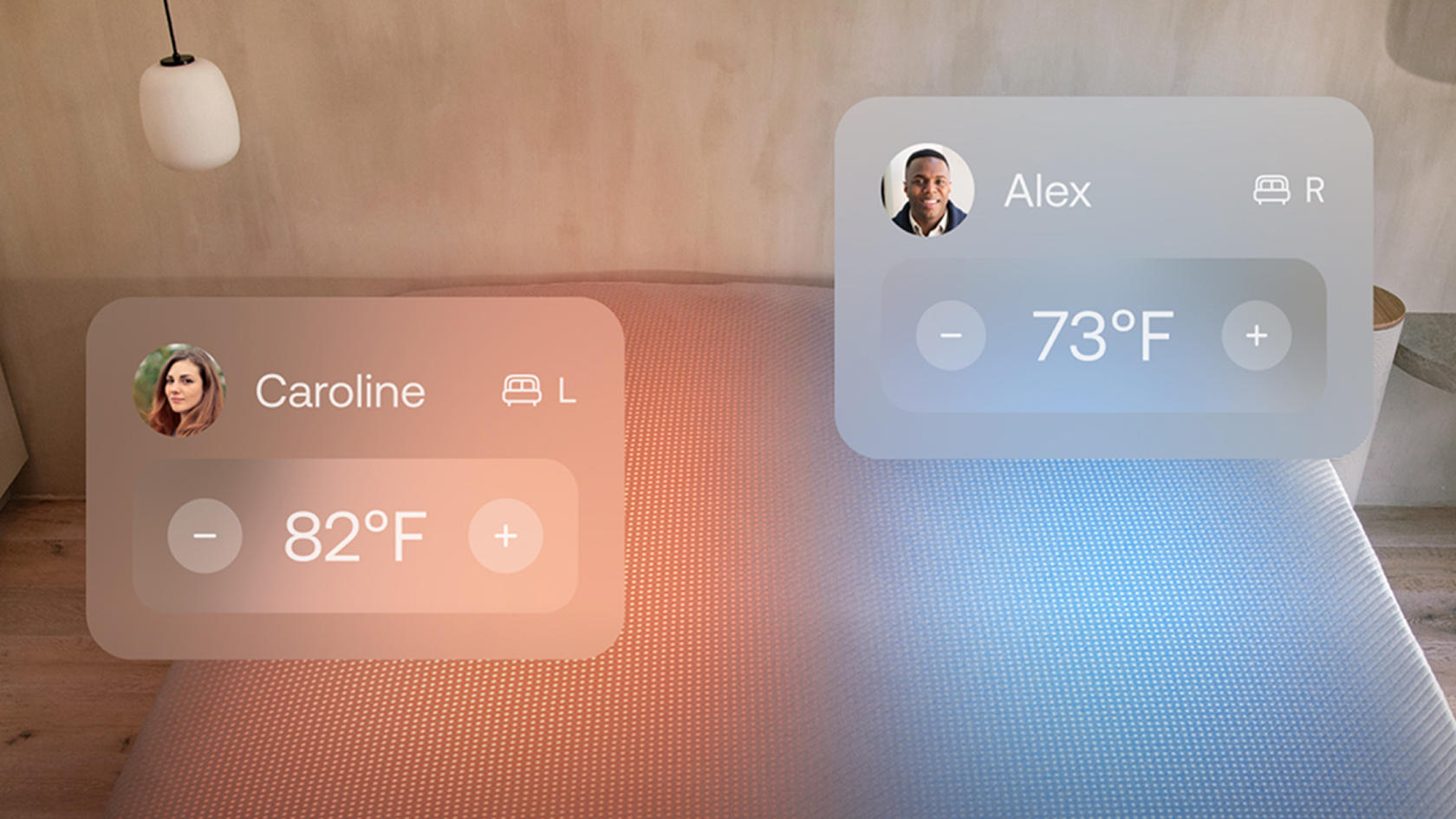
Alongside this, Orion offers dual temperature tracking. Each side of the cover adjusts separately, so you and your co-sleeper can pick the temperature you need. Think of it as the Scandi sleep method taken to an extreme.
If you upgrade to Orion Intelligence, you also get detailed sleep tracking. This includes sleep stages, breathing rate, heart rate, HRV and movement.
Orion doesn’t offer the smart alarm of the Eight Sleep (although the natural warming in the morning should help wake you up.) It also doesn’t have snore detect (but you can identify unusual breathing patterns.)
Orion Sleep System review: Performance
Active temperature controls maintain a neutral feel for hot sleepers
Each side of the bed has its own feel (if desired)
Sleep tracking offers good insight but lacks some accuracy
Temperature regulation
A quick explainer on why temperature regulation is important to sleep. Temperature sends messages to your circadian rhythm; your core temperature drops in the evening and rises in the morning, following the sleep-wake cycle.
But on hot nights your body won’t receive that sleep-friendly temperature drop to help you drift off. And when you naturally warm in the morning, your already elevated temperature leaves you prone to unwanted wake ups.
The best cooling mattresses hope to navigate this by dissipating heat through materials like open springs, copper infusions, and gel foams. But tech such as the Orion take a hands on approach. So let’s look at how well it works.
After the hottest summer I’ve ever experienced, I’ve grown used to climbing into a bed that’s already uncomfortably stuffy. I thought diving into the Orion would be like lying on a snow drift. I couldn’t have been more wrong.
It’s like the room temperature room (for anyone who’s attended air conditioning repair school.) (Image credit: Future)
The Orion Sleep System feels… room temperature. It’s the only way I can describe it. It’s a temperature you simply don’t notice. And it stays that way all night long, no heat fluctuations or sudden cold drops.
I don’t consider myself a particularly hot sleeper but there’s always a few nights before my period when I wake up uncomfortably clammy. This hasn’t happened once during my testing phase, despite using the bed for over two cycles. If you experience night sweats or hot flashes, the Orion should help take the edge off.
I’ve done a few things to try and raise my temperature before bed, including drying my hair, a series of jumping jacks and wearing a bulky weighted eye mask. I’ve even climbed into bed and recalled my most embarrassing moments to induce a full body flush. The Orion has responded to them all, cooling the bed quickly so I don’t overheat.
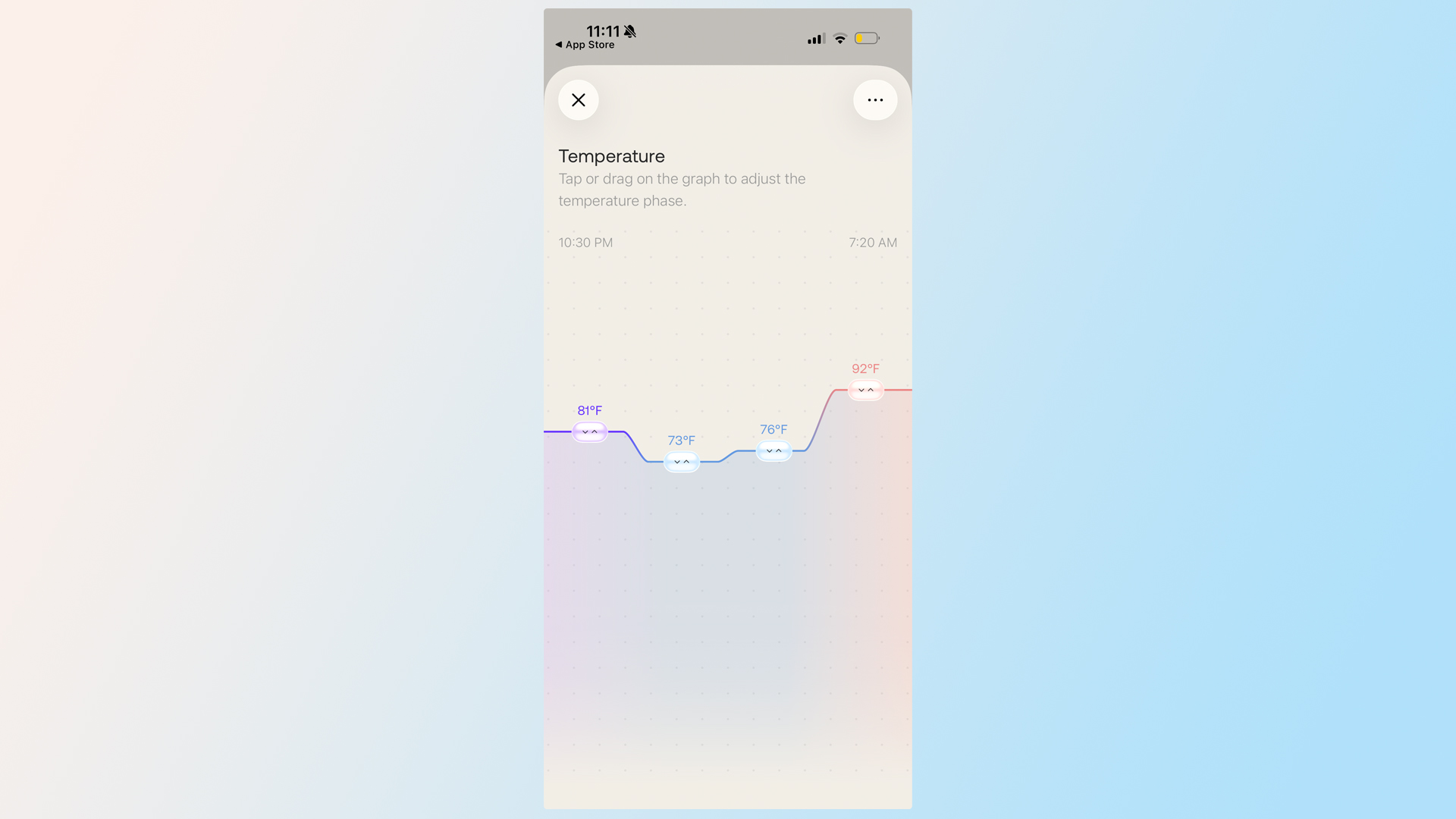
You can adjust the temperature to suit your needs, or allow Orion to make the changes for you (Image credit: Orion)
The more you use the Orion, the more it learns your temperature needs (although you can kickstart the process with the Orion Patch for $100). I found the first few nights chillier than expected but the Orion soon took notes and made adjustments. It’s continued to learn throughout the testing period.
My testing has taken place on two mattresses: the Plank Firm Luxe and the Leesa Original Memory Foam. Neither bed is known for its cooling prowess but thanks to the Orion, I never noticed any heat trapping. If I had a chance to test it on the warmest mattress I’ve tried, the Zinus Green Tea mattress, I’m confident the Orion would still perform.
Score: 5 out of 5
Dual control
If you’re a hot sleeper but your partner can never get enough blankets, Orion promises a solution. And no, it’s not compromise.
The mattress cover is dual-sided, meaning each half of the bed responses to a specific user. You can set your side to stay cool all night, while you’re partner can opt for something warmer (or vice versa.)
I sleep alone and for most of the testing period I just let Orion respond to my total-mattress sprawl. But to check the dual temperature changes, I added an imaginary ‘guest’ to my app. They took the right side of the bed, while I confined myself to the left.
Image 1 of 2
(Image credit: Future)
Sneaking a hand halfway across the mattress during the night, I could feel ‘guest’ was having a different thermal experience to me. My half of the bed was neutral, with my body heat offset by the Orion. My ‘guest’, on the other hand, was chilly.
While my experiment doesn’t guarantee that you and your partner will both enjoy the perfect temperature, it did prove that the Orion can successfully distinguish which side of the bed is yours. (Something even humans can struggle with.)
Sleep tracking
Orion’s sleep tracking is behind a subscription but if you’re willing to pay, you get access to some detailed information.
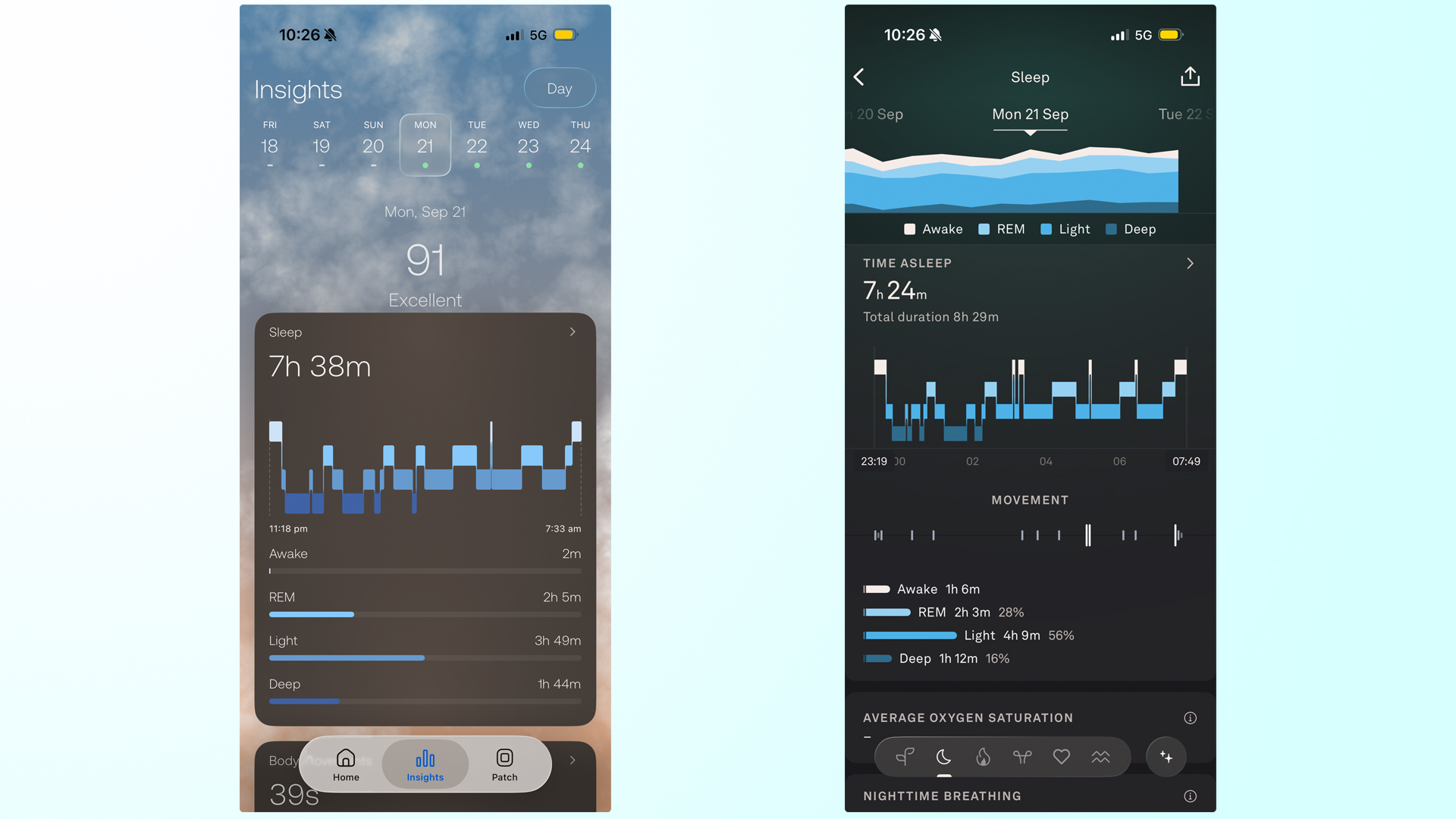
As well as an overall sleep score, Orion tracks sleep time and stages, body movements, breathing disruptions, HRV, heart rate, and breath rate. That’s the kind of metrics I expect from my Withings Sleep Mat.
I used the Orion alongside my Oura Ring 5, which is the best sleep tracker we’ve tested. The two weren’t always in agreement. While they both collected similar data, the Orion was less adept at noting my wake ups and disruptions. On several nights the Orion failed to capture brief wake ups that I know happened and that my Oura Ring recorded.
Image 1 of 5
(Image credit: Orion / Oura)
From looking at the data, both Orion and Oura largely agree with the overall patterns of my sleep. But they don’t quite see eye to eye on my sleep cycles. Orion tends to view my sleeper as deeper and less disrupted, while Oura picks up on my brief wake ups.
If it’s a general insight into your sleep you’re looking for, there are benefits to the Orion’s tracking data. It delivers a good overview alongside interesting metrics that can help you learn about your rest. It’s also a clear and easy to use app, which is a plus if you’re sleep tracking curious, not an enthusiast.
But if you really want to drill down into the details, Orion misses the finer points. It also can’t track during the day, meaning for all-round health data, wearables still lead the way.
Sleep tracking: 3.5 out of 5
Orion Sleep System review: Should you buy it?
(Image credit: Future)
With the Orion whirring away, it’s as if my mattress exists in its own bubble. No matter what happens to the weather outside, the surface of my bed retains a comfortable, neutral feel. Sweaty nights are banished and I can sleep without disruption.
If overheating regularly ruins your sleep, the Orion is a smart solution. I’ve been impressed by its effective and responsive cooling, which has overcome even my earnest attempts to overheat at bed time. The dual-temperature design also makes it a winner for bed sharers with contrasting needs.
It’s an investment for sure. But at times this summer I would have pledged my life savings to sleep cooler — the Orion might have called my bluff. At $2,395 for a queen and with some hot summers ahead of us (cold winters, too), this might be a price you’re willing to pay for good sleep.
The sleep tracking is also good, although it’s better at the overall picture than the finer details. And I’m not sure it’s worth the $250 extra to subscribe. The Withings Smart Mat is $50 less and has better tracking.
And the Orion does have some flaws, including a bulky control hub and a persistent buzzing noise. It also adds firmness to your mattress, so side sleepers might feel some pressure at the shoulder and hips.
But those problems fade into the background as I slip into a bed that’s just the right temperature for me. And if sweaty nights are sabotaging your sleep, you might feel the same way.
Orion Sleep System review: Alternatives
Like the Orion, the Eight Sleep Pod is a temperature controlling mattress cover. It’s more expensive (a queen is $2,899 and that’s without the mandatory subscription) but it also does more, including a smart alarm feature and snore detect. We haven’t tested the latest iteration but check out our Eight Sleep Pod 4 review to learn more about the cooling.
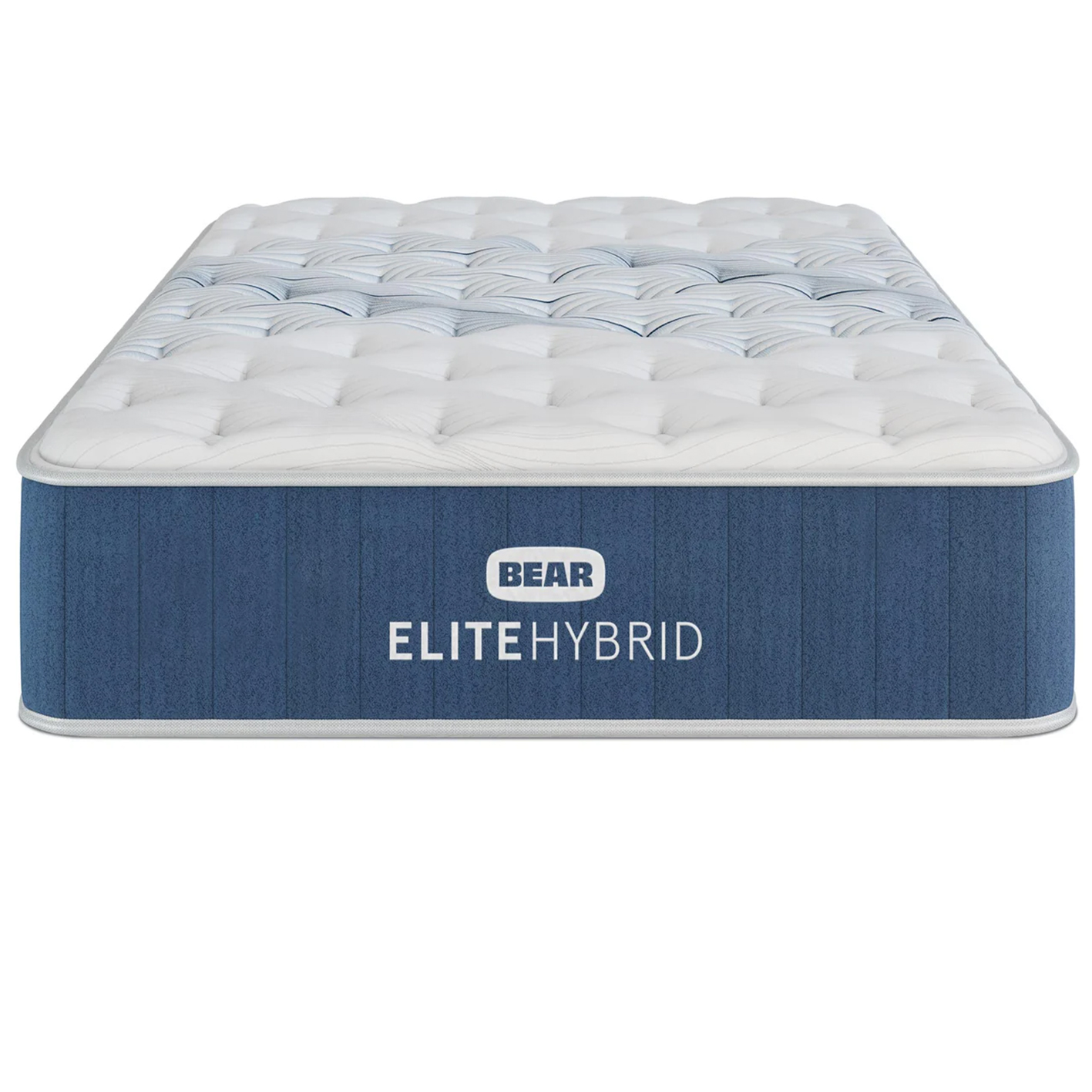
Bear
Elite Hybrid Mattress
If the Orion is a high tech solution to night sweats, the Bear Elite Hybrid is the traditional alternative. Our favorite cooling mattress, in our Bear Elite Hybrid mattress review we were impressed with how the breathable coils, integrated Celliant fabric and copper infusions kept the bed cool all night long. A queen is $1,598 in the standard sale (was $2,284) but look out for 40% off.
Molecule
Molecule CopperWELL Mattress Topper
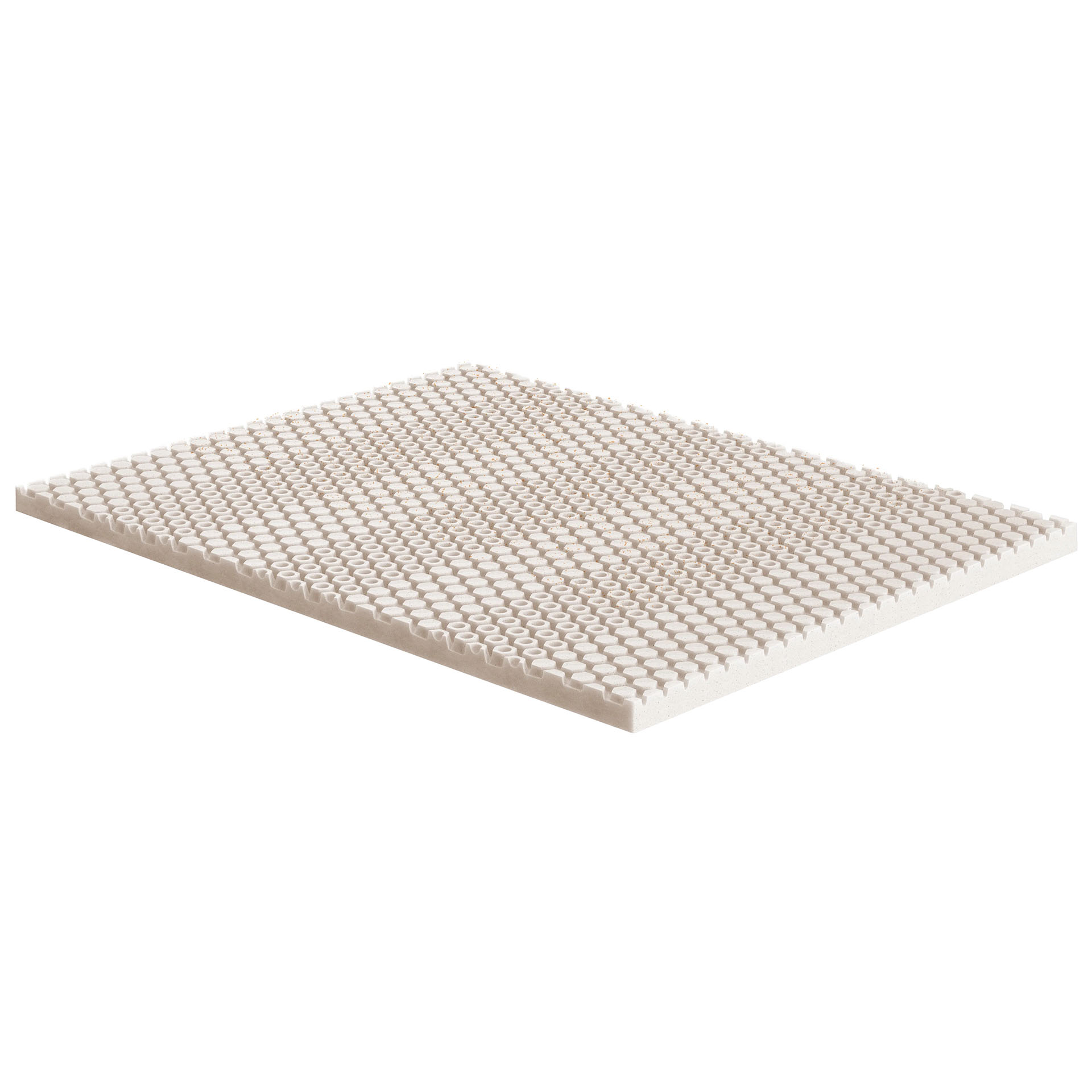
The Molecule CopperWell Mattress Topper is a good choice if you want to add cooling comfort to your existing bed without investing in a smart solution. One of the best mattress toppers we’ve tested, the copper-infused design helps kick out excess heat so you can sleep cool. A queen is $249.99 at Molecule and sales are rare, but discounts can pop up around the holidays.
Senior Sleep Staff Writer
Ruth is an experienced Senior Staff writer at Tom’s Guide, covering all things sleep and mattresses. She writes to help people sleep better, from how-tos to the latest deals to mattress reviews, and has interviewed an array of experts who share her passion. She is also our specialist on memory foam — she’s flown around the world to see memory foam being made — and leads our hotel mattress content. She has a deep interest in the link between sleep and health, and has tried enough mattresses, from Helix to Nectar to Simba, to know the right bed really can make a difference to your wellbeing. Before joining the team at Tom’s Guide, Ruth worked as a sleep and mattress writer for our sister website, TechRadar.
Next Badge:
More Comments/Likes Until Your Next Badge
community guidelines.
” data-join-the-conversation-text=”Join the Conversation”>
You must confirm your public display name before commenting
Please logout and then login again, you will then be prompted to enter your display name.