Tom’s Guide Verdict
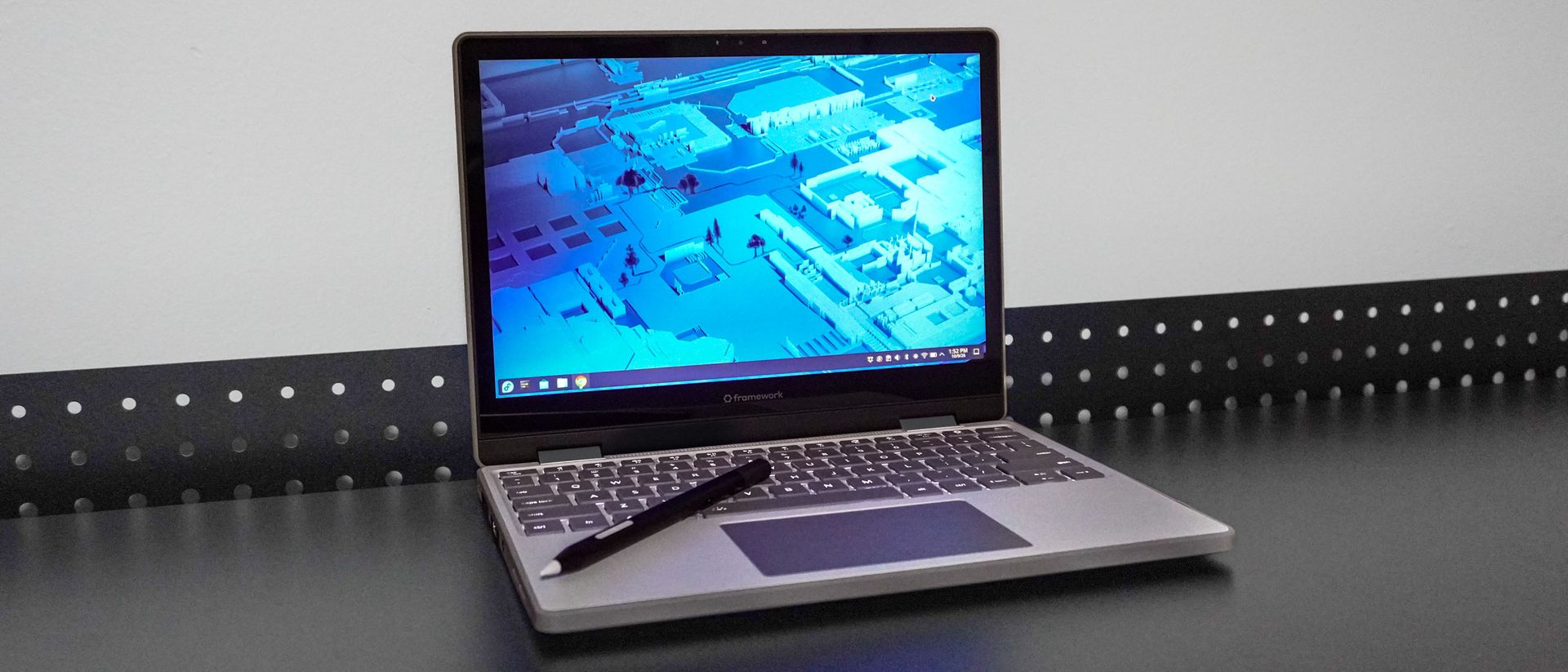
The Framework Laptop 12 is a standout 2-in-1 that sets a new bar for repairable, upgradeable tech. While it’s chunkier than traditional ultraportables, its modular ports, customizable design, and native Linux integration make it an incredible value for anyone looking to ditch Windows and keep their laptop running for years.
Reasons to buy
- +
Very comfortable keyboard
- +
Compact and extremely portable design
- +
Incredibly easy to build, repair, or upgrade
- +
Highly customizable ports via Expansion Cards
- +
Hardware privacy switches for mic and webcam
Reasons to avoid
- –
Display is overly glossy and reflective
- –
Stylus and fingerprint reader sold separately
Why you can trust Tom’s Guide Our writers and editors spend hours analyzing and reviewing products, services, and apps to help find what’s best for you. Find out more about how we test, analyze, and rate.
The Framework Laptop 12 isn’t just any convertible laptop. Instead, it’s more like a desktop PC that you can buy pre-assembled or build yourself, as I did. Like seeing a PC you’ve built boot successfully for the first time, I felt that same spark of satisfaction when the Framework Laptop 12 turned on.
Similar to Framework’s other laptops, this one is fully repairable and upgradeable. While you can choose from three different Intel CPUs when configuring it, you can also tweak its memory, storage, and even the operating system to your liking. The same goes for the ports on either side. Unlike a traditional laptop, though, you can actually swap out the four ports on the Framework Laptop 12 depending on the task at hand using the company’s Expansion Cards.
While the Framework Laptop 12 can easily run Windows 11, it comes pre-loaded with Linux out of the box when you choose the pre-built option at checkout. For $100-$150 more, you can get Windows 11 or Windows 11 Pro pre-installed instead. However, after spending the past two weeks using the Framework Laptop 12 with Fedora Linux, I didn’t miss Windows nearly as much as I thought.
My Framework Laptop 12 review will help you decide whether this is the best 2-in-1 laptop for your needs, and whether it’s worth spending slightly more for a machine you can fix and upgrade for years to come.
Framework Laptop 12: Cheat Sheet
- What is it? A 12.2-inch, 2-in-1 convertible laptop that you can easily repair or build yourself.
- Who is it for? Anyone who wants a compact, highly portable laptop that’s simple to repair or upgrade on their own.
- What does it cost? The pre-built Framework Laptop 12 starts at $699, with top-tier configurations scaling past $1,300. DIY barebones models start at $549 if you supply your own RAM, storage, and operating system.
- What do we like? Its versatile 2-in-1 design, unmatched repairability, comfortable keyboard, touchscreen, and seamless Linux support out of the box.
- What don’t we like? The overly glossy display, the stylus being sold separately, and disappointing webcam image quality.
Framework Laptop 12: Specs
Swipe to scroll horizontally
| Row 0 – Cell 0 | Row 0 – Cell 1 | Row 0 – Cell 2 |
As tested |
|
Price |
$699 ($549 DIY) |
$1,049 ($779 DIY) |
$1,299+ ($999 DIY) |
|
CPU |
Intel Core 3 304 |
Intel Core 5 320 |
Intel Core 7 350 |
|
GPU |
Intel Graphics (1 Xe3 cores) |
Intel Graphics (2 Xe3 cores) |
Intel Graphics (2 Xe3 cores) |
|
Display |
12.2-inch LCD with touchscreen, (1920 x 1200, 60Hz) |
12.2-inch LCD with touchscreen, (1920 x 1200, 60Hz) |
12.2-inch LCD with touchscreen, (1920 x 1200, 60Hz) |
|
Memory |
8GB DDR5 |
16GB DDR5 |
32GB DDR5 |
|
Storage |
512GB |
512GB |
512GB |
|
Ports |
4 x Expansion Cards, 1 x 3.5mm audio combo jack |
4 x Expansion Cards, 1 x 3.5mm audio combo jack |
4 x Expansion Cards, 1 x 3.5mm audio combo jack |
|
OS |
Fedora Linux (pre-installed), Windows 11 Home |
Fedora Linux (pre-installed), Windows 11 Pro |
Fedora Linux (pre-installed), Windows 11 Pro |
|
Connectivity |
Wi-Fi 7, Bluetooth 6.0 |
Wi-Fi 7, Bluetooth 6.0 |
Wi-Fi 7, Bluetooth 6.0 |
|
Camera |
2MP |
2MP |
2MP |
|
Size |
11.3 x 8.42 x 0.73 inches |
11.3 x 8.42 x 0.73 inches |
11.3 x 8.42 x 0.73 inches |
|
Weight |
2.87 pounds (1.3 kg) |
2.87 pounds (1.3 kg) |
2.87 pounds (1.3 kg) |
Framework Laptop 12: The Ups
The Framework Laptop 12 is a powerful yet compact convertible laptop that’s as easy as it is fun to put together. You can customize its ports to your liking and swap them out at a moment’s notice — provided you have extra Expansion Cards on hand. Likewise, its Linux support is so well implemented that switching to an entirely new OS doesn’t come with nearly as steep a learning curve as it would on other machines.
Easier than building a PC
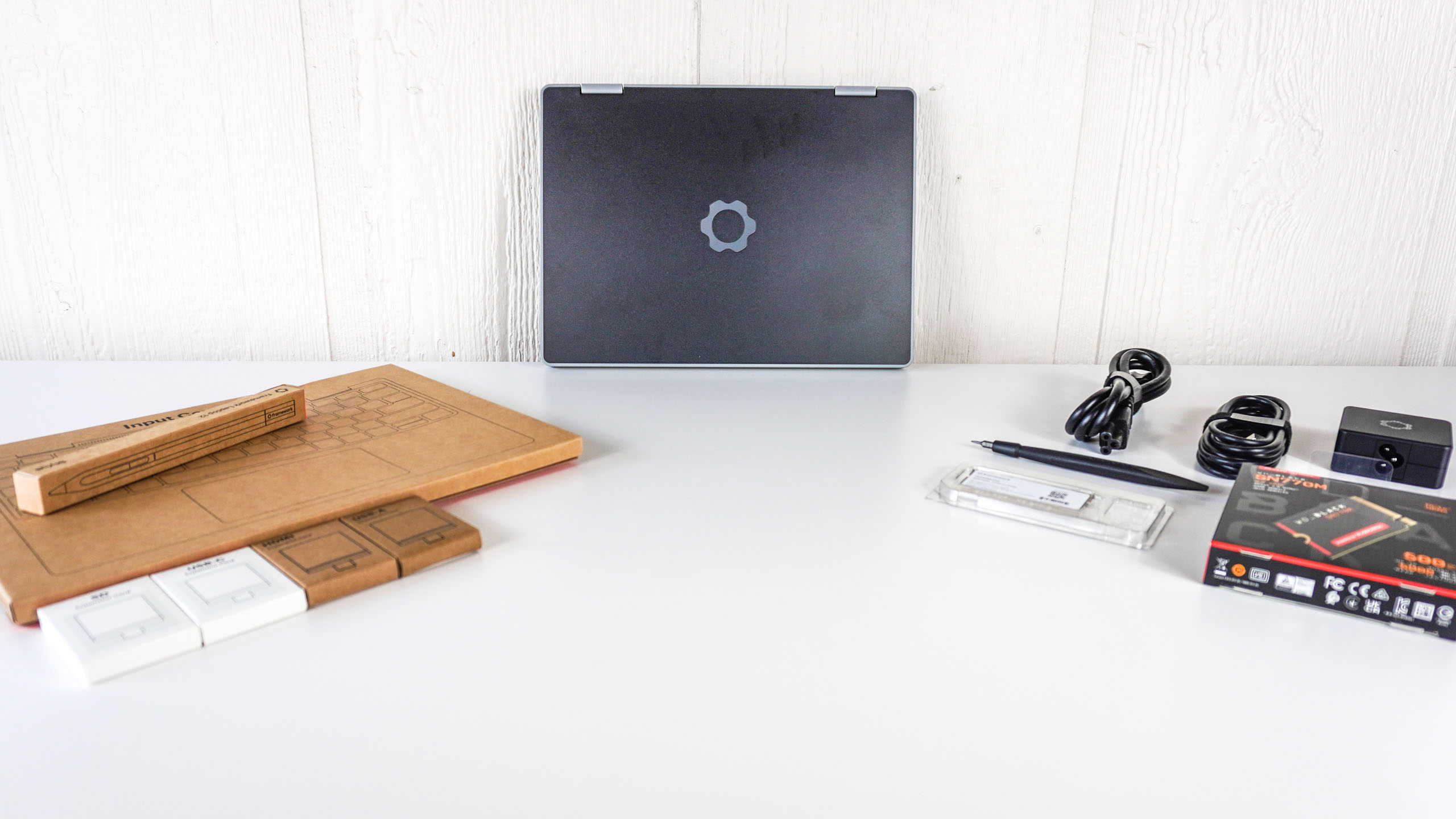
Although Framework offered me a pre-built Laptop 12, I chose the DIY option instead. Having built desktop PCs and, more recently, the Framework Desktop, I went with the DIY option to get the quintessential Framework experience.
The Laptop 12 arrived in one large box with everything I needed to assemble it inside. The Input Cover (which contains the keyboard and trackpad) sat right on top, while the laptop’s chassis and all the other components and tools were neatly arranged underneath.
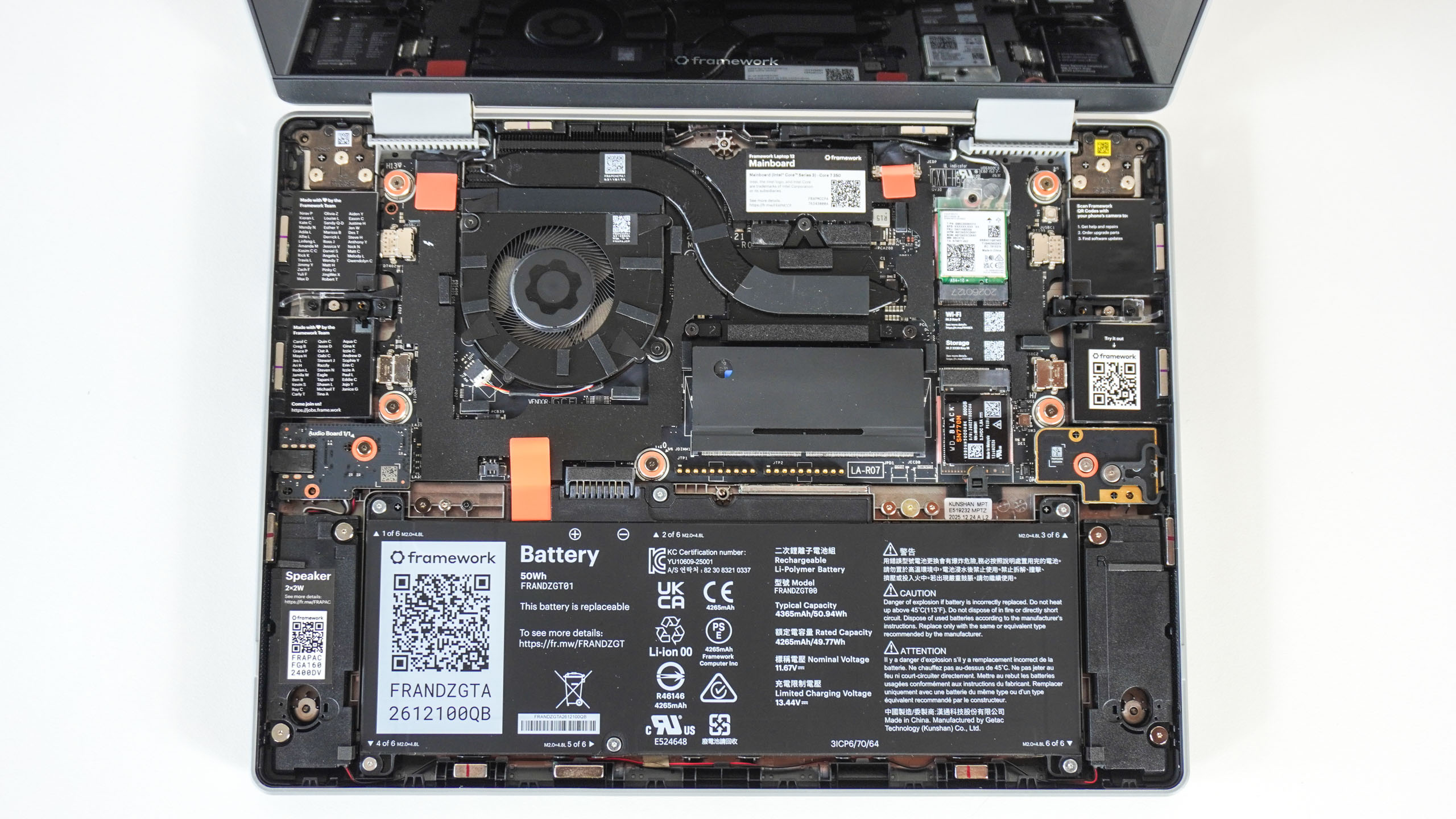
After removing the plastic tray protecting the internals, I installed the storage and memory. This was remarkably easy, and I appreciated how clearly everything on the motherboard was labeled, so I never second-guessed where anything went.
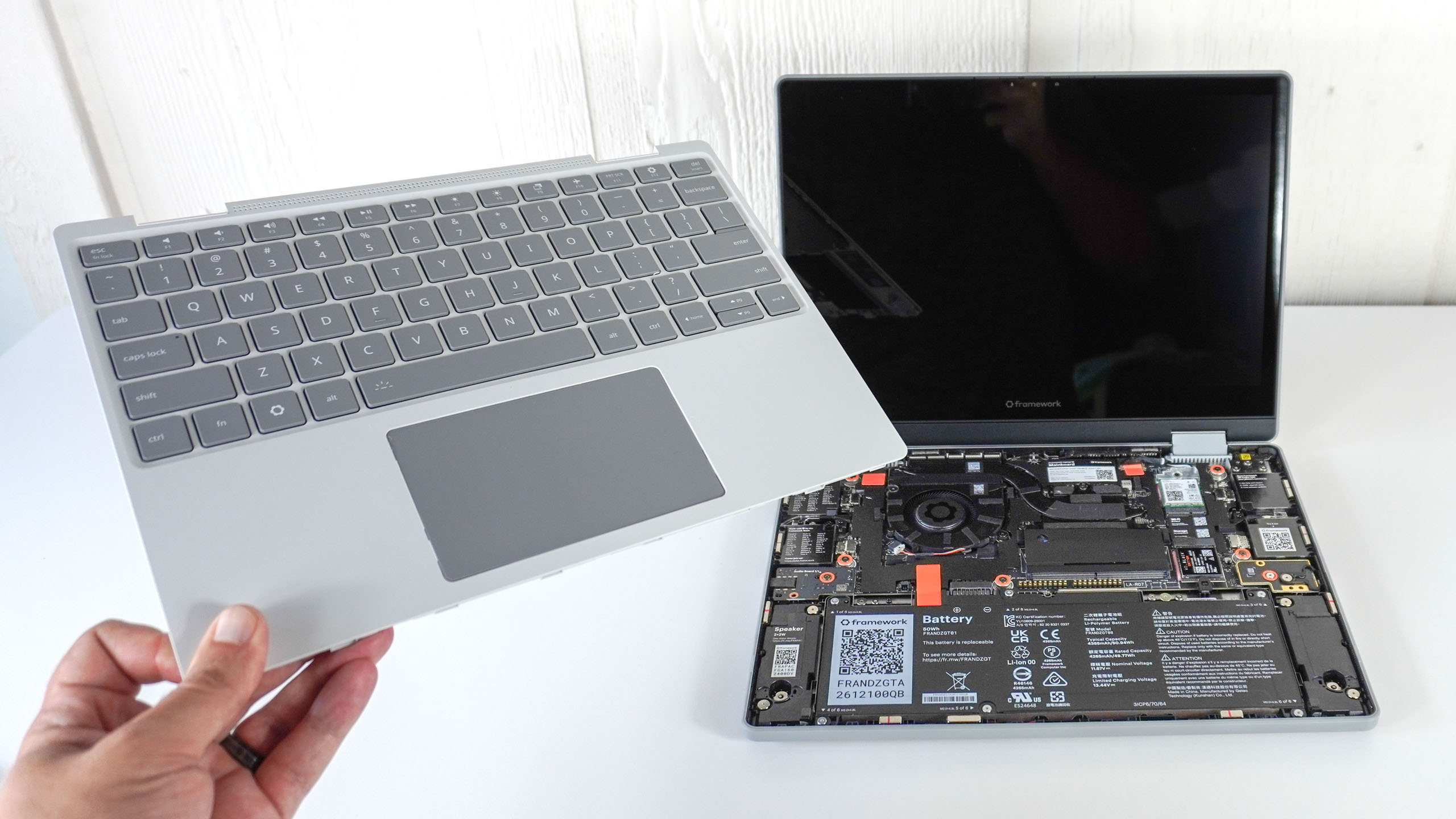
With the core components in place, it was time to install the Input Cover. I lined it up with the front edge of the Laptop 12, and the magnets inside snapped it into position. From there, I just flipped the laptop over and tightened the eight captive screws on the underside to secure it.
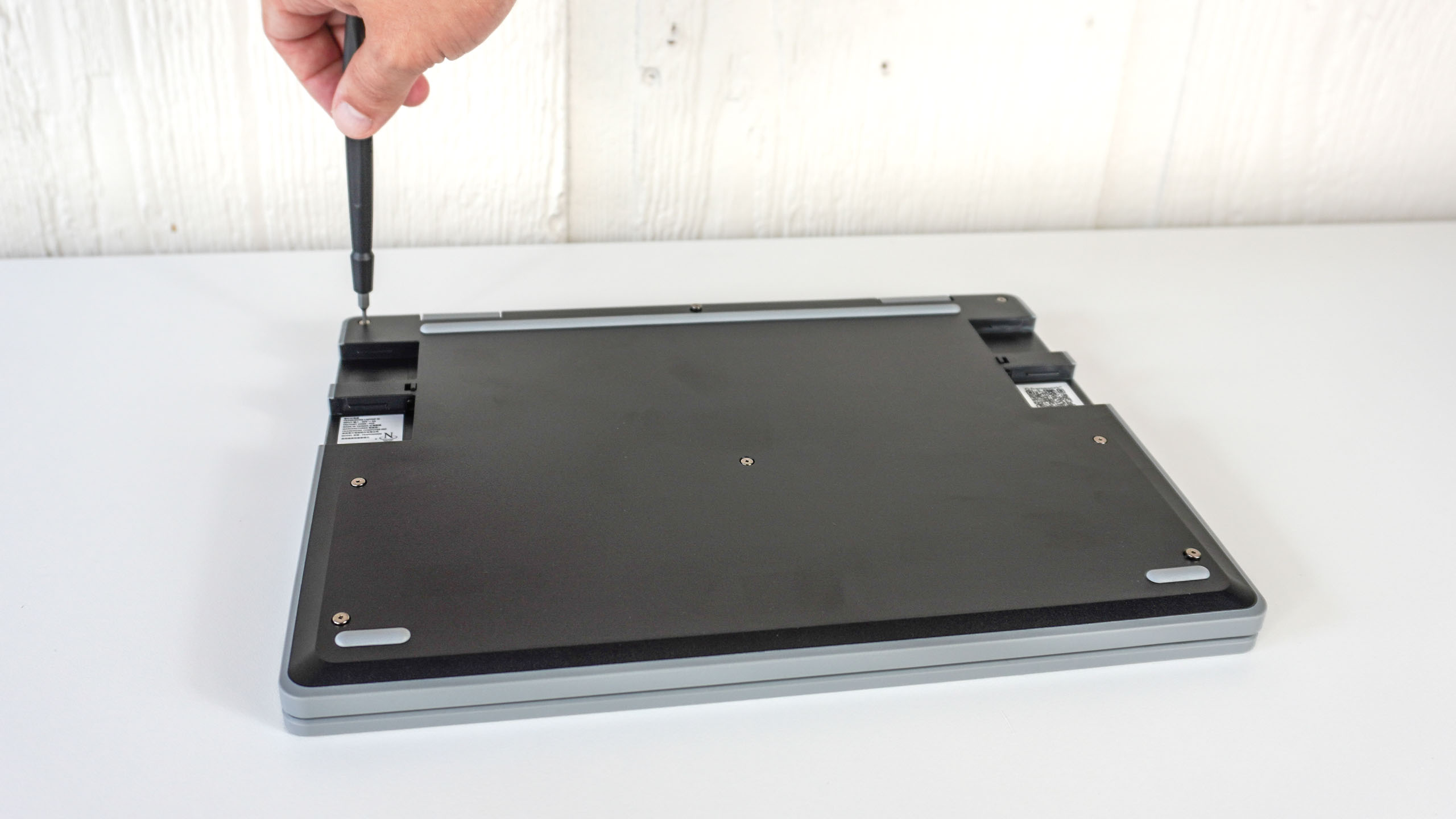
Overall, it took me about 20 minutes to assemble the Laptop 12 while taking photos of the build process. I was thoroughly impressed by how simple it was to put together. In fact, I’d go as far as to say that assembling the Laptop 12 was even easier than building the Framework Desktop. However, I wasn’t done quite yet….
Pick your ports
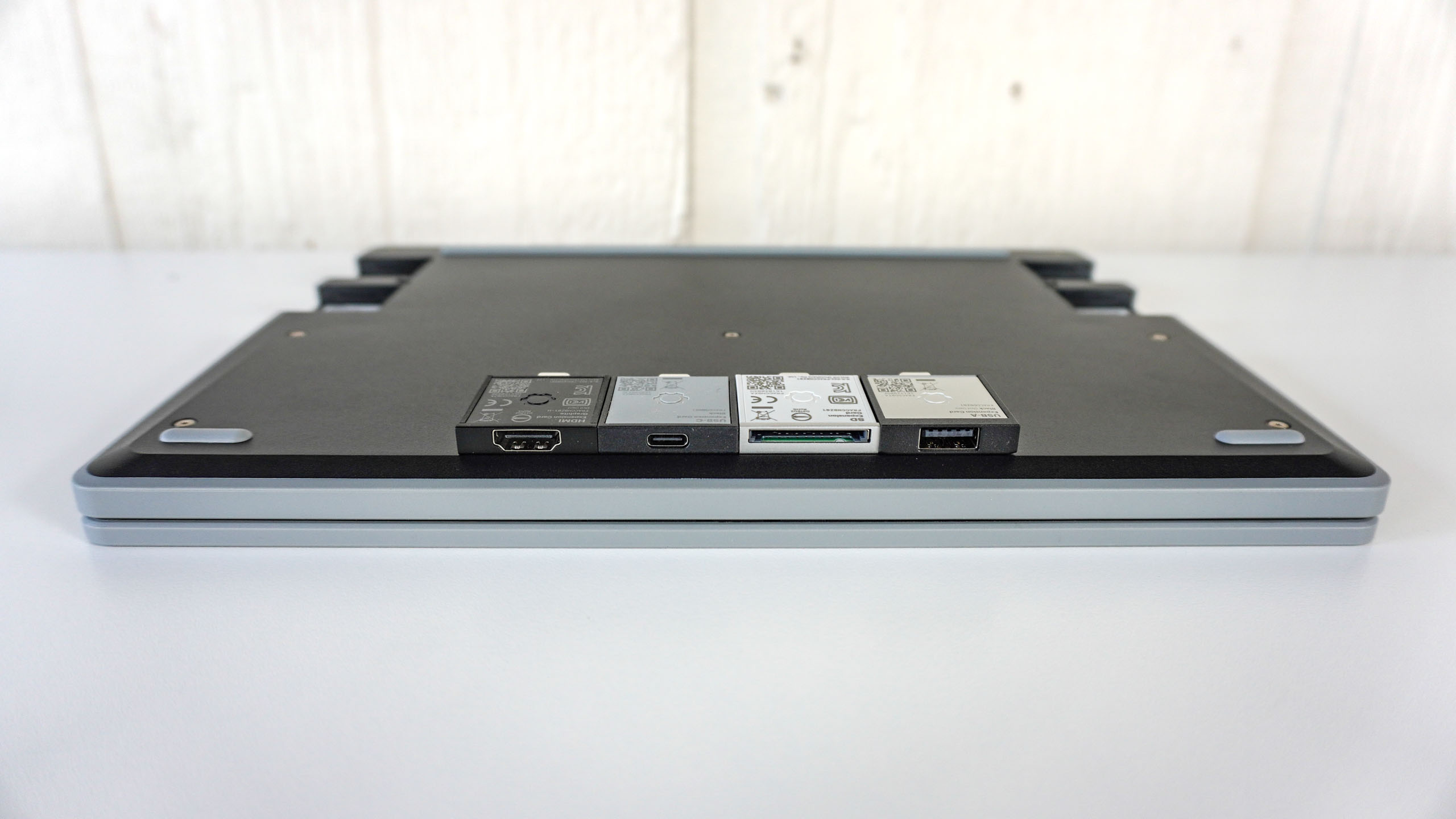
When configuring the Laptop 12, you’re presented with a list of eight port options, and you need to choose four. From USB-A for older devices to DisplayPort and even 10 Gigabit Ethernet—a speed you practically never see in a laptop form factor— you have a wide variety of useful options to choose from.
For my review unit, I went with USB-C, USB-A, HDMI, and an SD card reader. However, you can always buy extra Expansion Cards if you want to swap out your Laptop 12’s functionality on the fly or even add a pop of color to your device.
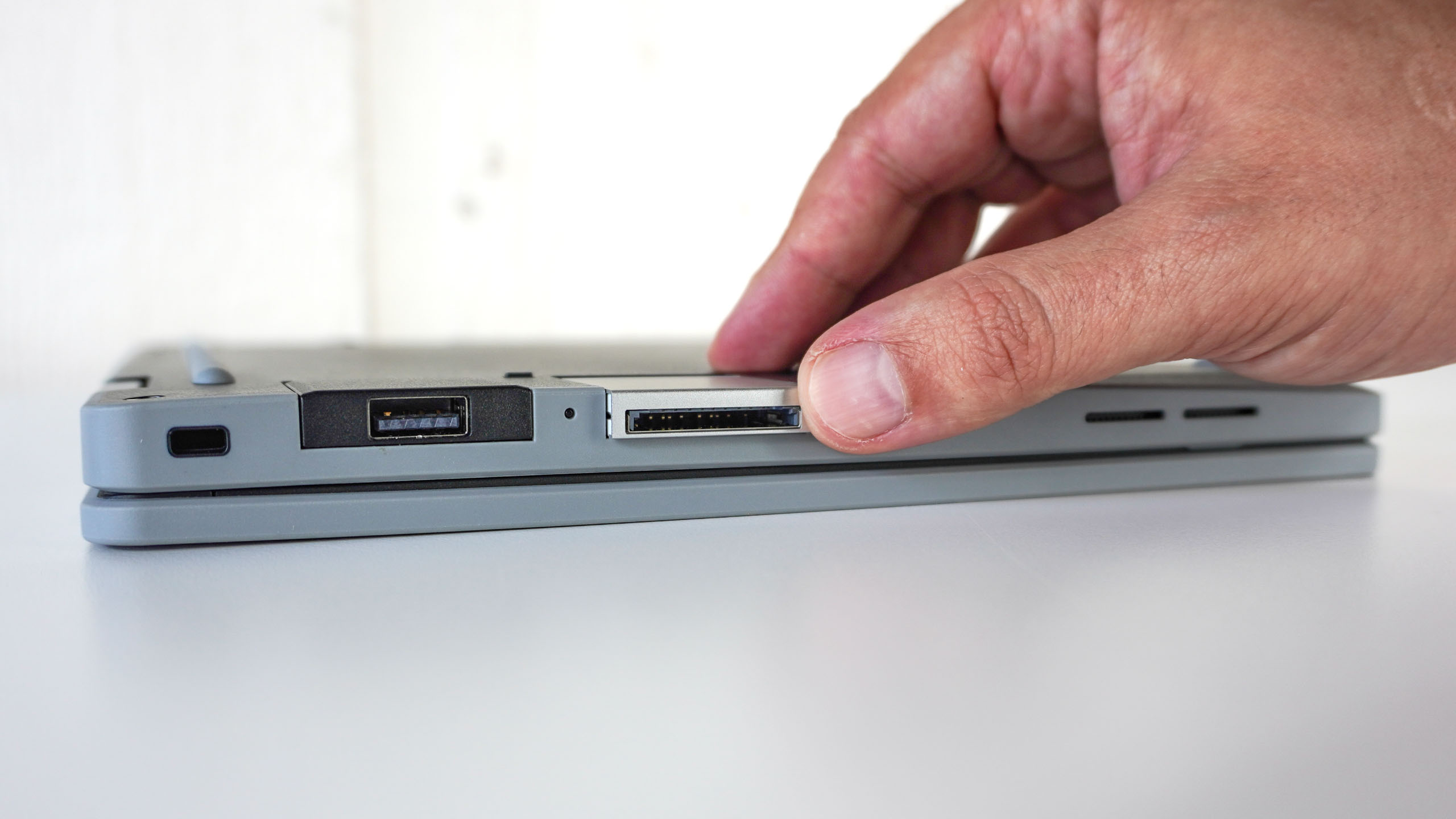
The Expansion Cards all connect to the laptop via USB-C, plugging directly into two recessed USB-C ports on either side. Installing an Expansion Card is dead simple, too: push it into the bay on the side of the laptop until it clicks, then slide a toggle on the underside to release or lock it in place.
Another great thing about Framework’s system is that if a new port standard comes out down the line, you don’t have to buy a whole new laptop — you just buy a new card and pop it in the same way.
Like a classic (yet modern) MacBook
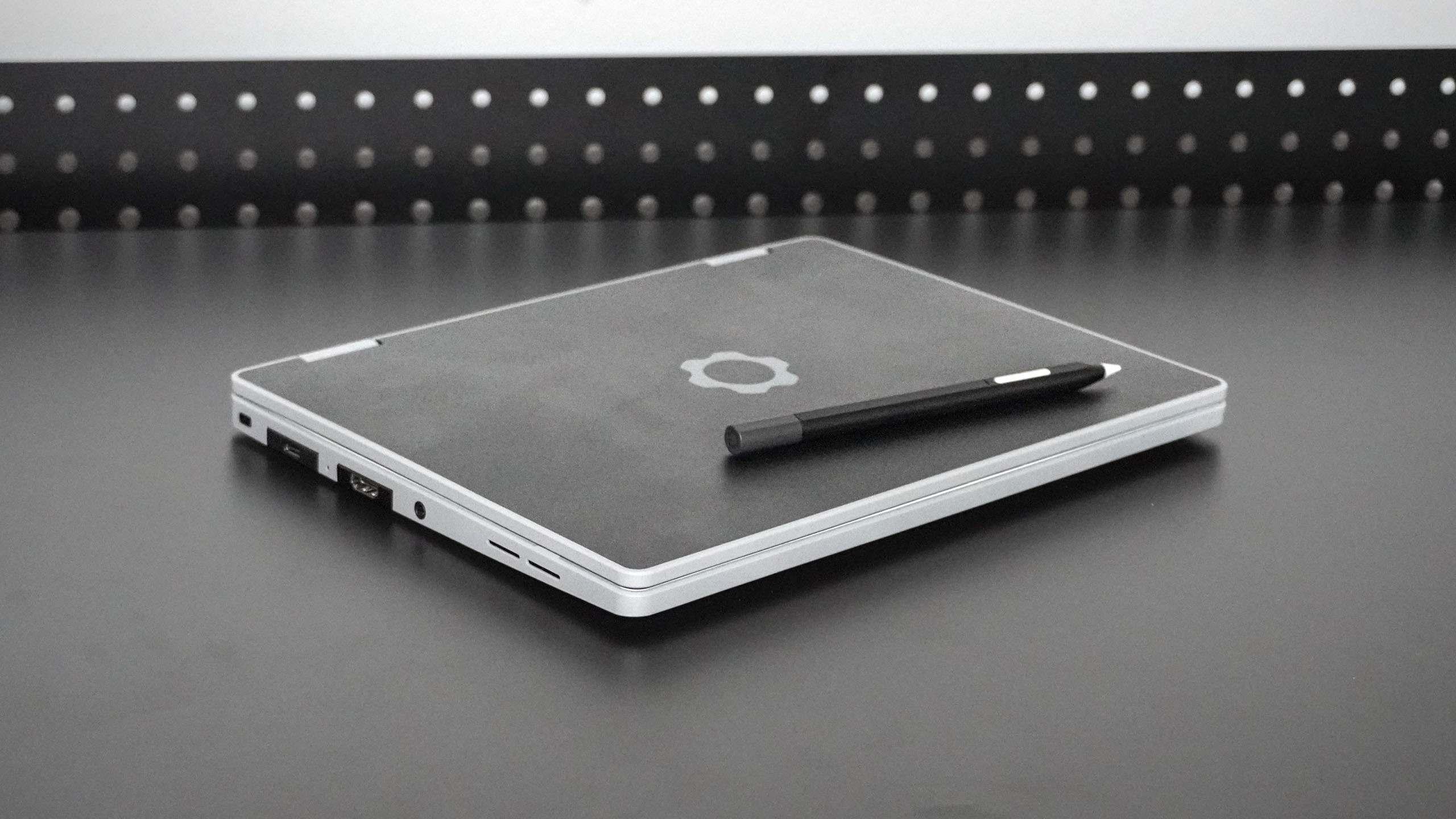
At 11.3 x 8.42 x 0.73 inches and weighing 2.87 pounds, the Laptop 12 is far from the thinnest or lightest 2-in-1 laptop you can buy. However, this extra bulk and weight is a worthwhile trade-off for a fully repairable and user-upgradeable machine.
Unlike the standard Framework Laptop 13 and Framework Laptop 16, the Laptop 12 comes in five different tri-tone color schemes. While my black review unit is the tamest of the bunch, you can also opt for a much more colorful sage green, lavender, or even a pink and teal case instead.
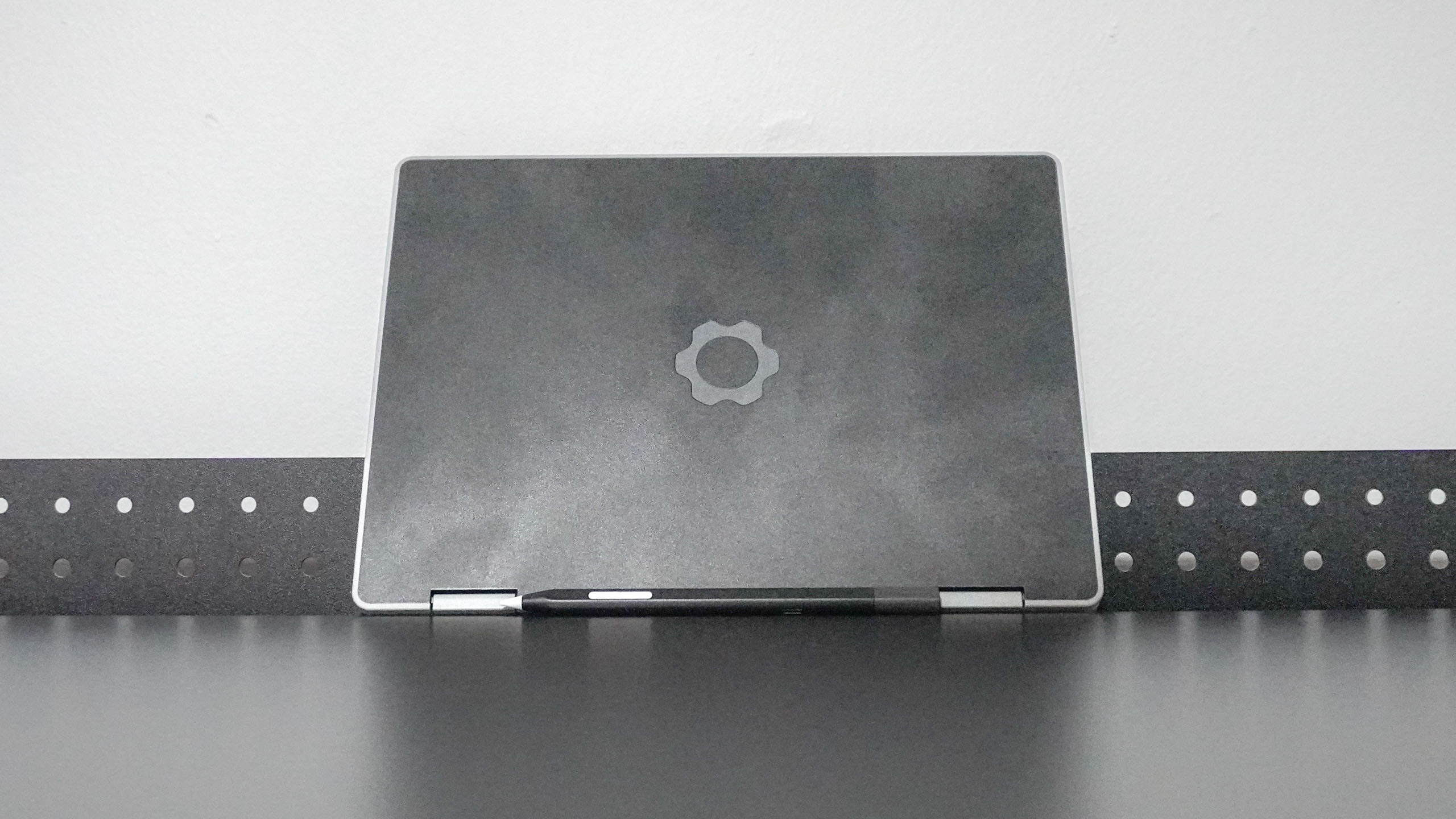
The Laptop 12 I tested has a black rear case, gray sides, and a white Input Cover with a gray keyboard and trackpad. Though not nearly as eye-catching as some other color options, mine still feels fun and playful—especially compared to boring silver notebooks.
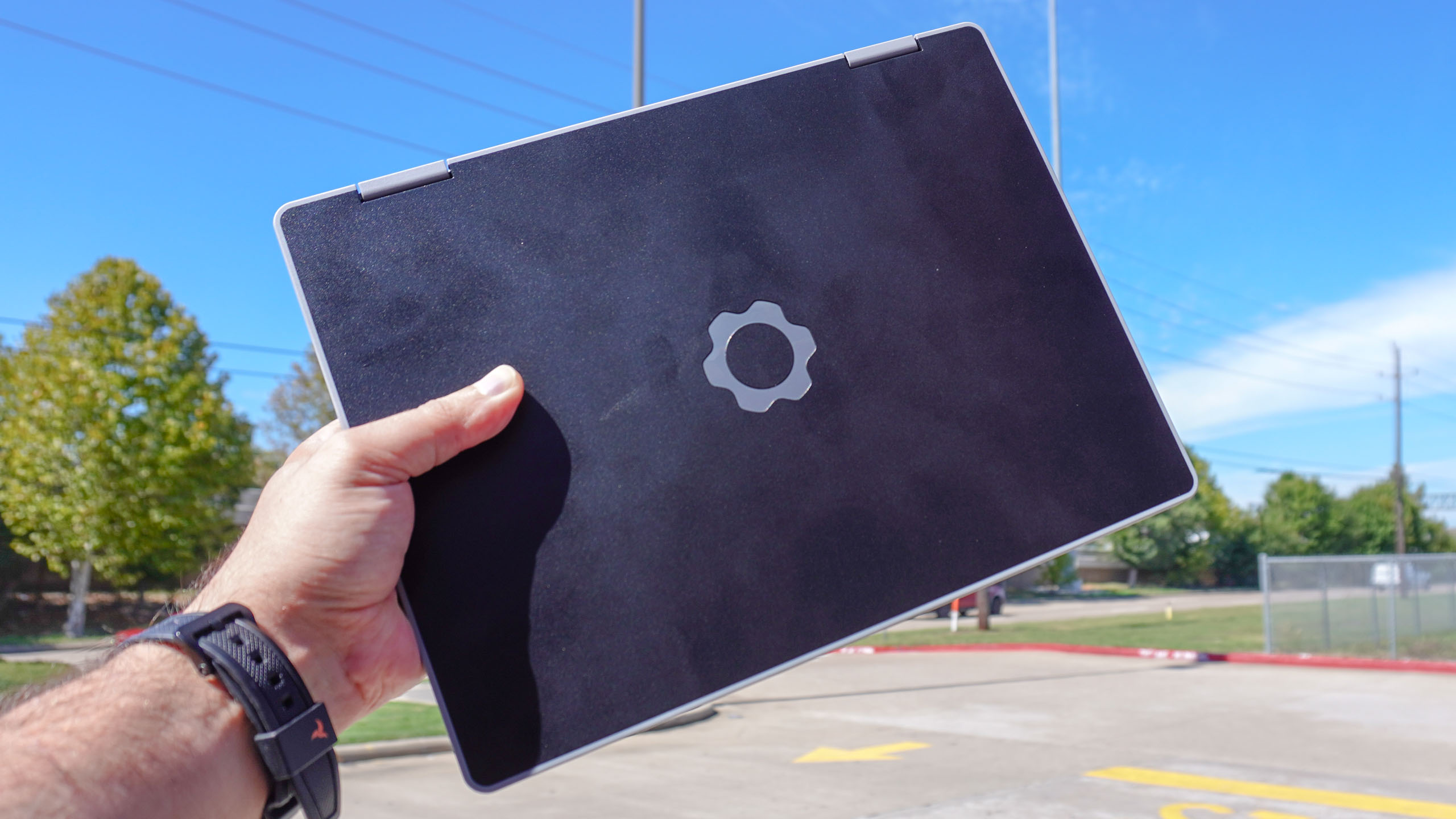
Although I normally test and review the best mini PCs at home, the Laptop 12 became my main travel companion for this review. Whether I was heading to a doctor’s appointment or picking up my son at school, I could easily throw this laptop into my backpack and get work done wherever I went.
When using it on my lap after building it, the Laptop 12 really reminded me of Apple’s classic white plastic MacBooks, but in the best possible way.
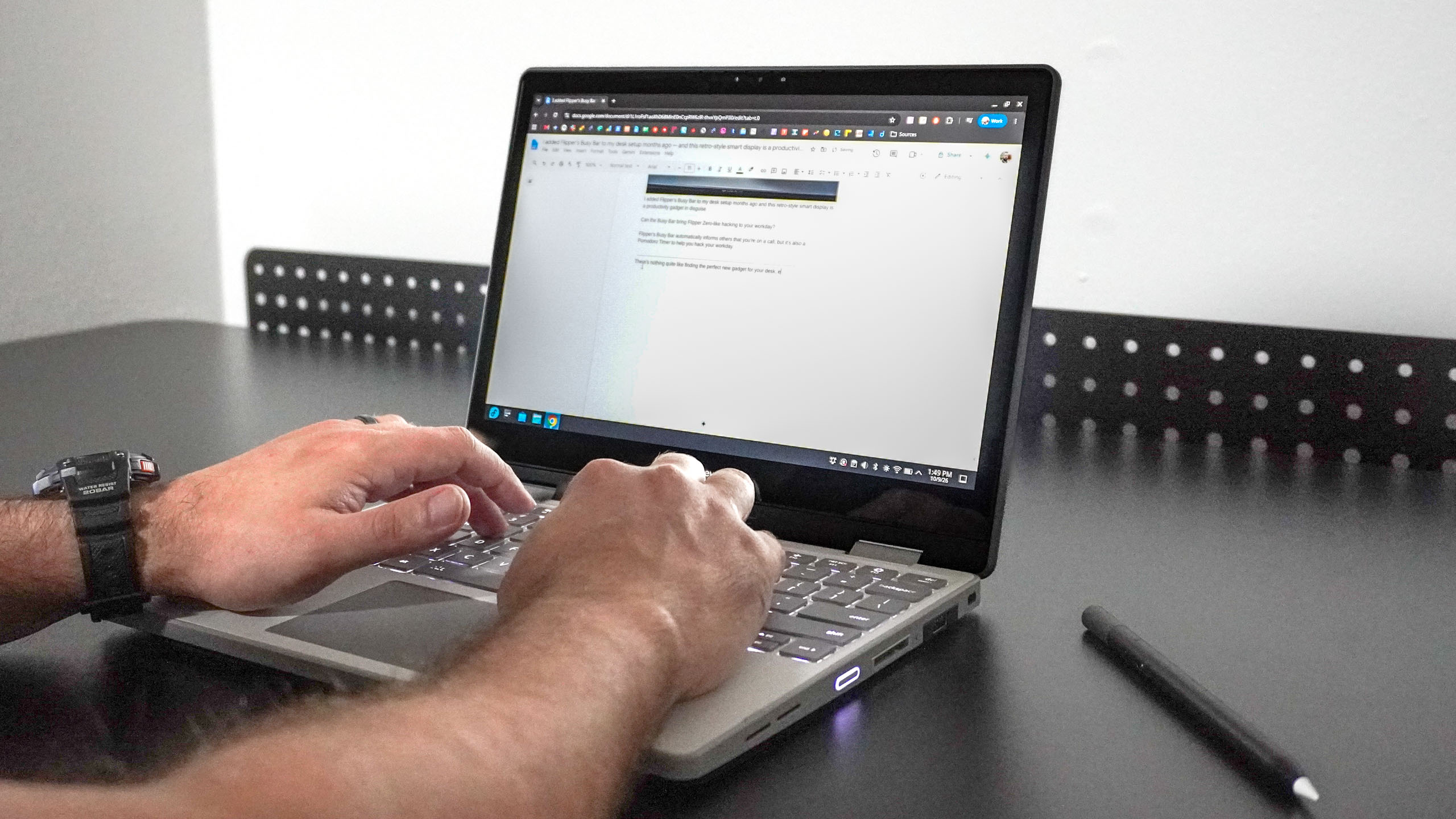
The keyboard — with its 1.5mm of key travel — feels great to type on, and compared to the much larger and more powerful 16-inch MacBook Pro I’ve been using on the go, I didn’t mind its smaller 12.2-inch screen at all. Instead, it was easy to flip open the Laptop 12, knock out some work, and slip it right back into my bag.
Ditching Windows without the headaches
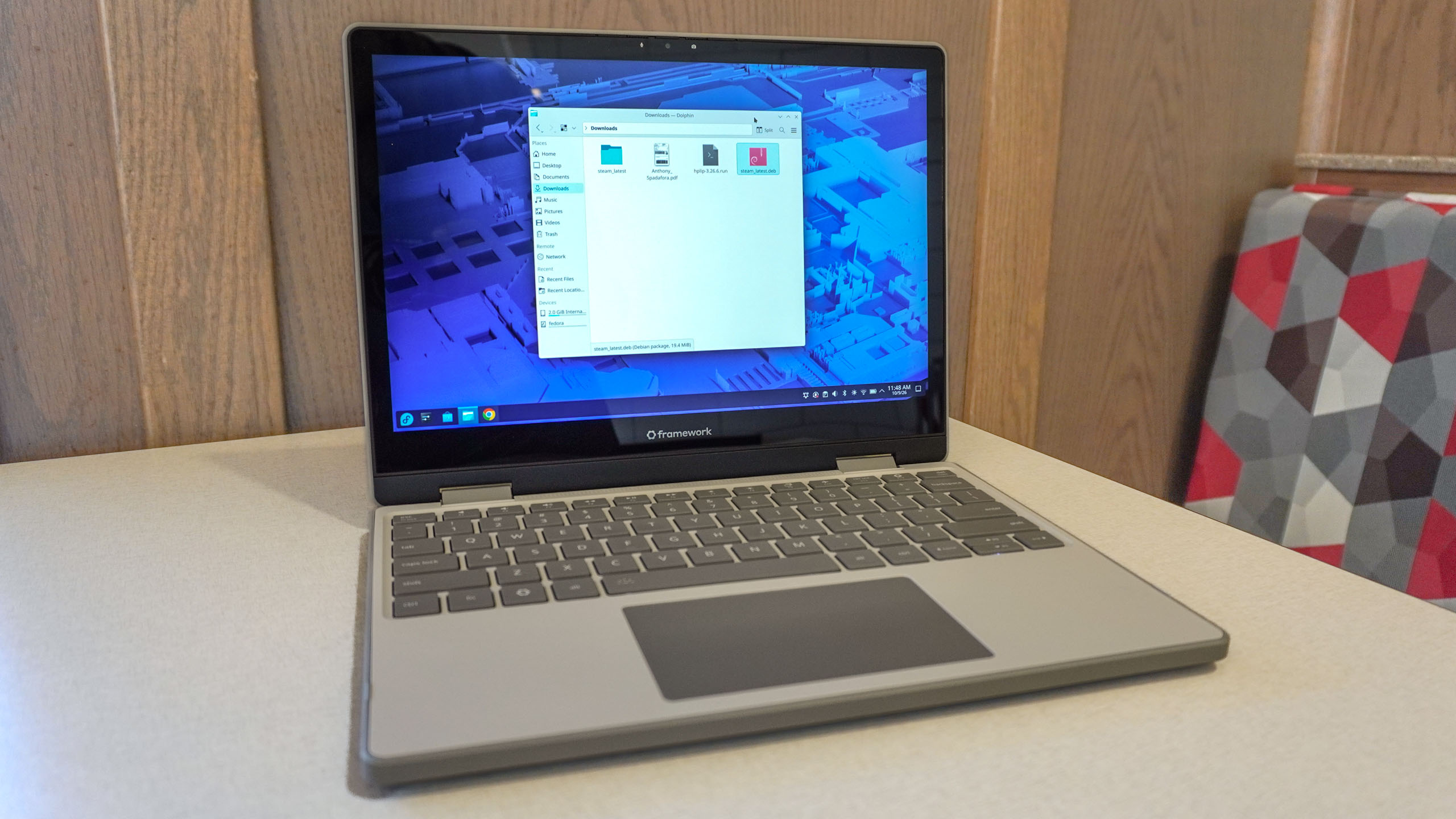
Deciding to use Linux instead of Windows is one thing, but doing it usually comes with a steep learning curve. While I’ve experimented with a handful of different Linux distros over the years, it was always more for testing than daily driving.
You can buy an optional Windows license at checkout, but Framework ships the Laptop 12 with Fedora Linux pre-installed on pre-built models by default. If you go the DIY route as I did, you’ll have to install the OS yourself.
Fortunately, Framework makes the whole setup process much smoother with its online Guides. Alongside replacement, repair, and how-to walkthroughs, there’s an entire section dedicated to step-by-step installation guides to get Fedora, Ubuntu, and other popular distros up and running.
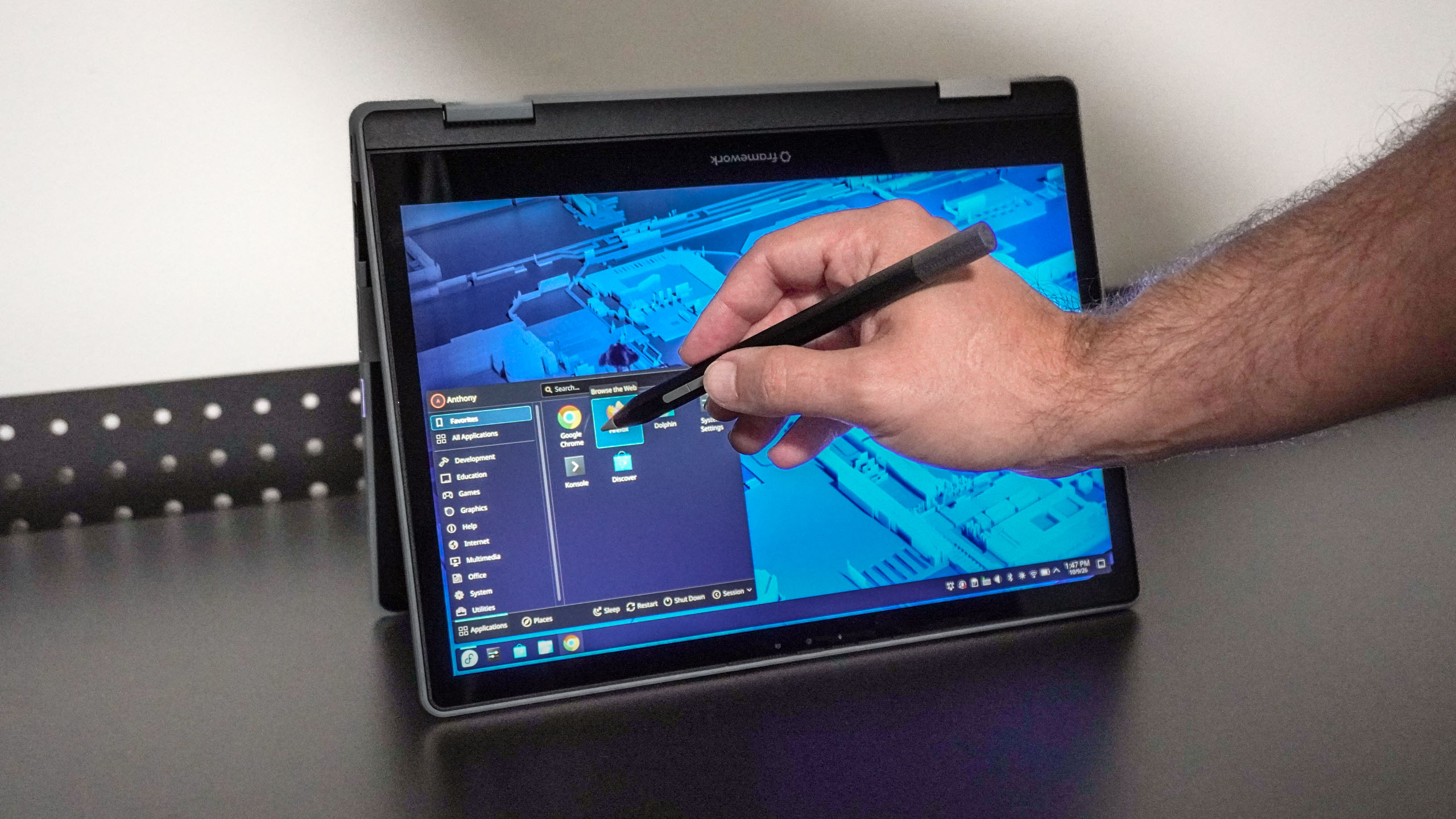
After downloading and installing Fedora on the Laptop 12, it took a bit of initial poking around to figure out how everything worked. However, since I do most of my daily work in a browser, once I installed Chrome, using this 2-in-1 with Linux felt like any other laptop or PC.
What I particularly appreciated is that because Framework works directly with Linux kernel developers, I didn’t have to hunt online for Wi-Fi, Bluetooth, or other hardware drivers. Instead, everything from the trackpad to the touchscreen — and even my review unit’s built-in fingerprint reader — worked right out of the box.
During the two weeks I spent using the Laptop 12 as my main machine, it easily handled my daily workload — dozens of open Chrome tabs alongside light photo editing in GIMP.
The laptop also felt snappy, thanks to the Intel Core 7 350 processor and 32GB of DDR5 memory. While I mainly used the Laptop 12 for work, its integrated Intel graphics can handle some casual gaming, albeit mostly older or less demanding titles.
Swipe to scroll horizontally
| Row 0 – Cell 0 |
Time (hours:mins) |
|
Framework Laptop 12 |
9:16 |
|
Lenovo Chromebook Plus 2-in-1 Gen 10 |
10:34 |
|
Acer Chromebook Plus 515 |
8:16 |
If you’re looking for a dedicated repairable gaming laptop, you’ll be much better off with the larger, discrete-GPU-powered Framework Laptop 16. But for everyday office work, general tasks, and schoolwork, the Laptop 12 is a fantastic choice — especially with its compact design and 2-in-1 versatility.
Framework Laptop 12: The Downs
The Framework Laptop 12 is a fantastic little productivity machine, but it isn’t without its downsides — most notably a very glossy (and reflective) display and a webcam you won’t be jumping to turn on for video calls.
More mirror than display
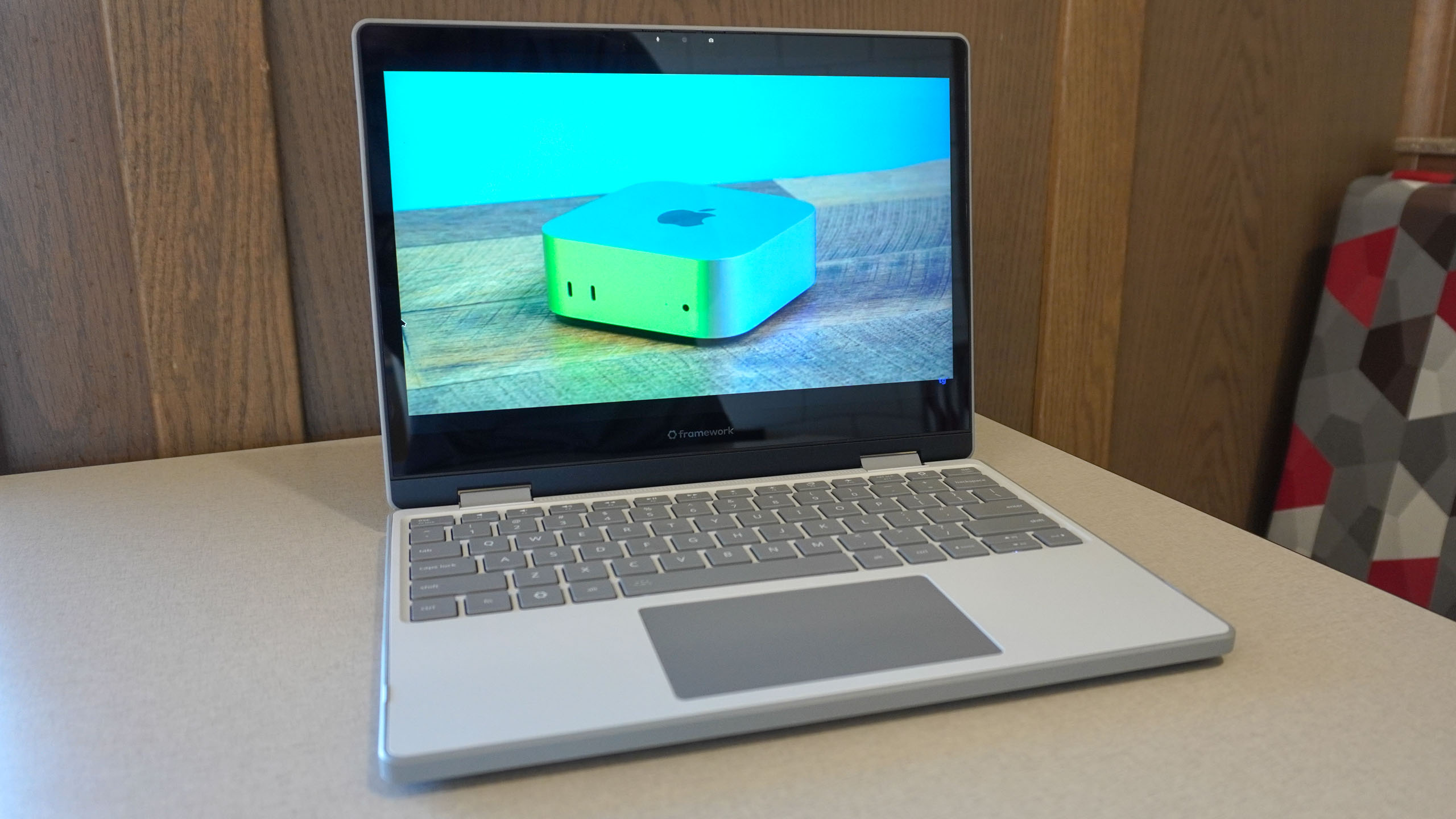
With a 1920 x 1200 resolution, the Laptop 12’s 12.2-inch display gives you plenty of screen real estate. It also supports both touch and stylus input.
While you can pay an extra $59 for Framework’s official matching active stylus, the display natively supports both USI 2.0 and MPP 2.0. That means you aren’t locked into a proprietary pen — any standard Chromebook or Windows stylus with USI 2.0 works right out of the box.
Besides my main gripe, the Laptop 12’s screen has a few other shortcomings. While they likely won’t be dealbreakers, you only get a standard 60Hz display that doesn’t support HDR.
Swipe to scroll horizontally
| Header Cell – Column 0 |
Framework Laptop 12 |
Dell XPS 13 (2026) |
MacBook Neo |
|---|---|---|---|
|
Nits (brightness) |
451.2 (SDR) | N/A (HDR) |
398 (SDR) | 420 (HDR) |
452 (SDR) | 480 (HDR) |
|
sRGB |
68.2% |
105% |
110% |
|
DCI-P3 |
48.3% |
74.7% |
78% |
|
Delta-E |
0.26 |
0.23 |
0.22 |
Still, in our lab tests, the Laptop 12 held its own when it came to peak brightness — with an SDR score nearly identical to Apple’s MacBook Neo. However, if you plan to do serious photo or video editing on this 2-in-1, you’ll want to hook it up to one of the best monitors. Its sRGB and DCI-P3 color gamut scores leave much to be desired, especially compared with Apple’s entry-level laptop or the Dell XPS 13.
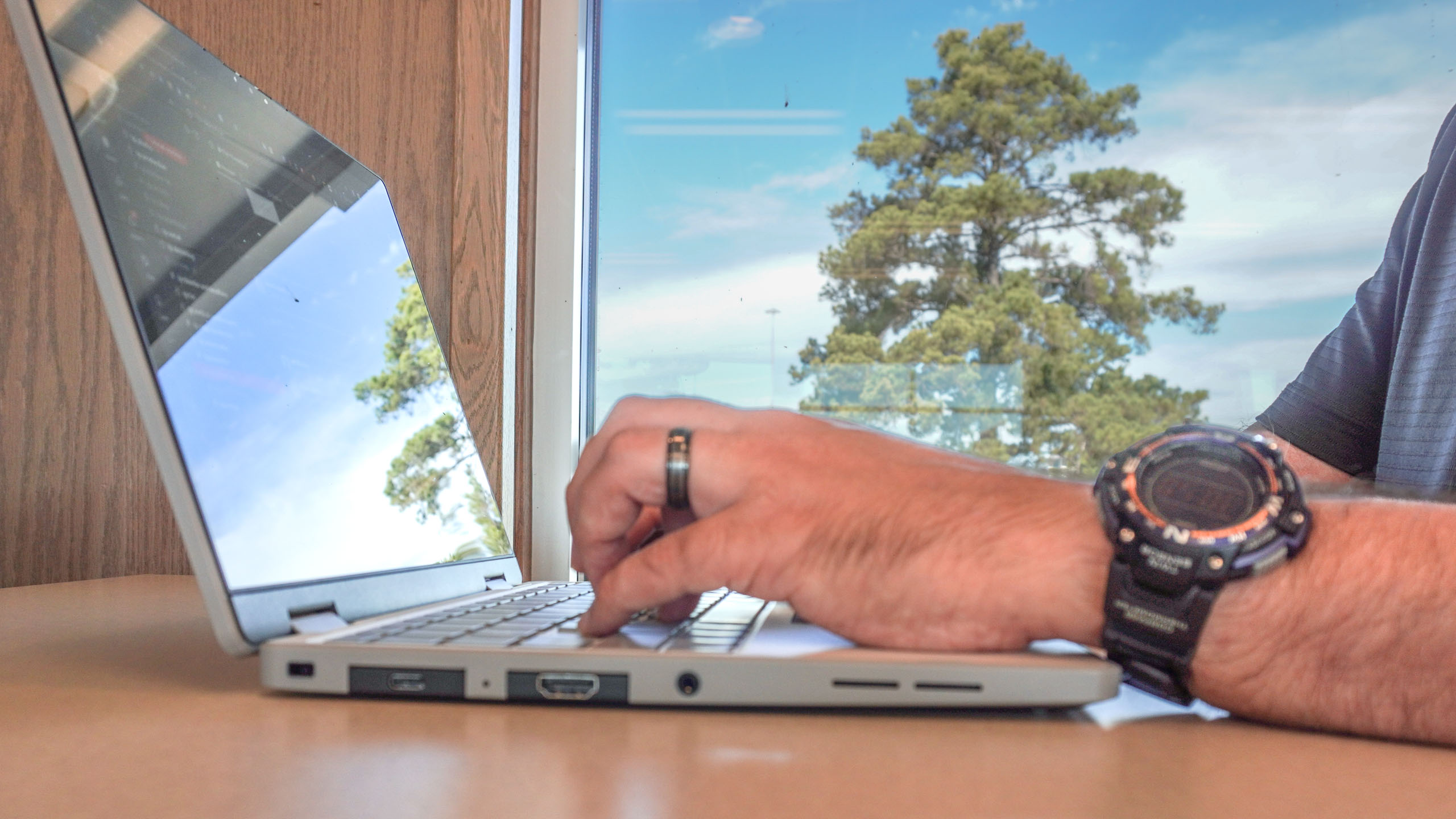
Color gamut aside, my biggest complaint about the Laptop 12’s screen is how reflective it is. With the laptop powered off, the display doubles as a literal mirror. Even with the backlight cranked all the way up, I found the screen almost too reflective when working outdoors or under bright ambient lighting.
It isn’t unusable by any means, but when working in bright environments, you will get a clear view of both your open windows and whatever is going on directly behind you.
Stuck with a webcam you can’t upgrade (yet)
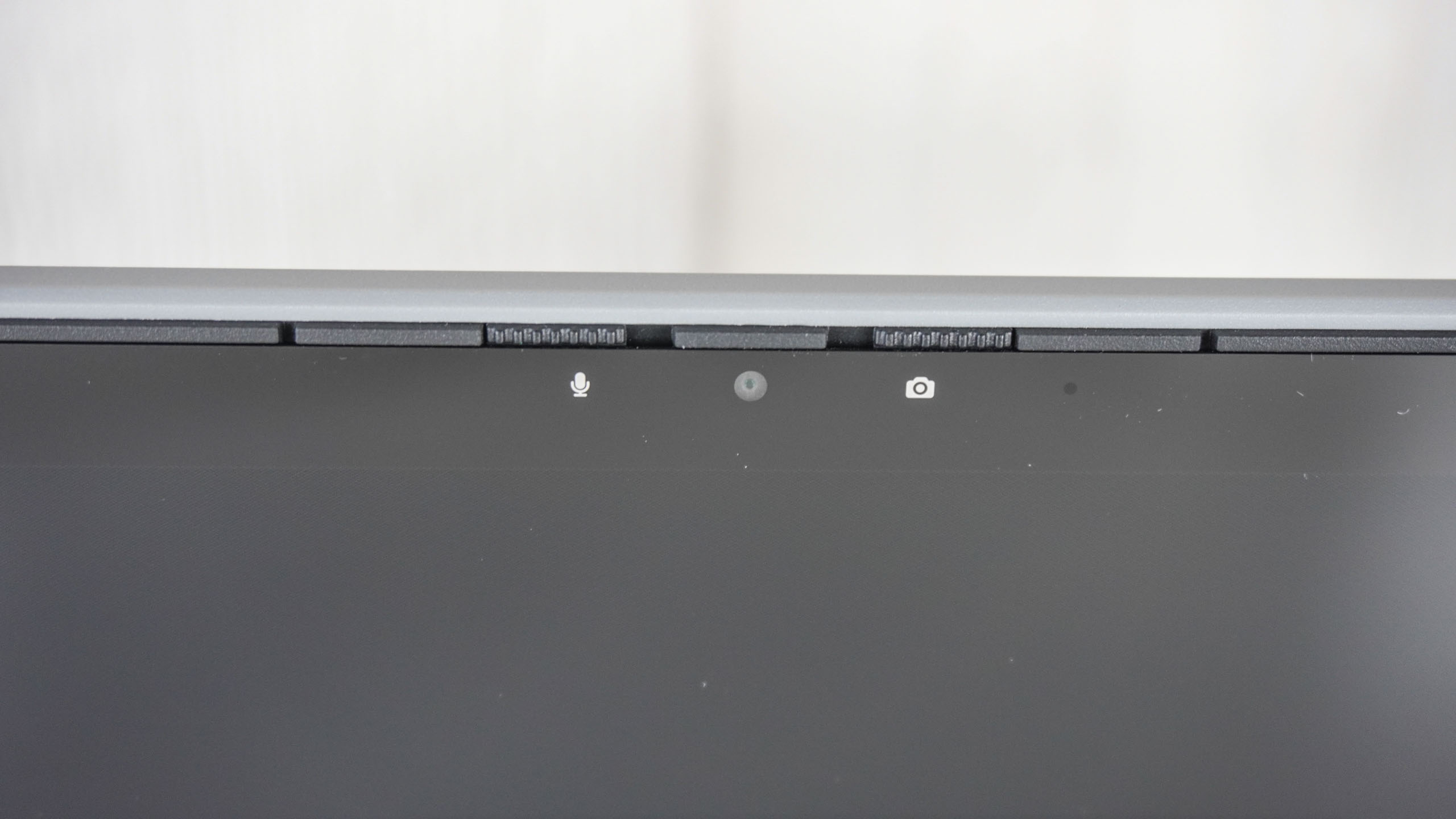
Framework did something I haven’t seen on a 2-in-1 before with the Laptop 12’s webcam setup. Like my Lenovo ThinkPad, it has a physical slider switch on the bezel that acts as a privacy shutter for the camera. However, next to it, you’ll also find a dedicated hardware microphone switch.
Sliding both toggles to off physically cuts power at the board level — giving you complete peace of mind that no one has access to your camera or mic. It’s a thoughtful, security-minded touch.
As for the 2MP webcam itself, the actual image quality leaves a lot to be desired. While it allows you to hop on video calls in 1080p, it struggled when I tested it during a meeting with a colleague.

My overhead lighting was completely blown out with lens flare; the color saturation looked flat and pale, and overall, the image looked soft and almost hazy. It’s fine for a quick, casual call every now and then, but for important presentations, you’ll want to plug in one of the best webcams instead.
The Laptop 12 is a modular, upgradeable 2-in-1, after all. While Framework doesn’t offer a higher-spec replacement webcam module for this specific model just yet, they have released upgraded camera modules for their other models in the past.
When updated versions of the Laptop 13 and 16 debuted, owners of older models could buy the new camera module separately and install it themselves. While the Laptop 12’s current webcam is disappointing, you’ll likely be able to replace it with a superior sensor down the road.
Framework Laptop 12: Verdict
The Framework Laptop 12 treads new ground as the first truly repairable and upgradeable 2-in-1 laptop. With three processors to choose from, multiple color options, and the option of a pre-built model or a DIY kit, it’s a highly customizable device you can tailor to your exact preferences.
While it sits on the thicker and heavier side for a 12-inch 2-in-1, that’s a small price to pay for user-serviceable internals and long-term repairability. Even with the extra bulk, it remains a sturdy, compact machine that I felt comfortable tossing into my bag daily. Driven by the Intel Core 7 350, performance was consistently snappy across my daily workflows.
If you’re tired of disposable electronics and want a portable device you can easily repair and upgrade for years to come, the Laptop 12 is an outstanding choice. Thanks to its first-class Linux integration, it’s also the ideal laptop for anyone looking to ditch Windows without the traditional software headaches — while saving a bit of cash in the process.

Follow Tom’s Guide on Google News and add us as a preferred source to get our up-to-date news, analysis, and reviews in your feeds.

Managing Editor Security and Home Office
Anthony Spadafora is the managing editor for security and home office furniture at Tom’s Guide where he covers everything from data breaches to password managers and the best way to cover your whole home or business with Wi-Fi. He also reviews standing desks, office chairs and other home office accessories with a penchant for building desk setups. Before joining the team, Anthony wrote for ITProPortal while living in Korea and later for TechRadar Pro after moving back to the US. Based in Houston, Texas, when he’s not writing Anthony can be found tinkering with PCs and game consoles, managing cables and upgrading his smart home.
Next Badge:
More Comments/Likes Until Your Next Badge
” data-join-the-conversation-text=”Join the Conversation”>
You must confirm your public display name before commenting
Please logout and then login again, you will then be prompted to enter your display name.