
I write about sleep for a living, but I’ve been secretly locked in a losing battle against my doomscrolling habits. I’d constantly push bedtime later to watch a few more reels or reply to a couple more messages — and my nocturnal phone habit meant that getting out of bed each morning was becoming a chore.
That was until I stumbled on a hidden feature in my Apple Health App. Now I’m far more disciplined when it comes to using my phone around bedtime, making a conscious effort to give myself time to truly relax in the evening and time to ease into the day come morning.
Below, I dig into how I altered my iPhone settings to help me get to sleep on time and wake up with tons more energy. Plus, Dr. Shelby Harris, a board-certified behavioral sleep medicine specialist and psychologist, explains why enabling this feature works and why it’s so important to restrict phone use around bedtime for better sleep.
The iPhone feature that’s helping me get my sleep schedule on track
During my time as a sleep tech tester, I’ve tried my fair share of sleep gadgets. I’ll forever rave about the top-rated sunrise alarm clocks and don’t know where I’d be without by trusty Oura Ring to help track my rest. But, understandably, I’m yet to find anything that can physically restrain me from using my phone in bed.
“The biggest problem with your phone at night isn’t the screen itself,” explains Dr. Harris, who has over 20 years’ experience in sleep medicine. “It’s what’s on it. Social media, videos, and games are designed to keep you hooked, with endless feeds and autoplay that make it easy to lose track of time. Before you know it, “just a few minutes” has turned into an hour of lost sleep.”
Our willpower is no match for Meta, basically. That’s why it’s so important nowadays to have measures and discipline in place to stop the endless scrolling when you should be sleeping.
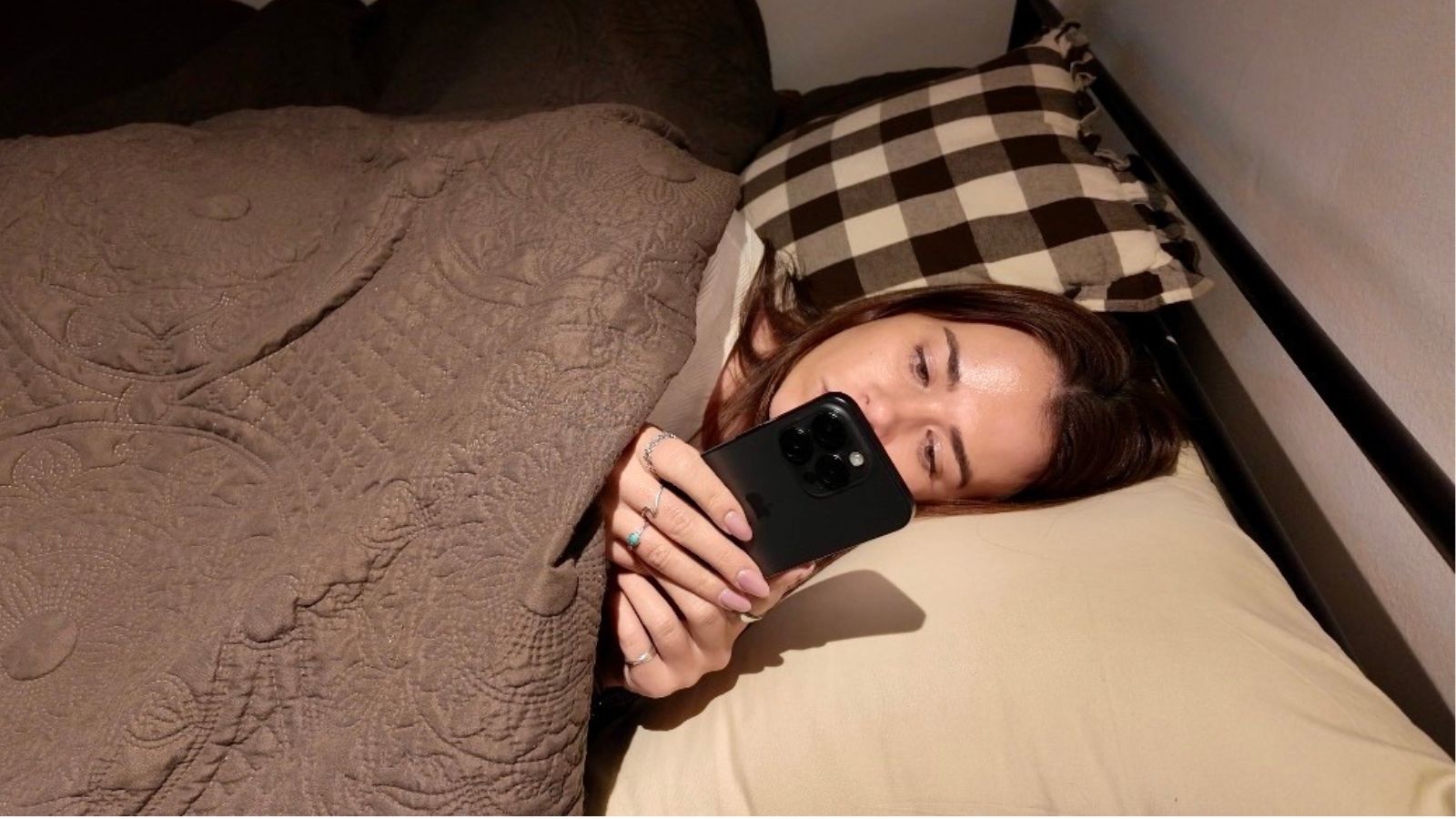
I recommend everybody turns on Sleep Schedule in the Apple Health app. This feature allows you to set a recurring bedtime and wake-up routine. During sleep time, your phone will automatically shift into Sleep Focus mode where notifications and calls are silenced, your lock screen simplifies and phone screens dims.
Without your phone constantly buzzing at your bedside, it’s less tempting to pick up and even gives you the chance to forget about your constant notification feed while you drift off to sleep.
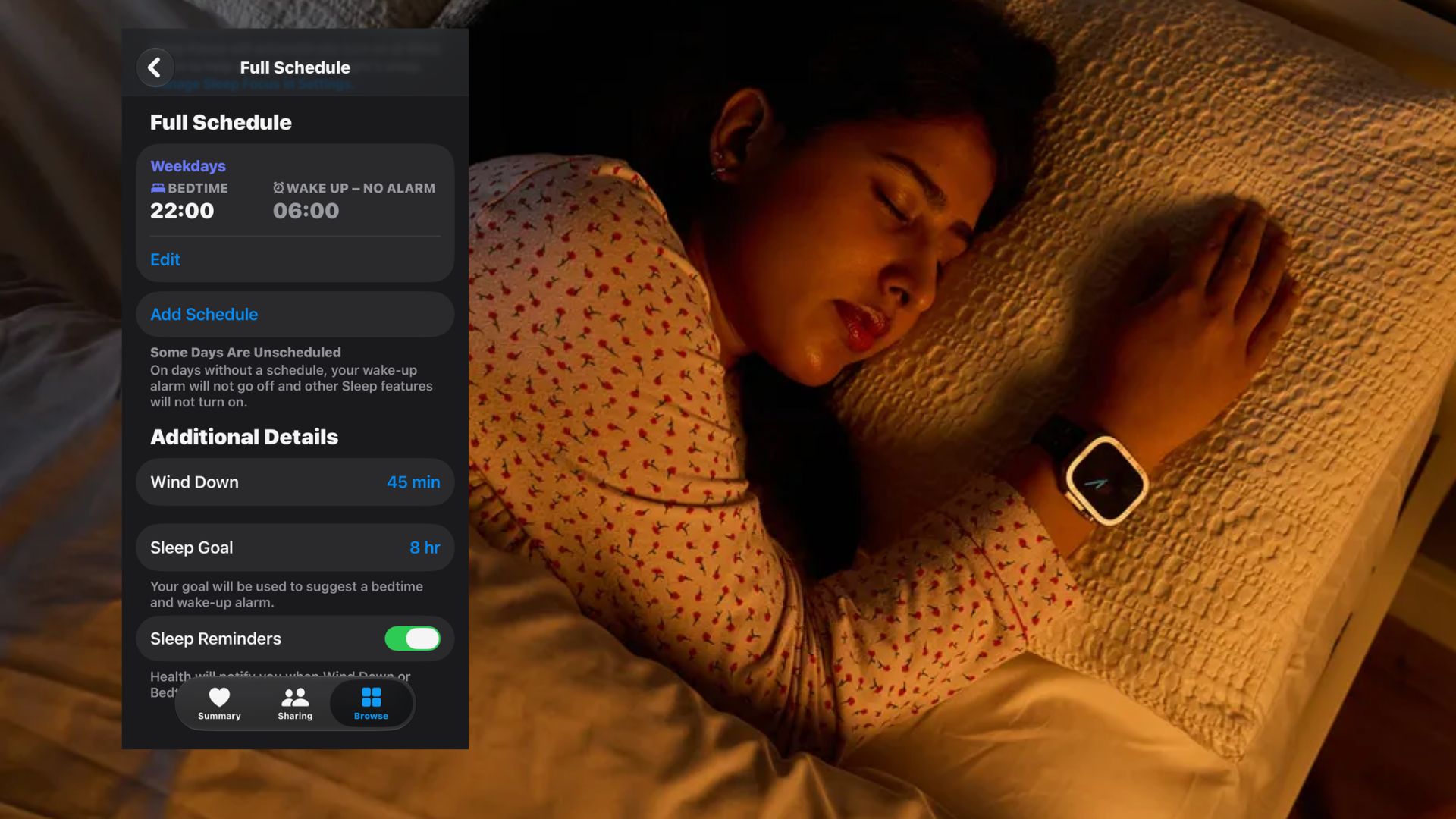
Depending on the Wind Down period you set, you’ll get a notification telling you to prioritise your sleep. I get this 15 minutes before my desired bedtime, though I’m keen to push this earlier after hearing Dr. Harris’ advice.
The Diplomate in Behavioral Sleep Medicine says: “The best approach is to put your phone away, ideally outside the bedroom, 30 to 60 minutes before bed and replace scrolling with something calming, like reading a book or stretching.”
How to set up your Apple Sleep Schedule
“The iPhone’s sleep tools help turn good intentions into habits,” says Dr. Harris. To set up your personalised sleep schedule, head to the Apple Health app (that pink heart in a white square). Find the Sleep section and scroll down to ‘Your Schedule’. Open ‘Full Schedule & Options’.
Here you can toggle on Sleep Schedule and link it to your phone’s Sleep Focus setting.
There’s the option to customise your schedule for different days of the week. However, experts recommend sticking to the same sleep and wake times seven nights a week as this helps sync your circadian rhythm (more on this below).
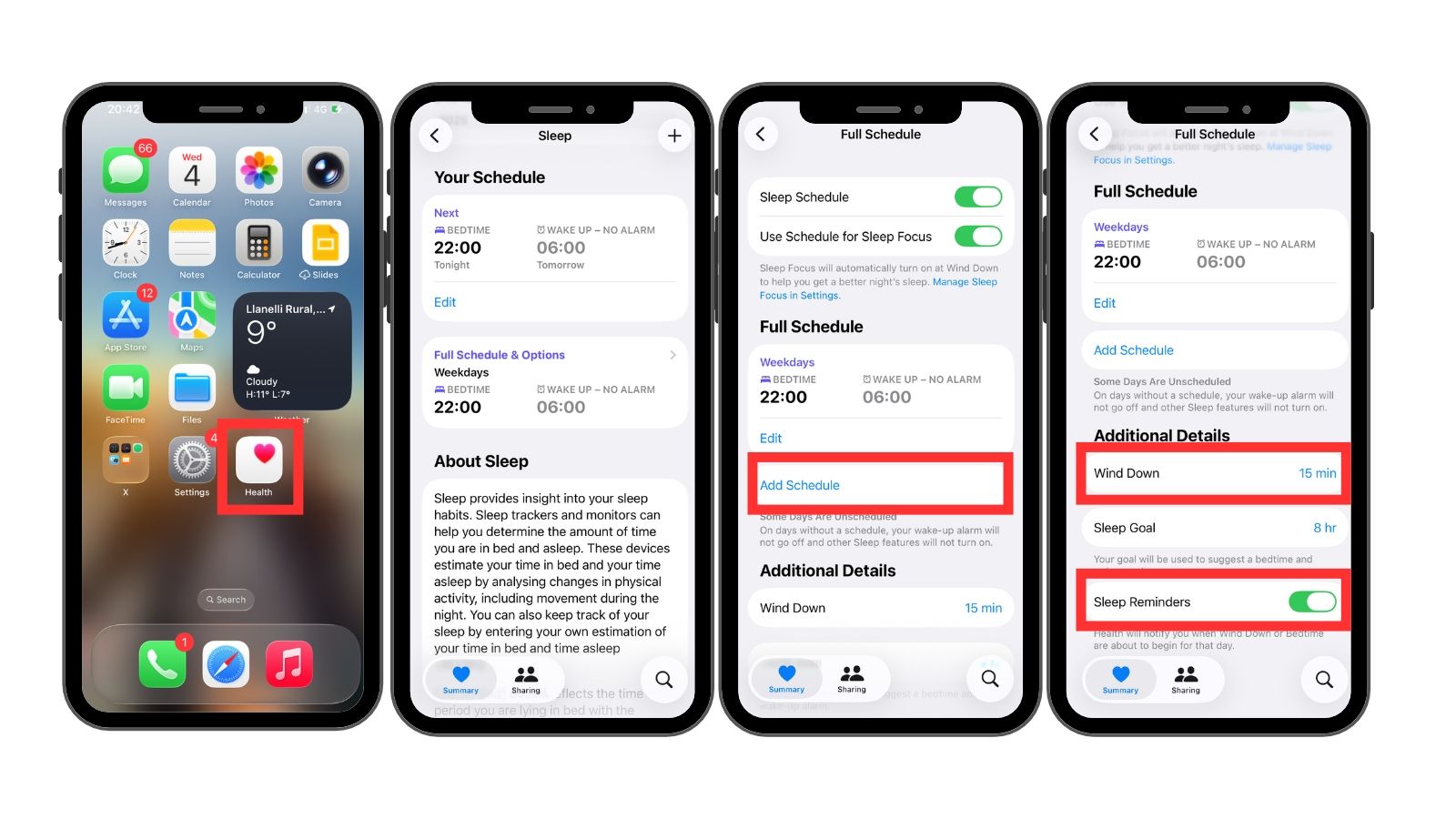
You can also set a Wind Down period between 15 minutes and three hours. During this time, your phone shifts into Sleep mode. Health will notify you when Wind Down begins, encouraging you to transition from scrolling to rest.
For full peace of mind if you have caring responsibilities, you can select certain contacts to break through the notification block. This means you won’t block out any important phone calls through the night.
How does a consistent sleep schedule help you wake up with energy?
Sleeping at consistent times from night to night is quickly becoming the most common sleep advice dished out by experts.
Recent science – including a major study by Vitality Research Institute – indicates the 7:1 sleep rule is the bedrock of quality rest. The rule stipulates getting seven hours of sleep every single night keeping your bedtime within in a one hour window is the secret to sleeping well, waking up energized, and indeed living up to four years longer.
Dr. Harris, who specialises in circadian rhythm disorders, explains: “Your body runs on an internal clock that controls when you feel sleepy and when you feel alert. When you go to bed and wake up at the same time every day, that clock learns to anticipate sleep, so you fall asleep faster, sleep more deeply, and wake up feeling more refreshed.”

Sticking to a consistent sleep schedule helps sync your circadian rhythm. When this is in tune, your body will naturally release sleep-inducing hormones like melatonin around bedtime and suppress them come morning so you wake up without lingering grogginess (scientifically named sleep inertia).
Whereas “Irregular schedules, especially sleeping in on weekends, throw that rhythm off and leave you feeling jet-lagged without ever leaving home,” adds Dr. Harris.
With a well regulated circadian cycle, you should release the right amount of melatonin through the night to keep you in a healthy sleep cycle, so you get good quality sleep and wake up feeling refreshed.
As your circadian rhythm also controls hormones that promote alertness (cortisol and serotonin), you should also experience more stable energy levels through the day.
Ultimately, the New York-based sleep psychologist advises, “If you focus on one thing, make it a consistent wake-up time. That’s the anchor that keeps everything else on track” — and Apple’s Sleep Schedule feature can help you do just that, especially if you’re a stickler for late night scrolling.
3 top-rated products for a consistent sleep schedule

Follow Tom’s Guide on Google News and add us as a preferred source to get our up-to-date news, analysis, and reviews in your feeds.