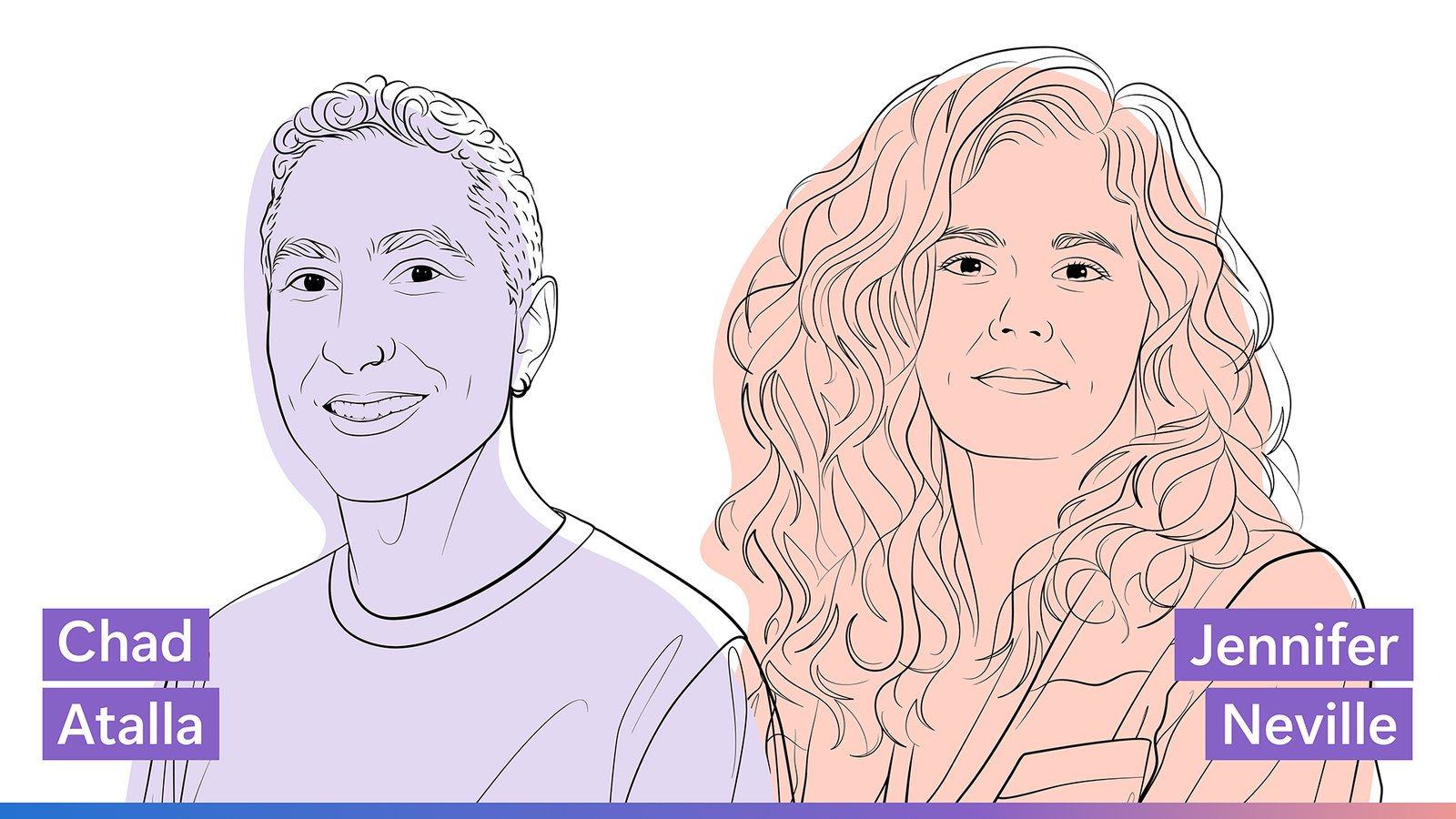
From an unexpected career trajectory to the frontier of AI interaction and learning, this episode asks a larger question: what can we learn when the path—whether human or artificial—doesn’t unfold the way we expect?
Transcript
[MUSIC]
JENNIFER NEVILLE: There were times that I felt like I was spinning my wheels. Things weren’t working. I would get, kind of, dejected. And then we’d get to a point where we did learn something, and it was just the, the emotional thrill of that was, that was really what hooked me. The being able to, kind of, understand something that no one else understood yet …
CHAD ATALLA: Sure …
NEVILLE: … because it’s just at the frontier of what we know about things.
STANDARD INTRODUCTION: This is the Microsoft Research Podcast, where Microsoft researchers—driving advancement through fundamental science and technology research—explore the who, how, and what’s next in computing and AI.
[MUSIC ENDS]
CHAD ATALLA: Hello, and welcome. I’m Chad Atalla, an applied scientist here at Microsoft Research.
Today, I’m joined by Jennifer Neville, a partner research manager at Microsoft Research and the Samuel D. Conte chair professor of computer science and statistics at Purdue.
Her research examines machine learning and AI for interactive domains and structured data, looking at how the data points that AI systems are trained on affect their behaviors and how that aligns with what users actually want.
Across that research, she has published more than 130 papers with over 10,000 citations and received honors such as a National Science Foundation CAREER Award, a spot on IEEE’s “10 to Watch” in AI list (opens in new tab), and best paper awards from the International Conference on Data Mining (opens in new tab) and the International Conference on Learning Representations.
What amazes me most about Jen’s work is her foresight and ability to have a through line that stays consistent as the field of AI develops, and I’m excited to hear more about how she got to where she is today.
Jen, thank you for joining me.
JENNIFER NEVILLE: Thanks for having me.
ATALLA: Awesome. Well, I would love to learn about how you got here today. And let’s rewind way back. When I was a kid, I wanted to be an astrophysicist, but of course, here I am with a computer science background. When did you know that you wanted to go into computer science?
NEVILLE: That’s a good question. I … when I was growing up, I wanted to do anything but computer science because that’s what my dad was in, and I wanted to do anything but what my dad did. So when I went to college, first I majored in math and then in physics, but I really just couldn’t vibe with those majors.
So I dropped out of college for a while, and when I went back to college again, I majored in cognitive science instead, which also was too squishy for me. Didn’t have enough math in it. At that point, if somebody had told me, “AI is the thing you should be doing because it combines the cognitive science with the math and computational thinking,” I think I would have saved myself a lot of time, [LAUGHTER] but that didn’t happen.
And so I worked for a while. And then when I went back to school, I decided to major in computer science because what I wanted to do was think about working with data and dealing with data. And that’s when I found AI. Just by happenstance. I didn’t even really realize that it was part of computer science.
ATALLA: Awesome. Well, it’s one thing to go into computer science and want to work on data or AI and another thing to want to be involved in research on that front. So what sorts of questions or big ideas sparked your research drive?
NEVILLE: Yeah, that’s actually an interesting story, as well. I only got into research because I was in the honors program in my computer science degree, and as part of the honors program, you have to do a research project [LAUGHTER].
ATALLA: It’s mandatory, yeah.
NEVILLE: It’s mandatory. And so when I talked to professors about what the research project should be, they actually said, “Well, you have to decide what topic you want to work on.”
And at that point, I was interested in data and I was interested in AI, and I thought a lot. I did a lot of reading. And what I decided that I wanted to investigate was how to do data mining on web data that was interconnected, and so that … when I decided that was the question I wanted to work on, I got pointed to a particular faculty member …
ATALLA: Nice.
NEVILLE: … who had just started working in this nascent field at the time that was called statistical relational learning. And we did my project in that, I published a paper at a workshop, and I was, kind of, hooked.
ATALLA: OK, yeah.
NEVILLE: So I hadn’t planned to go on to grad school, but that experience …
ATALLA: Yeah.
NEVILLE: … made me want to go on to grad school and continue.
ATALLA: Nice. What part of it do you think hooked you? Was it, like, the thrill of doing the research? Was it the environment of the conference and what academic publishing looks like?
NEVILLE: It was really the thrill and the process of doing research. So it was a long project. There were times that I felt like I was spinning my wheels. Things weren’t working. I would get, kind of, dejected. But my adviser would be, kind of, like, you know, supportive and positive, saying, “No, keep going. We’re learning something.” And then, and then we’d get to a point where we did learn something, and it was just the emotional thrill of that was, that was really what hooked me. The being able to, kind of, understand something that no one else understood yet …
ATALLA: Sure.
NEVILLE: … because it’s just at the frontier of what we know about things was, uh, it’s just, it’s like a drug almost, right? [LAUGHTER] So it’s kept me in research for this long, that same, that same … chasing after that same feeling.
ATALLA: Gotcha. Well, love it. Yeah, you joined Microsoft in 2021 from academia. And in fact, you’re still a professor, and you’ve been teaching and advising for 20 years. What motivated the shift to part of your professional life being research in industry, and how would you characterize the difference between industry research and academia research?
NEVILLE: My research, kind of, spans the spectrum from theory to application. When I did my first sabbatical after I got tenure, a lot of colleagues that I had at the … that were at the same point in their career went off into industry labs for their sabbatical and never came back to Purdue. I thought about which direction I’d want to go, either more theory or more applied, and I thought at that point in my career, it’d be better to explore the theory side because then I might actually go back to Purdue.
And so I went to the Simons Institute in Berkeley for my sabbatical, and that was very theoretical. It was a great experience, but it was kind of seamless to transition back to academia. On my second sabbatical, I went the other way, which was to come to MSR [Microsoft Research] and do a sabbatical here. And of course, being able to see how algorithms in theory, kind of, hit the—where the rubber hits the road with respect to how they behave in practice and real systems and with real users and real data, that’s hard to turn back from. And so that’s now why I’m still here.
ATALLA: Gotcha.
NEVILLE: So I think the difference between research in academia and industry depends on … really is affected by the target of where, where you’re aiming the research. And so I think fundamentally, it feels very similar, the questions you would ask in academia and industry, but in industry, your ability to apply it at scale in real systems on real data is really very different from academia, and in academia, I think you end up asking questions that are more abstractions that cover applications across a lot of different domains at once. And that’s how you get funding from places like DARPA [Defense Advanced Research Projects Agency] and NSF [National Science Foundation].
But in industry, it’s a little easier to just, you know, actually get your hands dirty and, and do it in the real systems. And then your, kind of, target is the products and the company’s interests. And so as … that sort of changes, maybe the types of questions that you would ask or investigate. So I think it’s actually great to be …
ATALLA: Yeah.
NEVILLE: … in both places, right? Like, there’s lots of synergies across the two, and I think there’s lots of opportunities to go to industry and come back to academia or to go start in industry and go to academia. But right now, if you’re doing work on AI systems, I think that industry is really the place to be.
ATALLA: Gotcha. Yeah. Perhaps useful advice to folks who are deciding which way to take that decision in their career right now.
I’ve been here at Microsoft for a little over six years and have been working on AI evaluation for much of that time, and there are, of course, a number of daunting fundamental questions and challenges in the space.
And I initially came across your work and became aware of your work because part of your work proposes some solutions to some of these problems and helps to point out these problems. And my immediate reaction was relief that we have someone wonderful like you working on these things, and you’re going to take care of it for us. And I really appreciate how you balance critiquing AI evaluation and also providing solutions along the way.
But I understand that that’s just a small sliver of your broader research agenda. And so how would you describe the current research charter for the team that you’re leading here?
NEVILLE: Our team is called the AI Interaction and Learning team. What we really focus on is trying to push the frontier of behavior of these AI systems in realistic work environments. And so what that entails is studying where’s the boundary of the performance of the current systems, how do users experience that in practice with real workflows, and then how do we improve that and push the performance of the models for these kind of tasks—complex tasks—that users are working on.
The reason we focus on evaluation is that we find that the standard way that ML and AI people evaluate are through benchmarks that are fairly simple with respect to how people would actually use them in practice. And so we find that the first thing that you really need to do is ask, what do we want out of these systems? And design practical evaluations to put the systems in those kind of environments. So that means things like multiturn behavior, collaborative environments, long-horizon tasks that users are doing.
And then once we can see where the performance gaps or problems that happen in those evaluations [are], then that also gives us the knowledge of where, sort of, theoretically or algorithmically do we need to improve these systems.
So we start with evaluation, but ultimately, what we’re trying to do is develop better algorithms, models, estimation methods …
ATALLA: Sure.
NEVILLE: … to push the performance of the models.
ATALLA: Yeah, it’s a gateway to understanding and therefore being able to push the boundary and improve these, these systems.
NEVILLE: Yes.
ATALLA: So you mentioned multiturn interactions and collaborative environments. You have a couple of recent papers that examine these things specifically, like how LLMs may get lost in multiturn conversations or how they may corrupt documents in these, sort of, agentic knowledge work scenarios. Can you tell me a little bit more about those research projects specifically?
NEVILLE: Sure. We … those are examples of cases where we had to, sort of, have innovative insights as to how to set up the evaluation to really be able to control and test the model’s behavior in those scenarios.
So for multiturn conversations, what we did is we took single-turn benchmarks—maybe I should back up and say one of the things we observe about users in practice is that they often underspecify what they’re trying to do. They don’t know how to give a complete specification to begin with. We sometimes forget this as computer scientists and software engineers, but lay users might not be able to fully specify things in the first turn. And so they, kind of, figure out what they’re doing over multiple turns and, sort of, add conditions and clarifications throughout the turns.
So what we did was we took single-turn benchmark datasets that are public, and we changed the fully specified single complex turn of instructions and had the, had models that simulated users providing that clarification over multiple turns and then studied how do the models—how do all of the current models that we have—how do they behave when you get this kind of task specified over multiple turns.
And we found that the performance that we see in single-turn scenarios—which is very high because, of course, we’re optimizing to that as model builders—actually degrades significantly over multiple turns. And so that was something that was a fairly surprising finding because nobody had evaluated in that, …
ATALLA: Sure.
NEVILLE: … in that way before. But when we released that research into the world, the users of the systems all resonated with, …
ATALLA: Sure … yeah.
NEVILLE: … “Well, that’s been my experience. I knew that that was happening. How do, how do we fix that?” And one of the … so we’re working on reinforcement learning methods to actually help the models learn better in these environments to, kind of, fix that behavior.
But a practical solution that we talked about in the paper is if you end up having the model, kind of, get confused—if you specified something over multiple turns—just, like, stop the chat, erase everything, go back, and now, given what you know, give it a fully specified single turn, …
ATALLA: I see, yeah.
NEVILLE: … and then it will behave better in that kind of interaction.
So maybe that points out that although fundamentally we’re looking for algorithmic improvements to the models, sometimes in these projects, we end up coming up with insights of how users could change their behavior …
ATALLA: Sure. Yeah.
NEVILLE: … to get better outcomes from the models, like, where they are right now …
ATALLA: Yeah …
NEVILLE: … with their performance.
ATALLA: Yeah. Well, we noted that one of the themes of your research is how we can improve these systems to bring them better into alignment with what users actually want. And you mentioned a case here of, “Hey, well, we know that users realistically are often not fully specifying what they want in their first turn, and we do have these long multiturn interactions.” And after you put this paper out, they expressed resonance with this frustration about getting lost in multiturn conversations.
How do you think about understanding the users’ wants and needs and experience, and how does that relate back to what you do with, as you said, simulating a user, for example, to run these longer multiturn evaluations?
NEVILLE: Yeah, that’s … getting to see at scale what users are trying to do and what kind of failures and successes they have in the systems is one of the advantages I think you get if you’re in an industry lab and you get to see data at scale like that.
So we have done a lot of work with the product groups here internally at Microsoft analyzing consumer logs at scale to figure out what are the main patterns of failures that, that users are experiencing. And that is the … provides the kind of insight or motivation for a lot of the, a lot of the work that we do. And there’s a lot of great product groups that are also analyzing the successes that users have, which would allow you to then even recommend to users how … what are the kind of tasks that they’re going to be able to do successfully in the systems that we have now.
I think if you think back when search engines first started, people had to learn how to interact with search engines …
ATALLA: Sure.
NEVILLE: … in a way to effectively get the information that they’re looking for. We might have forgotten that that happened now because it was so much a part of what everybody would do before all these AI systems came out. But now I think there’s a transition away from the search engines to these chat-based systems, and I think there’s going to have to be some learning from the users, as well, …
ATALLA: Right, yeah.
NEVILLE: … in this new environment. And I think analyzing the things that are successful in terms of what users are doing is a great way to start recommending …
ATALLA: Yeah.
NEVILLE: … and tutoring or teaching the users in the same way.
ATALLA: I love how you’re pointing out the utility of looking at real data, but what does that actually mean? Are you genuinely looking at real data? How is privacy coming in here? What sort of processes do you have for responsibly leveraging data in the wild?
NEVILLE: Oh, yeah, that’s a good point. Thanks for bringing it up. We’re not actually looking at the data. We are analyzing the data at scale to extract patterns of failures or successes in a privacy-preserving kind of way. There’s also a lot of, a lot of restrictions that we can’t actually see the data eyes on. We can only, sort of, push methods to process the data in very restricted environments. And then, um, and then these, sort of, higher-level insights that are privacy preserved are the things that then fuel, like, what we would do algorithmically later on.
So just to be clear, we’re not fine-tuning on your data or your responses, but the more details you can give in your responses, whether it’s through donated information, when you give a thumbs down and you give a description of it, or if it’s in the, sort of, chat interaction you have with the models, those can eventually get distilled into things that are going to improve the models not through people actually looking at what you’ve been doing.
ATALLA: And you noted this shift from a search being the dominant modality to these multiturn chat interactions. But now we’re also seeing agentic and, you know, collaborative knowledge-work-style tasks becoming even more relevant and noted that you did some work on that front, as well. Any other interesting takeaways that you’d love to share with our listeners?
NEVILLE: Yeah. So we have both some theory work that tries to characterize the types of tasks that are fundamentally hard for transformers to compute inside the model as well as more simulation-based work, where we look at complex tasks that are conducted over long-horizon workflows, where you take, for example, documents and you do repeated edits over those documents.
In those environments, the complexity of the task for the models or even the agents is to track not only what the user’s intending to do over this long-horizon work activity but also understanding what’s the current state, what information is relevant, what is not relevant, how things have changed. And those are things that agents are starting to be fairly good at, but there’s particular kinds of tasks that are easier than others.
ATALLA: Sure.
NEVILLE: And so something that we look at is what are the types of tasks where complexities become too much for the current agents and how to solve that. What is the best way for the tool usage with the agents? Is it better to bring a human in the loop? How can we know that things have gone awry? So having … even having the agents, kind of, monitor themselves and assess whether they answered something correctly or they should, kind of, roll back to a previous state. I think those are all open questions right now.
But we have … we do have some work showing that again we get surprising failures as we get longer and longer into these workflows because errors, if you don’t catch them, can accumulate …
ATALLA: Yeah.
NEVILLE: … and start to confuse the AI even more as they, as they have to carry out the task over repeated interactions.
ATALLA: Yeah, that phrase “surprising failures” is interesting to me. It implies an expectation of, “Hey, this should do better, and I’m surprised that it failed in this specific way.” Do you feel that you see more of these surprising errors, or are a lot of the errors, like, expected, you would understand that it would fail in, in this way or that?
NEVILLE: Yeah, I think there, I think there definitely are expected failures because those … well, there’s fewer expected failures, of course, as we work to make the systems better and better.
ATALLA: Right. If we can expect them, then we can fix them.
NEVILLE: That’s right. But things like hallucinations are the types of failures that have been characterized for a long time in the community and that there are specific benchmarks and methods to try to reduce those things.
I think that my team ends up looking for things that, that show up as almost surprising failures because they’re not the traditional failures and they’re often hard to isolate and show that they’re happening because they’re very subtle and don’t show up as just, kind of, [an] incorrect answer to a math problem or a hallucinated case in a law, you know, a legal opinion but are this sort of subtle loss of semantic content in the documents. And I think that if I look back on what we’ve, sort of, investigated with the team, we have a kind of hypothesis that, that we think as humans, the things that are hard for us to do are going to be the things that are hard for the model to do. And in fact, that’s not often the case because we have to think about what’s hard for the transformers actually to compute, what’s hard for their retrieval systems to retrieve …
ATALLA: Right.
NEVILLE: … from the underlying content.
And so I think where the “surprising” comes from is things that we might think as humans are very simple to do or that we think if there was a task previously that was done correctly, we think reliably now the same task again should be done correctly. But in fact, that’s not necessarily the case with LLMs. And so the surprising, kind of, creeps in, I think, with our own expectations based on human intelligence about what’s hard or what’s easy.
ATALLA: Yeah. And so between that confusion that may exist for users based on what they expect these systems to be good on, perhaps based on reflecting on human intelligence, and all of the hype and marketing that exists out there, what do you want real users to take away from this? Or how would you caution them to think about the capabilities and expectations that they may have for AI systems given your work here? How can they kind of cut through that noise and build better expectations?
NEVILLE: Oh, that’s a good question. I think that, I think the current AI systems have a lot of capabilities that are going to be very useful to people in work environments right now. I think that the takeaway from our work is that you shouldn’t expect them to be 100% successful across the board. You should be checking the answers that you get back. And if you get back something that you think is incorrect, you shouldn’t necessarily assume that the model can’t do that at all. But you should think about asking again or asking it in a different way, and you might get a better answer the next time.
That is hard to work into the way that we work right now because I think that you can’t … they’re not ready for things to be 100% delegated to them. But if you can figure out how to use them in a workflow with you, with oversight and verification, I think they can be very useful to do things, improve, you know, productivity and the speed with which you get things done.
So … and maybe the other thing to say is, you know, sort of bear with us because [LAUGHTER] we’re developing these systems in real time as they’re being released. And so your use helps us actually push the boundary of the models because it gives us examples of things that can and can’t be done.
Maybe another thing I would like to say is that something that maybe users don’t understand is that in the past, with search-based systems or recommender systems, the kind of feedback that we were able to give as users was just, kind of, like thumbs-up, thumbs-down. But now we’re in an environment where actually we could give feedback with much higher fidelity that can be super useful to improving the models downstream.
So if you’re working in, kind of, a chat environment with a model, understand that if something has gone badly, it’s actually helpful to say how it’s gone badly, to … and in your textual interaction or speech interaction to really convey, like, exactly what went wrong and what you expected and what you got instead. Because that actually will be used as we update the models. And so you can think of that as users, your role can be to train the models to do the things that you would have wanted it to do, but it couldn’t do right now.
ATALLA: Awesome. Interesting call to action there.
And I’m just curious. You talked about the transformer paradigm that we’re in now for these sorts of large language systems. Where do you see the science of large AI systems going next? Broadly, maybe that’s a really hard question, but at least in your interest and research directions, where do you see the science of these systems going next?
NEVILLE: That’s, that’s a, that’s a big question. [LAUGHTER] I think we’re … the research community is simultaneously trying to figure out if the transformer architecture is the right underlying model to use because there are certain known limitations of how computation can work in transformers. A lot of those limitations can be solved by the wrapper around the models—the agentic harnesses that we have around the models right now—and the reasoning that goes on, on the back end.
So I think an open question is, how much can we deal with the limitations of the transformer architecture with this, sort of, wrapper foundation around it and what needs to be addressed with, sort of, a fundamentally different …
ATALLA: Sure.
NEVILLE: … architecture underlying things? I think that we’re going to see rapid development of, sort of, alternative architectures and models as well as elaborate wrappers around the current models that we have.
I think that we will see in the next generation of work that we will have to focus on longer-term interactions with the models and having the models understand the world within which they’re working in a much more tangible way than they’re doing right now. But I think I’m very bullish on the research that’s happening. I think we will, you know, be successful at this.
Maybe going back to when I started, my first internship was at AT&T Labs back in the year 2000. And I remember very clearly sitting at lunch in my internship playing go and talking about how we could get, you know, AI models to be able to, you know, play this game and how it was harder than chess and what could we do.
And, and I was learning how to play go at that point. And I was learning on a 9-by-9 board. I don’t know if you’ve ever learned how to play go, …
ATALLA: I have not.
NEVILLE: … but you don’t learn how to play on the big board …
ATALLA: Wow.
NEVILLE: … because it’s, it’s too hard even for humans, right. So you start on this 9-by-9 board.
And I was, kind of, watching myself learn how to play and think about how the algorithms would learn how to play. And while we were doing that, we were, you know, sort of, conjecturing about how long it was going to take AI to be able to do this. And so it’s funny looking back because, you know, at AT&T Labs, a lot of the, sort of, luminaries in, you know, machine learning and AI research were there. People were saying, “Oh, it’s going to take 50 years to be able to do this.” You know, some people say 100 years. But, of course, now that’s already a solved problem (opens in new tab).
ATALLA: Yeah.
NEVILLE: And so looking forward, there are things that I might think as a researcher, because it’s so hard for us to get past this sort of boundaries we see right now in behavior, there’s a tendency to think, “Oh, it’s going to take 10 years,” or “It’s going to take 25 years.”
But I think given the pace of research and the number of people researching, you know, doing research in this field and the scale at which these models are running, I think it’s actually going to happen much more quickly than I would have thought as that person, you know, that new AI student in the year 2000. So …
ATALLA: Wow. Well, in the spirit of that, looking back to the year 2000, let’s imagine now jumping 20 years forward into the future or just 10 because things are moving so fast.
NEVILLE: [LAUGHS] Yeah.
ATALLA: What mark would you like to have left on research in this space?
NEVILLE: I think the, the things that have really been the, sort of, common thread through my research career is thinking about complex systems and how to get AI and machine learning to work in these complex systems. So—and even right now, that’s what we focus on with collaboration, and we’re thinking about multi-human, multi-AI interaction. I think … if I think really in terms of sci-fi kind of outcomes, I think we’d be successful if in the work environment, we start to see organizations of both humans and AI working together on teams to accomplish things and innovate, and if we can get that working correctly, then I will feel like my research has been successful.
ATALLA: Awesome. Well, as we wrap up here, I thought it could be fun to do a lightning round, which means quick questions, quick low-stakes answers, just whatever first comes to your mind. Sound good?
NEVILLE: Sure.
ATALLA: Awesome. What’s one piece of advice that stuck with you or changed your perspective?
NEVILLE: Uh, OK. You said short answers, though. [LAUGHS]
When I first started in computer science, I, uh, actually, Doina Precup (opens in new tab) was the TA in my first computer science class, and she said to me when I was, sort of, being overwhelmed and feeling like I didn’t … everybody else knew everything and I didn’t know anything, she said, you know, don’t, don’t be afraid to ask questions because people might appear that they know what’s going on, but in fact, they don’t know what’s going on, and they will actually really appreciate that you’re courageous enough to ask a question because they’re probably thinking the same thing. And, and it would help both you and them if you are, if you will ask the question.
And so I’ve taken that to heart over the course of my career. And it’s very hard to, you know, you can be afraid and feel like you’re going to appear stupid to ask the question. But undoubtedly, along the way, whenever I had these feelings of fear and … but had the courage anyways to ask the questions, I did find that people were really appreciative. And, you know, people would say afterwards, “Oh, I was thinking the same thing. I’m so happy that you asked that question.” So, so be courageous and ask the question.
ATALLA: Awesome. What’s a lesson that you learned the hard way?
NEVILLE: Look at the data. [LAUGHTER] Look at the data.
So in machine learning we have a tendency—this applies to the benchmarks. We have, we have a test set. We run our model. We learn it. We apply it to this test set. We generally get a number that’s our metric that we’re trying to push. And so we think if the number is going higher, we’re doing good. And if the number doesn’t move, we think, “Oh, well, then the problem is too hard.”
But I have learned the hard way multiple times that when things are not working out, if you take the time to look at the data, you might actually find that there’s errors in the data. The data is not what you expected. The data is different from the distribution that you train the model on. And so anytime … I guess maybe that makes me a data person. [LAUGHTER] But often when things are not behaving the way that we expect, we go and look at the data to try to understand.
ATALLA: Yeah. Makes sense. It’s a good one. It’s a hard one.
NEVILLE: [LAUGHS] Hard to remember.
ATALLA: Yes.
NEVILLE: And that … maybe that’s an important thing is, even though I’ve learned that lesson, …
ATALLA: Sure.
NEVILLE: … I’ve had to re-learn that lesson at least half a dozen times throughout my career.
ATALLA: Yeah. Well, on the flip side, what’s an accomplishment that you’re most proud of?
NEVILLE: I think I would say the fact that I was able to get tenure and raise a toddler at the same time.
ATALLA: Wow, yeah.
NEVILLE: I had my son right before we started—my husband’s also faculty—so before we started our faculty positions. And so I think the fact that I was able to get tenure, my son was healthy and happy, and I managed to stay married [LAUGHS] …
ATALLA: Yeah, indeed.
NEVILLE: … is probably the biggest accomplishment that, uh, yeah …
ATALLA: Big accomplishment, yeah. And last question here. What’s one way that art or nature has influenced your work?
NEVILLE: Hmm, I’m not sure if this would really count as nature, but one thing that I’ve always been observing as an AI person is how kids, people, animals, insects seem to learn about the world and the environment and change their behavior. And so I fully admit that I was very nerdy as a, as a parent with a young child. I would take, you know, ideas that we have from machine learning and try to see if I could help my son learn better.
For example, if he’s learning to try to, like, flip over when he was an infant, I’d say, I’d say, “OK, let me give you a positive training example. [LAUGHTER] Like, here, take your legs and do this,” and …
ATALLA: Yeah, yeah.
NEVILLE: … and then see the effect on, you know, how he learned but also then watching him learn and, and then thinking about how that, you know, might be worked into the algorithms and models that we developed. That’s probably the biggest interaction that I’ve, like, sort of continually returned to over the course of my career.
ATALLA: That’s beautiful. Yeah.
NEVILLE: Thanks.
ATALLA: Well, Jen, thank you for sharing your story and insights. It’s been a pleasure having you here.
And to our audience, thank you for tuning in. If you would like to learn more about the work of my colleagues here at Microsoft, check out the Microsoft Research page at aka.ms/research or [MUSIC] check out the other episodes of this podcast. Thanks.
[MUSIC ENDS]